

Rules
Conditional "when...then" logic - route submissions, change the email, or fan out to integrations based on what was submitted.
Rules let a form react differently to different submissions instead of always doing the same thing. Each rule pairs one or more conditions ("when department is billing") with one or more actions ("send to the billing inbox and post it to Slack"). Rules run top to bottom, after spam filtering and before delivery. Matching rules plan actions subject to the limits below, and a rule can stop processing so later rules are skipped.
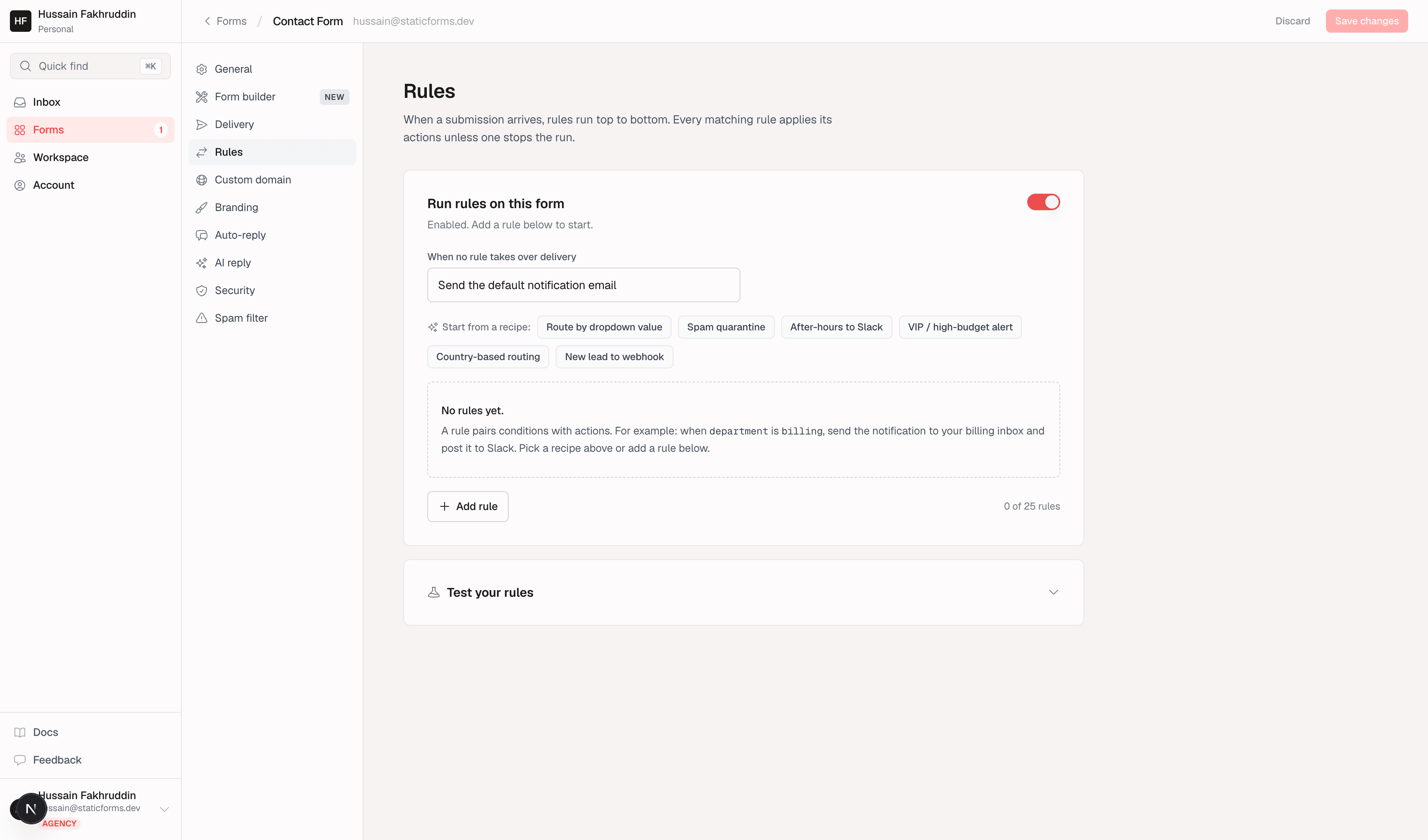
Where Rules sits in the pipeline
A submission is checked by Security (captcha, domain restriction) and the spam filter first. Only submissions that pass both reach Rules. From there, Rules decides delivery on top of whatever Delivery would otherwise do.
Get help from an agent
On paid Pro and Agency, connect ChatGPT, Claude or another compatible MCP agent from Agent access in the main sidebar. Authorize one workspace with Manage rules, identify the form in chat, review a validation and dry-run preview, then approve the exact change before saving. Existing limits, verified recipients and edit permissions still apply. Trial plans do not include agent access.
Add your first routing rule
- Open your form from Forms, select Rules, and enable rules.
- Keep Send the default notification email selected for this example. Matching rules will add recipients to your normal notification.
- Click Add rule. Set a field condition using
department, theisoperator, and the valuebilling. The field name must match the HTML input'sname, not its visible label. - Choose Send the notification to... and select your verified billing recipient. Verify the address in workspace verified emails first if it is missing.
- Expand Test your rules and enter
{"department":"billing"}as the sample JSON. Run the test and check that the rule matches and plans the recipient. Change the value tosalesand test again: this rule should not match, while default delivery remains available. - Save your changes to apply them to real submissions. A dry run tests the draft, including when the saved rules are disabled; it does not enable or save rules.
To notify only the recipients selected by rules, choose Only send where rules say (suppress default) instead. With that setting and at least one saved rule, a submission with no matching recipient rule skips the notification email. Test both a match and a non-match before saving. Integrations are separate from this email setting.
Anatomy of a rule
A rule has a name, one or more conditions (combined with all or any), and one or more actions. Add up to 10 conditions and 5 actions per rule. Toggle a rule off without deleting it, reorder rules with the up/down arrows, and check Stop processing further rules when this rule matches to skip later rules while keeping the actions already planned.
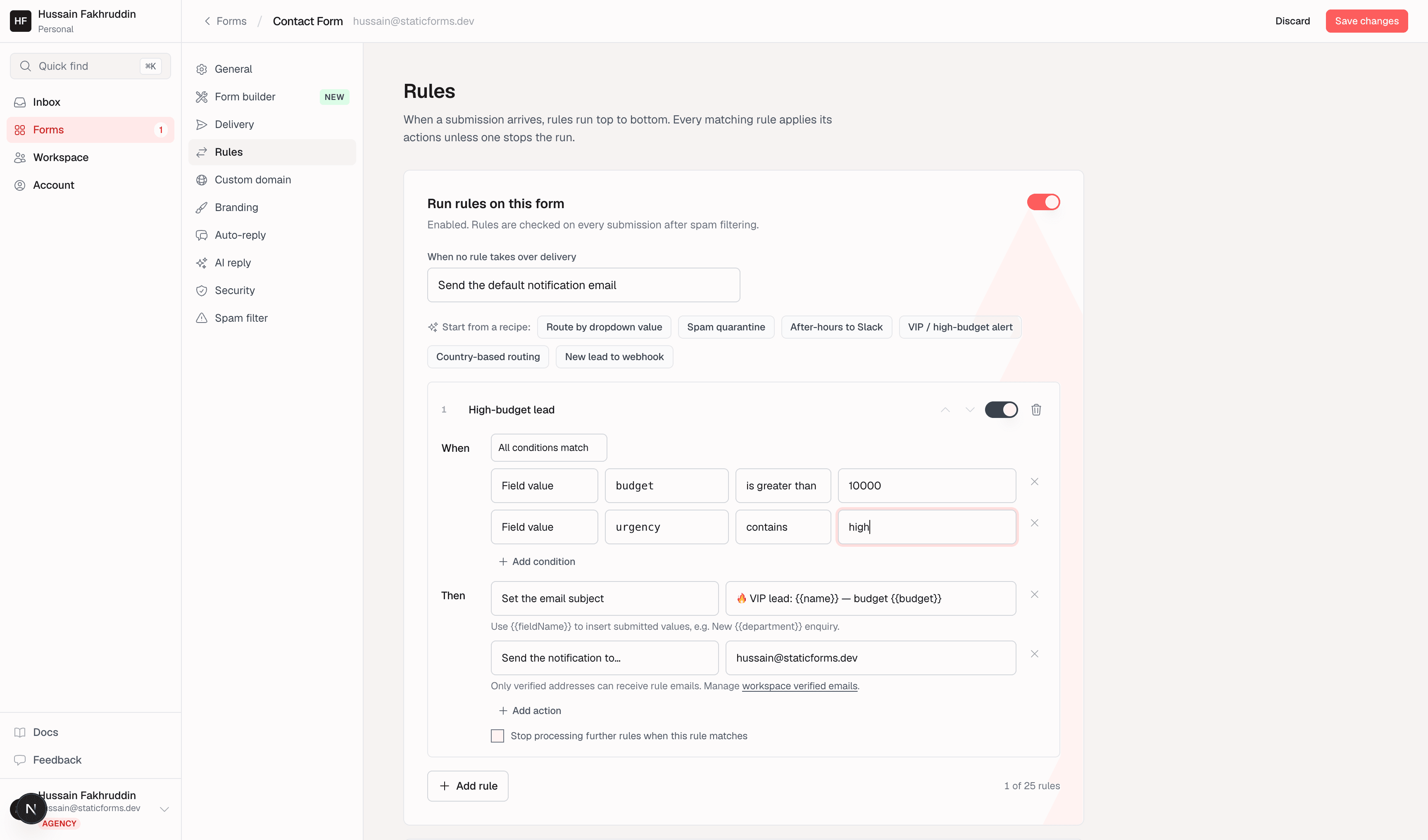
Conditions
Every condition has a subject (what to inspect), an operator, and - except for always and the emptiness checks - a value to compare against. Text comparisons are case-insensitive; field names must match the submitted names.
| Subject | Reads | Plan |
|---|---|---|
| Every submission | Always matches - use it to apply an action to everything (e.g. set a default subject). | Pro |
| Field value | Any submitted field, by name. | Pro |
| Spam flag | true/false - the field-heuristics verdict (password/crypto/card-shaped field names). | Agency |
| Country | Two-letter code from the edge geo header, e.g. AE, US. | Agency |
| Page URL | The page the form was submitted from. | Agency |
| Referrer | Raw Referer header. | Agency |
| Day of week | monday-sunday, evaluated in the form's timezone. | Agency |
| Hour of day | 0-23, evaluated in the form's timezone. | Agency |
| Has attachment | true/false - whether a file was uploaded with the submission. | Agency |
| UTM parameter | Any query parameter named utm_* on the page URL. | Agency |
Operators available depend on the subject: text subjects get contains, doesn't contain, is, is not, starts with, ends with, is one of, is empty, is filled in, and the Agency-only matches regex; numeric subjects (hour of day) add is greater than/is less than.
Regex is ReDoS-checked at save time
matches regex patterns are linted before saving (catastrophic-backtracking shapes like nested quantifiers or a repeated group containing an alternation are rejected) and bounded at evaluation time. Save fails with a specific error rather than silently accepting an unsafe pattern.
Actions
| Action | What it does |
|---|---|
| Send the notification to... | Adds an additional recipient. Must be a verified address - see below. |
| Set the email subject | Overrides the notification subject. Supports {{fieldName}} placeholders. The first matching subject action wins, even if its placeholders resolve empty; in that case the default subject is used. |
| Set the reply-to address | Sets Reply-To on the notification - a literal address or a single {{fieldName}} placeholder (e.g. reply straight to the submitter). The first action that resolves to a valid address wins; invalid results are skipped. |
| Redirect the visitor | Sends the submitter to a URL after they submit, overriding the form-supplied redirect. The first valid redirect action wins. |
| Send to Slack / Discord / Telegram | Posts to the destination connected in Delivery, or to an additional destination registered on the action. |
| Add row to Google Sheets / record to Airtable / page to Notion | Appends to the connected sheet/table/database, optionally overriding the tab, table, or database. |
| Call a webhook | POSTs the submission as JSON to a URL you set on the action (required - this is not the same URL as the Delivery-tab webhook). |
| Skip the default email | Suppresses this submission's default notification without touching integrations or other rules. |
| Mark as spam | Terminal - stores the submission under Spam and halts evaluation; no email, no integrations for this submission. |
| Discard silently | Terminal - nothing is stored at all. Use for known-junk patterns you never want to see. |
Only verified addresses can receive rule emails
Recipients for Send the notification to... must already be verified - the form's own address, a verified CC address, or an address from your workspace verified emails pool. This is a deliberate anti-abuse limit: rules can't be used to blast an arbitrary address you don't control.
Recipients are checked again at send time. Removed, unverified, or bounce-suppressed addresses are dropped. In rules-only mode, delivery is blocked if none of the selected recipients remain eligible. In additive mode, an eligible default recipient can still receive it.
Recipients share one email
Multiple recipients receive one notification with a To address and CC recipients, including eligible per-form CC addresses. Recipients can see those addresses. Duplicate addresses are removed, and each recipient counts toward monthly and hourly email quotas. Skipping a notification in rules-only mode still counts as one against the monthly quota.
When no rule takes over
When no rule takes over delivery sets the default notification behavior while rules are enabled and the rule list is not empty:
- Send the default notification email (additive): keeps normal notification delivery available; matching rules can add recipients or change the subject. Normal delivery checks still apply, and a matching skip-default action can suppress it.
- Only send where rules say (suppress default): suppresses the default notification. Only matching recipient actions select who receives the notification email. It does not suppress integrations.
Disabled rules configuration or an empty rule list leaves normal delivery unchanged. mark_spam and discard override either setting: they halt evaluation, clear previously planned recipient and integration actions, and suppress downstream email, integrations, auto-replies, and AI replies. A redirect selected earlier is still honored.
At most 20 recipient and integration actions are planned per submission, across all rules. Duplicate recipients or identical integration destinations are skipped, and later actions beyond the cap appear as skipped in the trace. Subject, reply-to, and redirect actions do not consume this cap.
Recipes
Six built-in recipes scaffold a common pattern in one click, which you then adjust to your fields: Route by dropdown value, Spam quarantine, After-hours to Slack, VIP / high-budget alert, Country-based routing, and New lead to webhook.
Test your rules (dry run)
Before saving, expand Test your rules to run your in-progress rules against a sample submission - nothing is sent or stored. Edit the sample JSON, and optionally simulate country, page URL/referrer, submission time, a file attachment, or the spam-heuristics flag to exercise Agency-only conditions. The result previews the delivery decision plus a per-rule trace (matched/no-match per condition, planned/skipped per action).
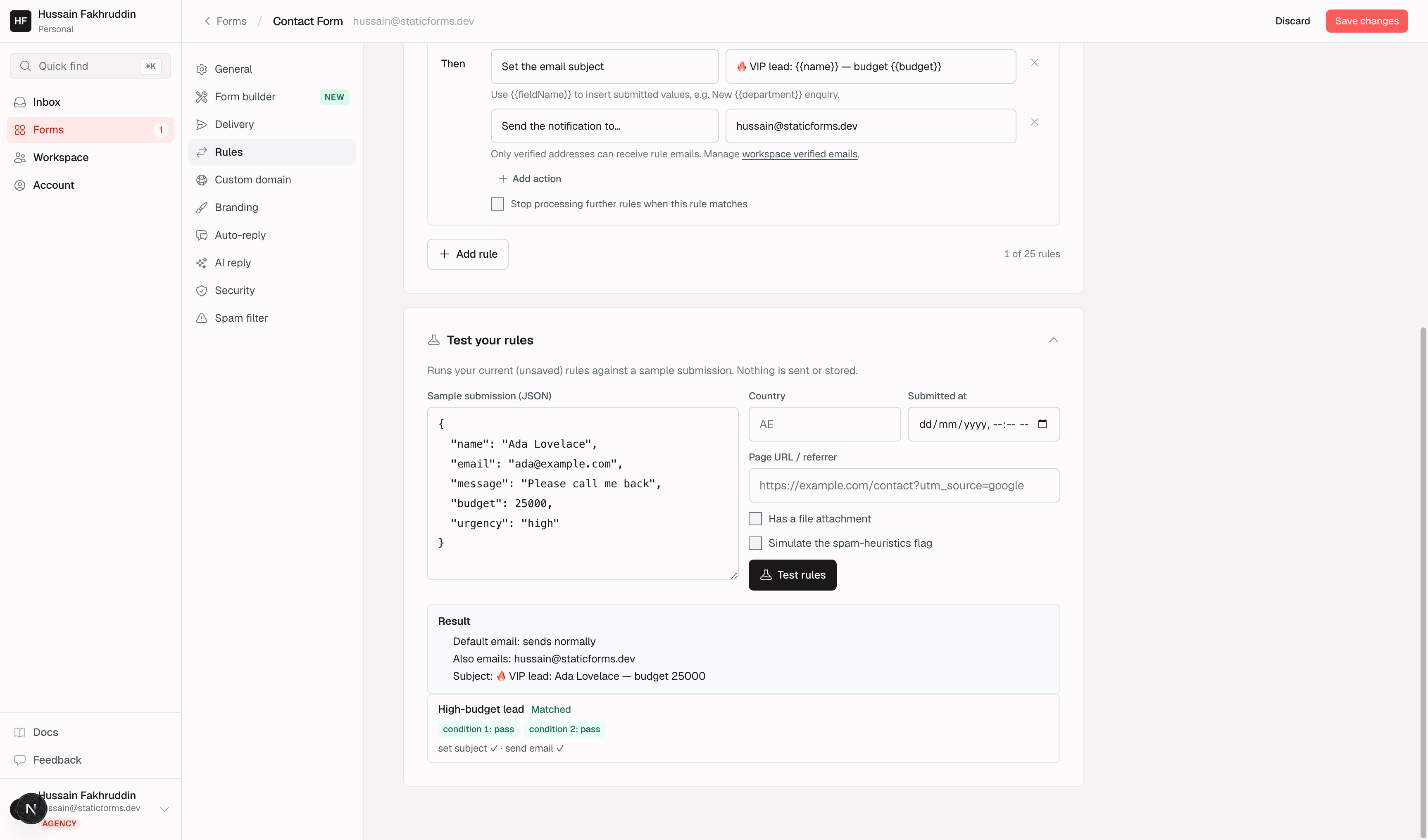
A successful dry run confirms rule evaluation, not delivery. It does not send email, call integrations, or prove that a destination is reachable. Fix any reported JSON or validation error and run the test again before saving.
Inspect traces on stored submissions
When a submission is stored with a rule trace, inspect its Inbox delivery details to see evaluation results and planned or skipped actions. A planned action is not proof of successful delivery; check the delivery details too. Discarded submissions are not stored and have no Inbox trace. Submissions blocked before Rules do not have a rule evaluation.
Plan gating
| Capability | Minimum plan |
|---|---|
| Rules (basic conditions + actions), up to 10 rules/form | Pro |
| Up to 25 rules/form | Agency |
| Metadata conditions (spam flag, country, page URL, referrer, day/hour, attachment, UTM) | Agency |
matches regex operator | Agency |
| Each integration action (Slack/Discord/Telegram/Sheets/Airtable/Notion/webhook) | Pro Rules itself is Pro, so every action is too |
Downgrades don't delete rules
Eligibility is checked again on each submission. Below Pro, rules are not evaluated. On Pro, rules after the first 10 positions are skipped, and an entire rule using Agency-only conditions is skipped, even if another condition in an ANY group could match. These checks do not change the saved enabled toggles. Saved enabled rules can become eligible again after upgrading. Review rules and default delivery after any plan change.
Related
- Delivery - the default recipients and integrations Rules builds on top of.
- Spam Filter - content-based filtering that runs before Rules ever sees a submission.
- Integrations - connect Slack, Discord, Telegram, Sheets, Airtable, or Notion before routing to them from a rule.







































