Changelog

A little better, every release.

The latest updates to Static Forms, all in one place.

Older entries describe the product at the time of release. For current behavior, visit the documentation.

Latest update

Top up AI credits with your saved card

Use your saved subscription card when buying AI credits or setting up automatic top-ups. Choose a balance threshold and top-up amount so replies can keep running without repeated manual purchases.

Connect your forms to ChatGPT, Claude, and other AI tools

Ask a connected AI tool to inspect your form settings, find submissions, or preview changes to your Form Rules. You choose what it can access and can disconnect it at any time.

Available on paid Starter, Pro, and Agency workspaces. Changing Form Rules requires Pro or Agency. Provider permissions also apply; ChatGPT setup currently requires Developer mode.

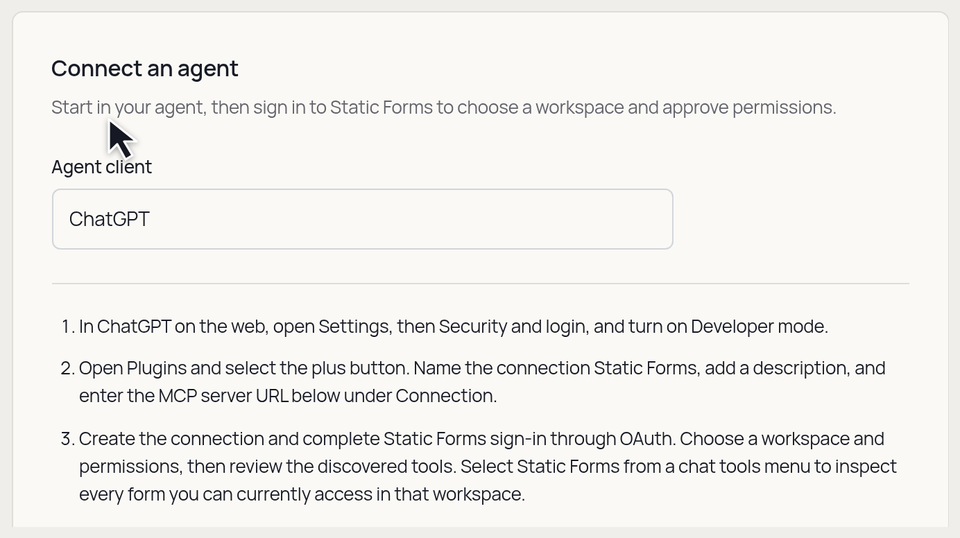
The agent setup selector switches between ChatGPT, Claude, and Other MCP client, showing connection instructions for each.
Choose your AI tool to see its connection steps.

Bring your team onto Pro

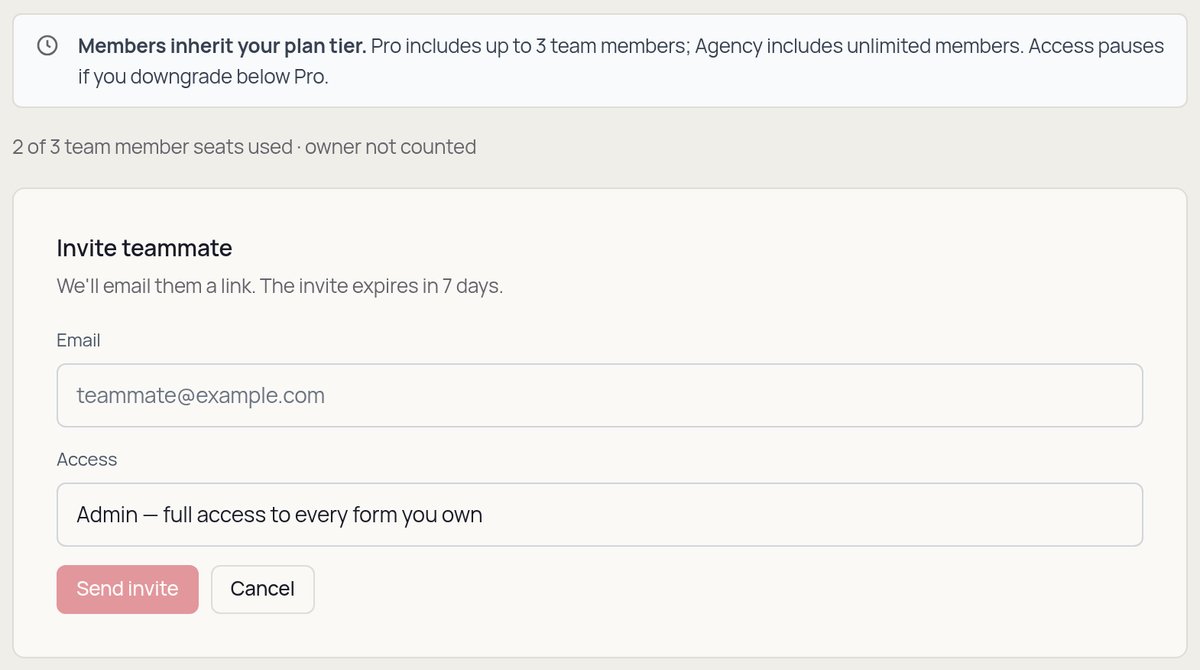
Pro workspaces can now invite up to three teammates at no extra per-seat cost. Give someone access to a specific form or let an admin help manage the workspace. Agency continues to support unlimited team members.

The Pro team screen shows a three-member allowance and the invitation form with an email field and an access selector set to Admin.
Invite up to three teammates on Pro and choose their access.

More room to grow with Starter

Starter adds unlimited forms, a higher monthly submission allowance, file storage, and integrations for sites that have outgrown Free.

Existing Pro accounts also get more file storage, increased from 2 GB to 5 GB at no extra cost.

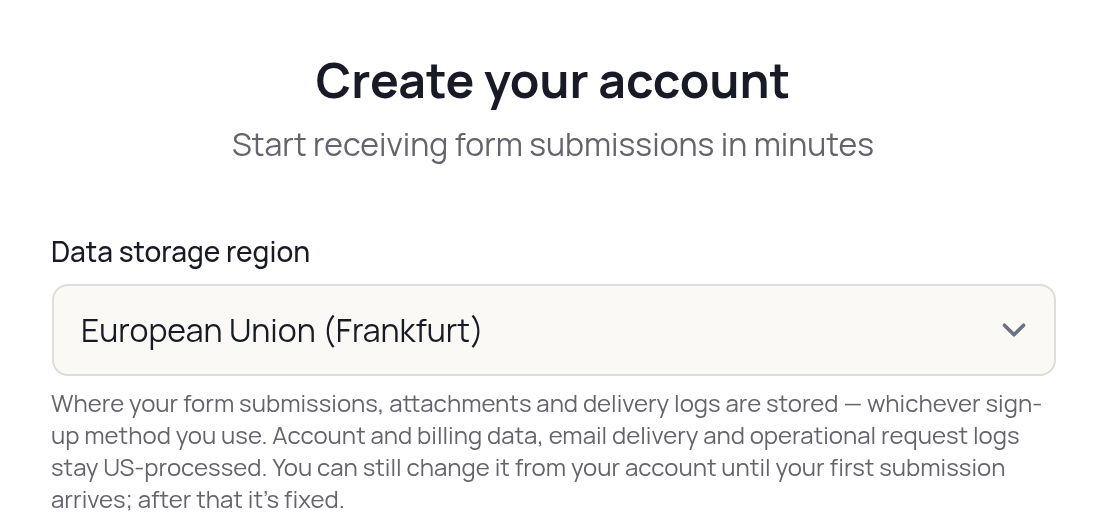
Choose EU storage for your form data

Choose the European Union when signing up to store submissions, attachments, webhook delivery logs, and AI reply logs in Frankfurt.

This choice covers form data. Account and billing data, email delivery, and operational request logs remain US-processed.

The signup form with European Union (Frankfurt) selected as the data storage region.
Choose your form data's storage region when you sign up.

Choose which emails you receive

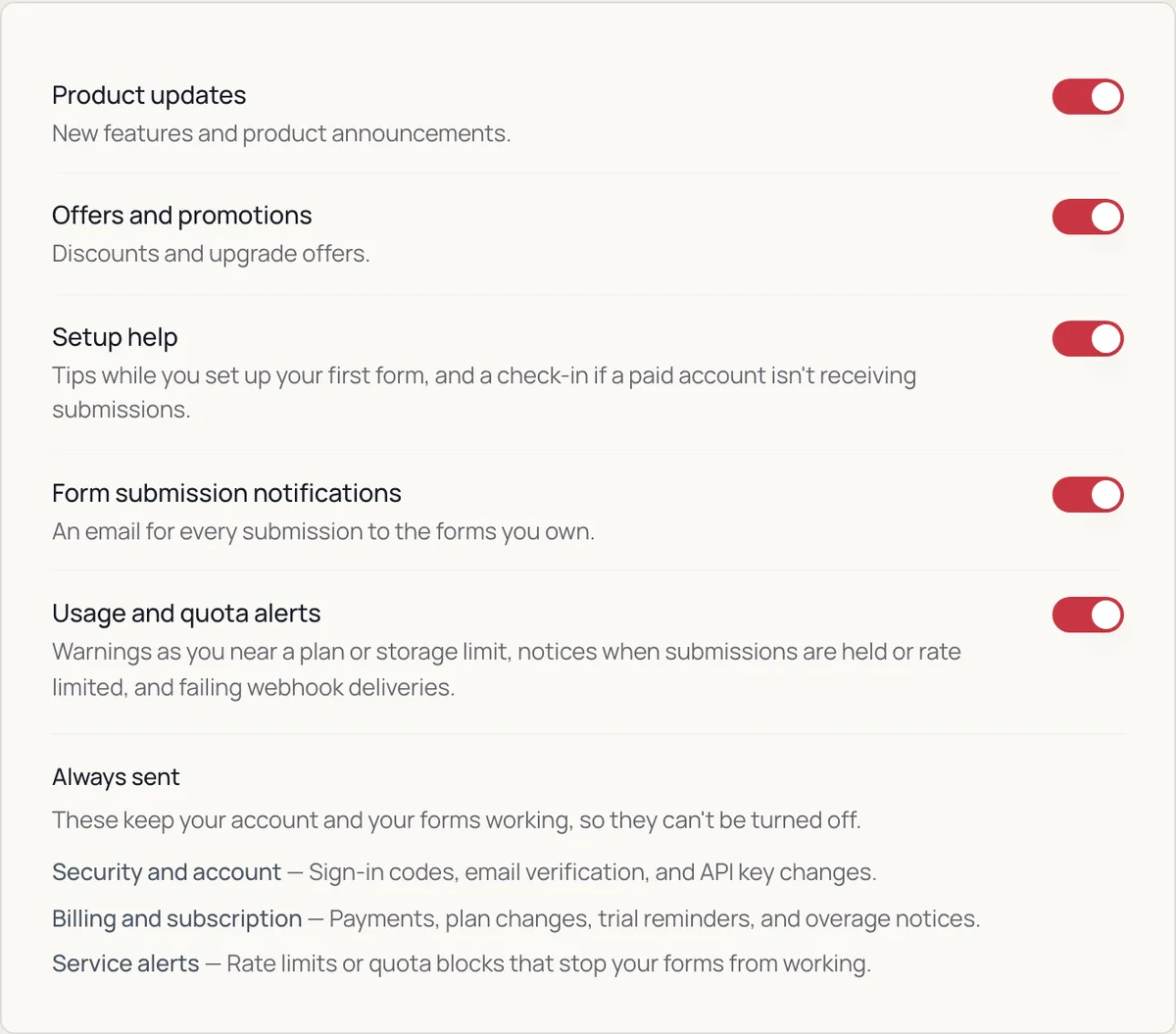
Manage product announcements, offers, submission notifications, and usage alerts separately. The preferences link in your emails works without signing in, so turning off offers no longer means missing product updates.

Send each submission to the right place

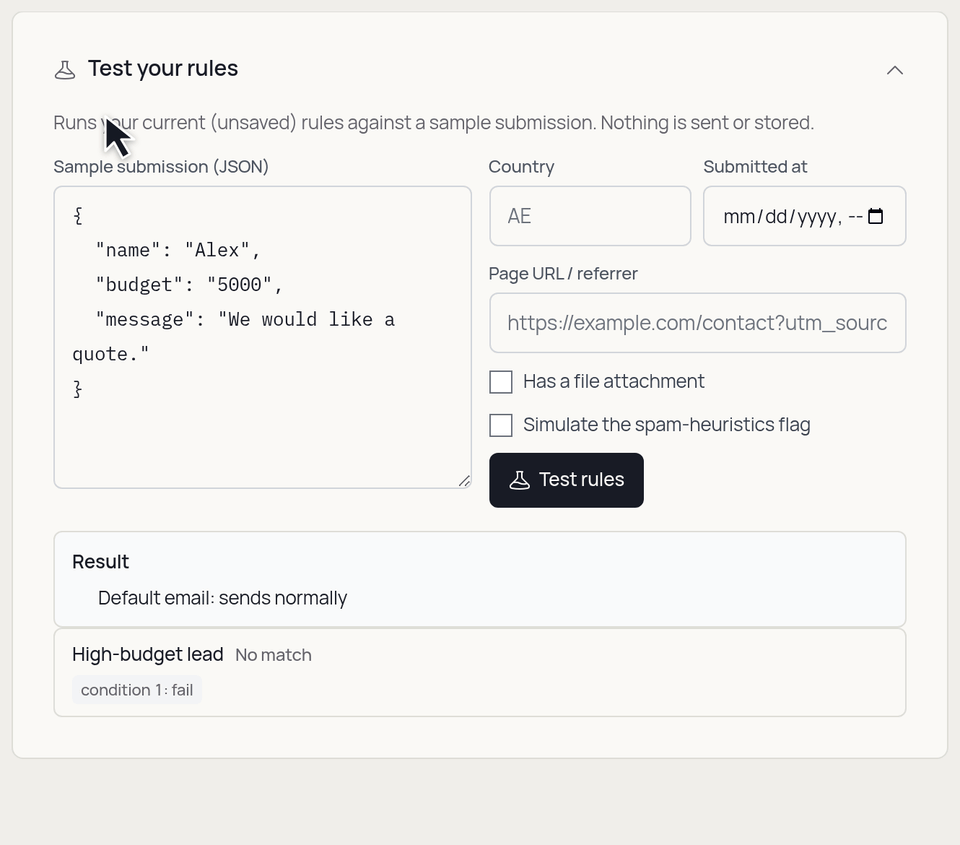
Use Form Rules to route submissions based on what someone enters. Notify a different recipient, change the subject, or send the details to a connected tool without writing code.

  • Preview a rule with sample data before saving it.
  • Start from a ready-made recipe or build your own conditions.

  • Available on Pro and Agency, with additional conditions on Agency.
Testing a high-budget lead rule: changing the sample budget from 5,000 to 15,000 makes the rule match and sets the email subject.
Try sample data and see which rules match before saving.

Add your forms directly in WordPress

Connect your account, choose a form, and add it to a page with the Static Forms block or a shortcode. Your form keeps its validation, file uploads, and CAPTCHA. Elementor Pro and Contact Form 7 connections remain available.

Answer common questions with AI Reply

Use your own knowledge base to generate replies to form submissions. When an AI reply cannot be generated, your static auto-responder can provide a fallback.

  • Add knowledge as text or upload a TXT or Markdown file.
  • Choose which form fields are shared for generating a reply.
  • Use pay-as-you-go credits and review reply logs.

That's the story so far. More updates are on the way.