Point your form's action at api.staticforms.dev/submit. Submissions are screened for spam and arrive by email and in your inbox. Paid plans add webhooks and Slack alerts, and Pro adds Google Sheets.
Store form data in Frankfurt by choosing the EU at signup. Account, billing and request logs stay US-processed. Transactional email is delivered from AWS SES in the United States, with Singapore (AWS SES ap-southeast-1) configured as the regional failover.
AI Reply can answer from your knowledge base on paid plans, with separate usage credits.
Set up the Static Forms form backend in 60 seconds
Works with static sites, site builders and frameworks. No servers, no databases, no build step. Most developers finish before their coffee cools.
1
Create a free account
Sign up and get your API key instantly. No credit card.
apiKey = "sf_3f8a91c2"
2
Point your form at the endpoint
One attribute change. Works with plain HTML or any framework.
action="https://api.staticforms.dev/submit"
3
Receive clean submissions
Delivered to your inbox with spam already filtered. Webhooks and dashboard included.
New submission from Ada Lovelace
Contact form
A Static Forms contact form in plain HTML
Paste this form into any HTML page, from a static site to a React or Next.js app, replace YOUR_API_KEY with the key from your account, and messages arrive by email. No JavaScript and no backend code.
Delivering an email is table stakes. The real work starts when the submission arrives.
Paid plans
Manage your forms from Claude or ChatGPT
Connect Claude, ChatGPT, or another MCP client over OAuth. Ask it to check a form's settings, find a submission, or preview a Form Rules change before saving it. You choose what it can access and can disconnect it at any time. Available on paid Starter, Pro, and Agency workspaces; previewing or changing Form Rules requires Pro or Agency.
Preview a rule on the contact form: when department is billing, send it to billing@example.com.
tool callstaticforms_rules_dry_runrule matched · nothing saved or sent
The rule matches a billing submission and would notify billing@example.com. Should I save it?
You choose what it can access, and can disconnect it at any time
Up to 25 rules per form
Every submission routed by what is actually in it
Build when/then rules on any submitted field: when department is billing, route it to your verified billing inbox, post it in #billing on Slack, add a row to a sheet, or call a webhook. Rules can also rewrite the subject line, set reply-to, or quarantine obvious spam before it reaches you. Dry-run any rule against a sample submission before you save it — Pro includes 10 rules per form, Agency 25.
Dry run, nothing sent or stored3 of 3 actions would run
Built-in, zero setup
Spam dies before it reaches your inbox
Every submission is screened by built-in advanced spam filtering automatically — no captcha, no honeypot, no setup required. Want extra layers? Add reCAPTCHA v2 and v3, hCaptcha, Cloudflare Turnstile, or privacy-first Altcha, plus honeypot fields on every plan, including free.
Grace Hopper Quote request for agency planDelivered
seo-blaster: Rank #1 on Google todayHoneypot tripped
Margaret Hamilton Partnership inquiryDelivered
pharma-deals-24: Cheap meds, no prescriptionFailed Turnstile
Slack, Discord & more
Submissions, wherever your team works
Native Slack and Discord notifications, one-click Google Sheets sync, Zapier and Make support, and raw webhooks carrying the full JSON payload. Email is just the default, not the limit.
One POST, delivered everywhere at once. Zapier and Make supported too.
Paid plans
AI replies, sent before you open the email
Upload your docs, FAQs, or pricing as a knowledge base. When a submission arrives, Static Forms writes a reply that answers the question and sends it back to them. Available on paid plans, with pay-as-you-go credits and no extra subscription.
Re: Question about file uploadsTo: ada@example.com
Hi Ada,
Answered from your knowledge base in 2.3sWriting…
NEW
Build the form visually, embed with one tag
Add text, email, number, date, dropdown, checkbox, and file fields from the dashboard. Set per-field validation rules, pick a captcha provider, then paste a single <script> tag on any page. The embed renders your form and posts to the same documented endpoint as every other Static Forms integration.
Accept attachments up to 4.5MB per submission. On paid plans, uploads persist in dedicated storage (1GB on Starter, 5GB on Pro, 10GB on Agency), so a missed email never means a lost document.
Keep form data in Frankfurt; account, billing, and request logs stay US-processed, and transactional email is delivered from AWS SES in the United States, with Singapore (AWS SES ap-southeast-1) configured as the regional failover
Moving away from WordPress? Keep your forms working.
Connect our WordPress plugin to your account once, then drop any form you've built in your dashboard onto a page. Migrating to Astro, Hugo, or a plain static host later? Swap the form action on the new site — same endpoint, same inbox, submissions keep flowing.
Connect once, then embed any of your forms with a block or shortcode — no per-form setup
Native Elementor Pro action and Contact Form 7 forwarding, no third-party services
Survives the migration: same endpoint works on WordPress and the static site
One dashboard for every client site, static or not
// Before: Elementor Pro on WordPress
Actions after submit: Static Forms
Sends to your inbox, no code changes needed

// After: plain HTML on any static host
<form action="https://api.staticforms.dev/submit"
      method="POST">
Same endpoint. Same inbox. Zero downtime.
A plan for your next step
Start small. Stay connected.
From your first inquiry to a growing business. Give every submission a place to go.
Save with yearly billing
AI replies use additional pay-as-you-go credits. Your subscription and AI usage are shown separately.
You can have your first form working in under 60 seconds. Simply register, get your API key, and add it to your form's action URL. No server setup, no complex configuration required.
Is there really a free plan forever?
Yes! Our free plan includes 250 submissions every 30 days, forever. No credit card required, no time limits. It's perfect for personal projects, portfolios, and small websites.
How does CAPTCHA spam protection work?
We integrate with leading CAPTCHA providers to protect your forms. Free plans get reCAPTCHA v2 (checkbox). From the Starter plan up ($6/month, or $4/month billed annually) you also unlock reCAPTCHA v3 (invisible, score-based), Cloudflare Turnstile (low-friction, privacy-friendly), hCaptcha, and Altcha (privacy-first, GDPR-friendly - no user tracking). Plus, honeypot fields catch simple bots automatically on every plan.
Can I use Static Forms with my website platform?
Yes! Static Forms works with any platform that can create HTML forms: React, Vue, Angular, Jekyll, Hugo, Gatsby, WordPress, Webflow, Squarespace, and any static site generator. No plugins required.
How do I add a contact form to a Jekyll or Hugo site?
Drop a standard HTML <form> into your Markdown or layout, set the action to our submit endpoint, and include your API key as a hidden input. Because there is no JavaScript requirement, it works inside any Jekyll, Hugo, Eleventy, or Astro template without extra plugins.
Does Static Forms work with Next.js and React?
Yes. Point any React form — Next.js App Router, Pages Router, Vite + React, or Remix — at our API. You can submit with plain <form action> for progressive enhancement, or use fetch/Server Actions if you prefer full control over the client-side flow.
Do you support file uploads and attachments?
File uploads are available from the Starter plan up, with up to 4.5MB per submission across all files. Attach a standard <input type="file"> with multipart/form-data and uploaded files are forwarded to your email and kept in persistent storage for download from your inbox — 1GB on Starter, 5GB on Pro, 10GB on Agency. On the Free plan, a submission that includes a file is rejected.
What happens if I exceed my plan limits?
It depends on your plan. On Free and Starter, submissions past the quota are held in your inbox, not rejected: the visitor still sees success, but nothing is emailed or forwarded and the contents stay hidden. Up to 100 are held per period; after that new submissions get a 429. They are released when your quota resets or you move to a plan that covers them, and you deliver them from your inbox. Pro and Agency can opt in to overage billing and keep sending at $1.00 per 1,000 extra submissions. While form submission notifications and usage alerts are on, we email you at 80% and 90% of your quota on paid plans, and once at 80% on Free, so you can take action.
Do you store my form data?
Yes — every submission is stored in your dashboard on every plan, so you can search, export, or delete it. Free stores submissions for a year and lists the most recent 30 days in your inbox; nothing older is deleted, and it all becomes visible again the moment you upgrade. Every paid plan — Starter, Pro, and Agency — stores submissions forever and shows the whole history, with the option to configure a shorter retention window. All data is encrypted at rest and in transit.
Is Static Forms GDPR compliant?
Yes! We're fully GDPR compliant with data export/deletion on request, consent tracking, IP anonymization, and a Data Processing Agreement (DPA) for business customers. We also offer privacy-friendly CAPTCHA options including Cloudflare Turnstile and Altcha for teams that want alternatives to Google reCAPTCHA.
What's included in the paid plans?
Starter ($6/month, or $4/month billed annually) gives you 3,000 submissions/month, unlimited forms, file uploads (4.5MB per submission, 1GB storage), advanced CAPTCHA (reCAPTCHA v3, Cloudflare Turnstile, hCaptcha, Altcha), domain restriction, webhooks with Slack, Telegram and Discord, auto-responders, AI Reply, paid-only agent access, unlimited submission storage, and priority email support. Pro adds 25,000 submissions/month, 5GB storage, custom email templates, Google Sheets, Notion, Airtable and Mailchimp sync, Zapier, form rules for conditional routing (10 per form), CC emails, a custom sending domain, branding removal, up to 3 team members, and opt-in overage. Agency adds 30,000 submissions/month, 10GB storage, 25 rules per form, and unlimited team members.
Can I connect ChatGPT or Claude to my forms?
Yes. On paid Starter, Pro and Agency, copy the MCP server URL from Agent access in the main sidebar into your provider settings and sign in through OAuth. Choose one workspace and shared permissions; the connection automatically follows every form you can currently access there; compatible MCP clients register automatically without manual client keys. Configuration and optional submission reads start on Starter, while previewing or changing rules requires paid Pro or Agency. Free and trial tiers are excluded. Your provider plan and workspace policy may limit custom connectors.
Can I cancel anytime?
Yes, you can cancel your subscription with one click, no questions asked. No contracts, no cancellation fees. Your account stays active until the end of your billing period, then downgrades to our free plan.
Do you offer refunds?
Absolutely! We offer a 30-day money-back guarantee on all paid plans. If you're not satisfied for any reason, contact us for a full refund.
Is Static Forms (staticforms.dev) the same as static-forms.com?
No, they are separate products. Static Forms, at staticforms.dev, is a form backend for your website, and its forms post to api.staticforms.dev/submit. static-forms.com, which also calls itself StaticForms, gives each form an endpoint on static-forms.com/f/ and, according to its llms.txt (checked 27 October 2026), sends notification email from the customer's own SMTP2GO or Resend account. Static Forms sends notification email itself, so you do not need an email provider account.
A form backend for agencies should give each client site its own form, recipients and access. Our checklist, what clients share, and how to hand a form over.
Formspree vs Web3Forms vs Static Forms on free tiers, paid plans, spam tools, integrations and retention, checked 3 November 2026, and when each one wins.
Eight form services compared on honeypots, CAPTCHAs, spam filters, domain limits and rate limits, with the plan each needs. Facts checked 3 November 2026.
Eight form backends compared on free submissions, paid plans, uploads, CAPTCHAs and data location. Facts from each vendor's own pages, checked 2 November 2026.
Formspark gives 250 free submissions in total, then sells one-time bundles. Static Forms gives 250 every 30 days. Costs at 6 volumes, checked October 2026.
Cloudflare Turnstile test keys and what each one does, how to test on localhost without a domain, and an error lookup table for missing or rejected tokens.
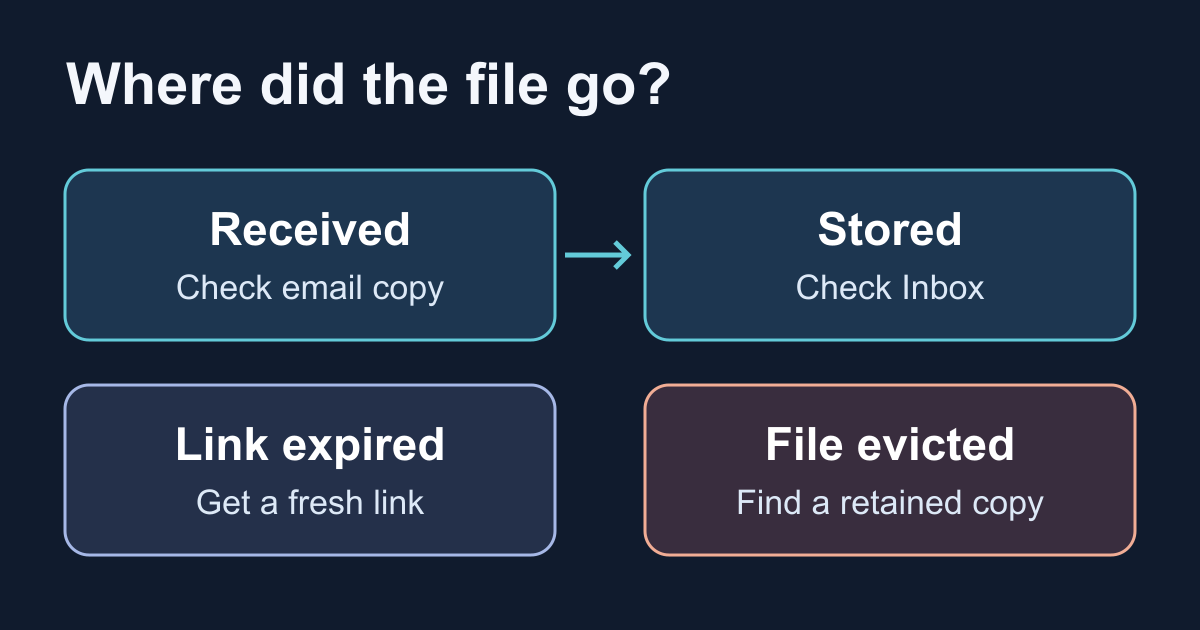
Diagnose missing form attachments without resubmitting. Separate expired links, storage eviction, access, and email copies, then test an offline storage budget.
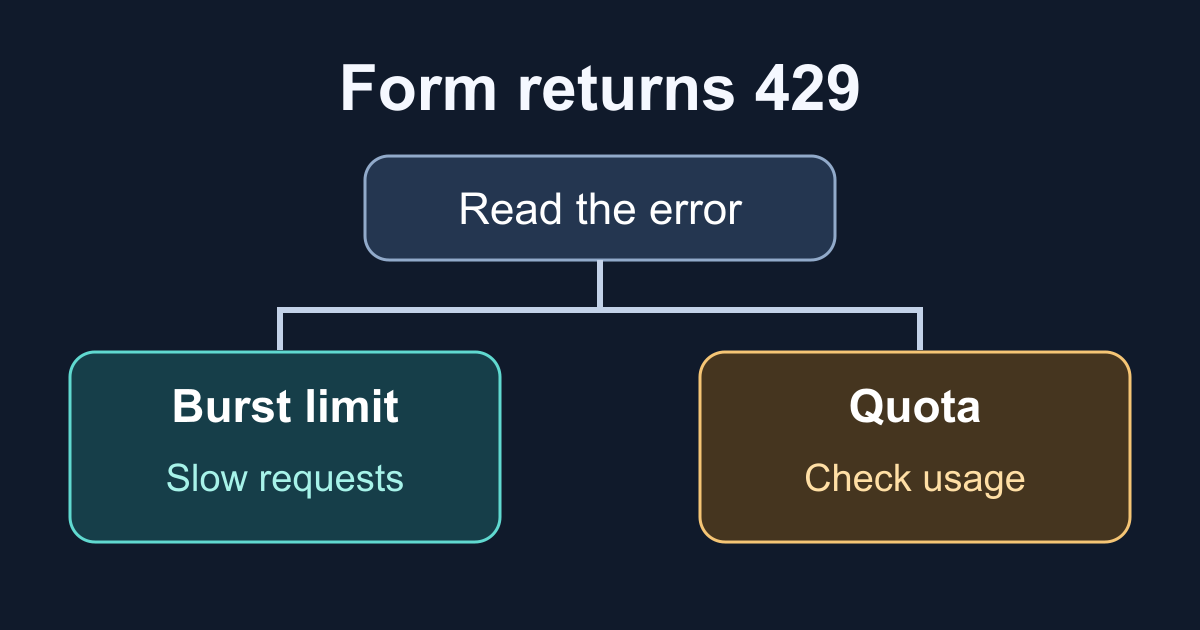
Diagnose a contact form's 429 response with its error body and workspace usage. Test an offline classifier and separate burst limits, quota, and billing fixes.