

Build an HTMX Contact Form Without a Custom Backend
HTMX can submit a contact form and update the page without turning the form into a client-side application. The awkward part is not hx-post. It is making a cross-origin hosted endpoint work without losing native validation, useful errors, or the form's no-JavaScript path.
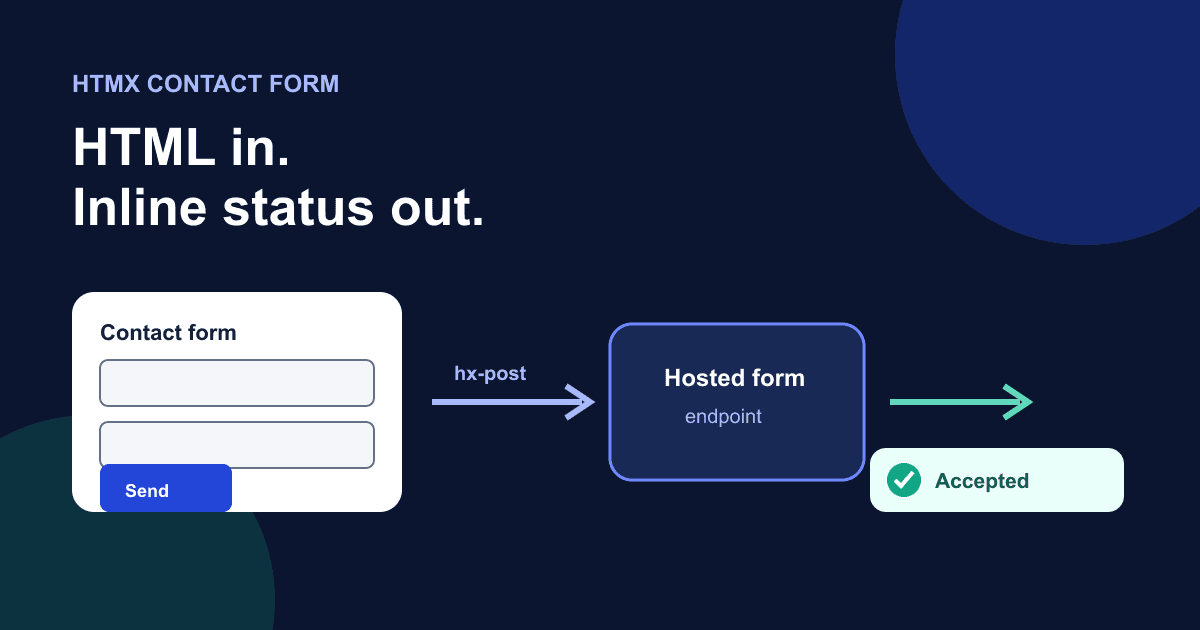
This example posts directly to Static Forms, keeps the whole form usable as ordinary HTML, disables repeat clicks while the request runs, and reports the result in a live status region. You only need an HTML page and a Static Forms per-form key.
The request flow
HTMX adds request behavior through HTML attributes. On a form, hx-post issues a POST when the form is submitted.[1] hx-target chooses the element that receives a response, while hx-swap controls how that response is inserted.[2][3]
A typical HTMX server returns an HTML fragment. Static Forms returns JSON to programmatic clients, so this implementation deliberately uses hx-swap="none". The response body is not inserted into the page. Instead, an htmx:afterRequest listener reads the request outcome and writes a short status message.
There are two boundaries worth keeping straight:
- HTMX controls browser behavior: collecting fields, sending the request, disabling the button, and exposing lifecycle events.
- The hosted endpoint validates the request, applies the form's settings, and returns an HTTP response. An accepted response does not, by itself, prove that an email reached an inbox.
Why noHeaders matters for a cross-origin endpoint
HTMX normally adds request headers such as HX-Request. A non-simple header can cause a browser CORS preflight when the endpoint is on another origin. The hx-request attribute supports noHeaders, which strips HTMX's added headers.[4]
This form uses:
hx-request='{"noHeaders":true,"timeout":10000}'The form also sets hx-encoding="multipart/form-data". HTMX documents this as the switch from its usual URL-encoded request to multipart form data.[12] The browser supplies the multipart boundary while noHeaders removes HTMX-specific headers. The 10-second timeout prevents the interface from looking stuck forever. Do not copy noHeaders into an authenticated same-origin app without thinking: it removes headers you may depend on, including CSRF or application headers. Here it is a deliberate fit for a public hosted form endpoint.
If your endpoint requires custom authorization headers, use a same-origin server route or configure its CORS policy to allow the exact headers. Do not put private credentials in page markup.
Complete HTMX contact form
Create a form in the Static Forms dashboard and replace YOUR_API_KEY below. The current form setup documentation uses the public per-form key as the suffix in https://api.staticforms.dev/submit/<API_KEY>.[5]
The CDN tag pins HTMX 2.0.10 and includes the integrity value published in the official HTMX installation docs at the time this article was checked.[6] For stricter dependency control, download that file, verify it, and serve it from your own site.
<!doctype html>
<html lang="en">
<head>
  <meta charset="utf-8">
  <meta name="viewport" content="width=device-width, initial-scale=1">
  <title>Contact us</title>
  <script src="https://cdn.jsdelivr.net/npm/htmx.org@2.0.10/dist/htmx.min.js"
          integrity="sha384-H5SrcfygHmAuTDZphMHqBJLc3FhssKjG7w/CeCpFReSfwBWDTKpkzPP8c+cLsK+V"
          crossorigin="anonymous"></script>
  <style>
    :root { font: 100%/1.5 system-ui, sans-serif; }
    body { margin: 0; color: #172033; background: #f5f7fb; }
    main { width: min(42rem, calc(100% - 2rem)); margin: 3rem auto; }
    form { display: grid; gap: 1.15rem; padding: 1.5rem; background: white; border-radius: 1rem; }
    label { display: block; font-weight: 700; }
    input, textarea, button { box-sizing: border-box; width: 100%; font: inherit; }
    input, textarea { margin-top: .35rem; padding: .75rem; border: 2px solid #667085; border-radius: .4rem; }
    textarea { min-height: 9rem; resize: vertical; }
    button { min-height: 44px; border: 0; border-radius: .4rem; color: white; background: #2446d8; cursor: pointer; }
    button:disabled { cursor: wait; opacity: .7; }
    :focus-visible { outline: 3px solid #ffbf47; outline-offset: 3px; }
    .hint { margin: .25rem 0 0; color: #4b5565; }
    .htmx-indicator { display: none; }
    .htmx-request .htmx-indicator { display: inline; }
  </style>
</head>
<body>
  <main>
    <h1>Contact us</h1>

    <form id="contact-form"
          action="https://api.staticforms.dev/submit/YOUR_API_KEY"
          method="post"
          hx-post="https://api.staticforms.dev/submit/YOUR_API_KEY"
          hx-request='{"noHeaders":true,"timeout":10000}'
          hx-encoding="multipart/form-data"
          hx-swap="none"
          hx-disabled-elt="find button[type='submit']"
          hx-indicator="#sending">
      <div>
        <label for="name">Name</label>
        <input id="name" name="name" autocomplete="name" required>
      </div>

      <div>
        <label for="email">Email address</label>
        <input id="email" name="email" type="email" autocomplete="email" aria-describedby="email-hint" required>
        <p class="hint" id="email-hint">For example, name@example.com</p>
      </div>

      <div>
        <label for="message">Message</label>
        <textarea id="message" name="message" maxlength="3000" required></textarea>
      </div>

      <button type="submit">
        <span class="button-label">Send message</span>
        <span id="sending" class="htmx-indicator" aria-hidden="true"> Sending...</span>
      </button>
      <p id="form-status" role="status" aria-live="polite"></p>
    </form>
  </main>

  <script>
    const form = document.querySelector('#contact-form');
    const status = document.querySelector('#form-status');

    htmx.config.reportValidityOfForms = true;

    form.addEventListener('htmx:beforeRequest', () => {
      status.textContent = 'Sending your message.';
    });

    form.addEventListener('htmx:afterRequest', (event) => {
      if (event.detail.successful) {
        form.reset();
        status.textContent = 'Your message was accepted. We will reply by email.';
        return;
      }

      const code = event.detail.xhr?.status;
      status.textContent = code
        ? `We could not send your message (HTTP ${code}). Your entries are still here.`
        : 'We could not reach the form service. Your entries are still here.';
    });
  </script>
</body>
</html>
The regular action and method are not duplicates by accident. They are the fallback. With JavaScript unavailable, the browser still submits the form normally. With HTMX loaded, hx-post handles the submission and the page stays put.
Validation stays native
The form uses required, type="email", visible labels, and standard controls. HTMX integrates with the browser's constraint validation and does not issue a form request when a validatable field is invalid.[6]
HTMX does not report form validity by default for compatibility reasons. Setting htmx.config.reportValidityOfForms = true restores the browser's normal validation report and focus behavior.[6] That line is easy to miss. Without it, the invalid request is halted but the user may not get the browser's normal explanation.
Native validation is a good baseline, not a security boundary. Repeat validation on the server because attributes and scripts can be bypassed. If you need custom inline errors, connect each message to its field and test the result with keyboard and screen-reader input. The form error-message guide covers that larger pattern.
Loading and duplicate-click behavior
hx-disabled-elt="find button[type='submit']" adds the native disabled attribute to the submit button during the request. HTMX documents this attribute specifically for disabling selected elements while a request is running.[7]
The indicator is linked through hx-indicator="#sending". HTMX adds the htmx-request class for the request duration, allowing CSS to reveal the indicator.[8] The visible "Sending..." text is marked aria-hidden because the live status region already announces progress. Otherwise some users may hear the same update twice.
Disabling a button blocks repeat activation in this browser instance. It is not server-side idempotency. Network retries, multiple tabs, and other clients can still create another request. Use a server-side idempotency strategy when duplicate side effects would be costly; the duplicate-submission guide separates these two protections.
Handle success and failure honestly
The htmx:afterRequest event exposes detail.successful, and detail.xhr.status carries the HTTP status when a response exists.[9] The success branch resets the form. Failure leaves every value in place.
Do not reset in beforeRequest, and do not put form.reset() in a finally-style path. A 403 domain restriction, 429 limit, timeout, or lost network should not erase the user's message.
The status says "accepted" rather than "delivered." Static Forms documents 200 as a successful accepted submission, while some delivery conditions may still prevent email from being sent.[10] The success-message guide has more examples of accurate confirmation copy.
You can map common status codes to better guidance:
- 400: check required request data and field format;
- 401: confirm that the form key is present and exact;
- 403: check form status, domain restrictions, and CAPTCHA;
- 429: wait before retrying and inspect account limits;
- no status: treat it as a network, timeout, or browser-policy failure.
Do not show raw server bodies to users. Log enough detail for diagnosis without exposing submitted personal data or credentials.
Configure the endpoint before testing
The per-form key is a public identifier because it appears in the HTML. It does not grant dashboard access.[5] Abuse protection belongs in the form configuration, not in an attempt to hide the key.
If you enable domain restrictions, add the exact production hostname and decide whether localhost should be allowed during development. Static Forms rejects origins outside the configured list.[11] Test the deployed origin, not only a local file or preview URL.
CAPTCHA adds its own token field and failure path. Do not add a challenge just to complete this tutorial. Choose a provider based on the site's abuse and accessibility needs, then follow the provider-specific setup in the security documentation.
Test the whole form
Serve the page over HTTP rather than opening it as a file: URL. Use a test form key, then run these checks:
- Leave Name empty and submit. The browser should focus the invalid field and no network request should appear.
- Enter an invalid email and submit. The browser should report the email constraint.
- Enter valid test data. The button should disable, "Sending..." should appear visually, and the live region should announce progress.
- Return or provoke a controlled non-success response. The fields should keep their values, the button should become available again, and the status should include the HTTP code when one exists.
- Submit successfully. The form should clear only after the accepted response, and the status should announce acceptance.
- Block the HTMX script or disable JavaScript. Submit again with the native form path and confirm that the endpoint responds rather than leaving a dead control.
- Test at mobile width and by keyboard. Check visible focus, page overflow, and whether any sticky banner covers the active control.
In DevTools, confirm the successful request is multipart/form-data with a boundary and that it does not carry HTMX's HX-* headers when noHeaders is enabled. If the browser sends an OPTIONS request and it fails, inspect the actual requested headers before changing server CORS settings.
Common failures
The browser reports a CORS error before POST
A custom header probably triggered preflight. Confirm hx-request='{"noHeaders":true}' is on the form and that no inherited hx-headers attribute adds another header. If your application requires headers, proxy through your own origin or allow only the exact headers server-side.
The response JSON appears inside the page
Use hx-swap="none". Static Forms is an API endpoint, not an HTML-fragment renderer. The event listener owns the visible status.
Invalid fields stop the request silently
Set htmx.config.reportValidityOfForms = true. Keep native required and input types so the browser can identify the failing field.
The button stays disabled
hx-disabled-elt should remove disabled when the request ends. Check the console for a script error and confirm the CDN file loaded. A strict Content Security Policy may require self-hosting HTMX and moving inline code into an external file.
The form works locally but returns 403 in production
Check the deployed hostname against domain restrictions. Preview, www, and apex hostnames are different origins. Update the allowlist deliberately rather than disabling the control without understanding the mismatch.
When HTMX is the wrong fit
For a basic contact form that redirects to a thank-you page, ordinary HTML is smaller and easier. HTMX earns its place when inline progress and result states improve the page and you are willing to test the enhanced path.
If the request needs private credentials, data enrichment, or custom server validation before forwarding, use a same-origin server route. HTMX can still submit to that route, but the browser should not hold secrets.
The no-JavaScript fallback is worth keeping either way. An enhancement should not turn a working form into a blank button when one script fails.
Sources
[1] HTMX hx-post - official attribute reference, checked 13 September 2026.
[2] HTMX hx-target - official attribute reference, checked 13 September 2026.
[3] HTMX hx-swap - official attribute reference, checked 13 September 2026.
[4] HTMX hx-request - official request configuration reference, checked 13 September 2026.
[5] Static Forms: General form settings - live product documentation checked 13 September 2026.
[6] HTMX documentation - version 2.0.10 installation and validation behavior checked 13 September 2026.
[7] HTMX hx-disabled-elt - official attribute reference, checked 13 September 2026.
[8] HTMX hx-indicator - official attribute reference, checked 13 September 2026.
[9] HTMX events reference - htmx:afterRequest event details checked 13 September 2026.
[10] Static Forms API reference - live response contract checked 13 September 2026.
[11] Static Forms: Form security settings - live product documentation checked 13 September 2026.
[12] HTMX hx-encoding - official request encoding reference, checked 13 September 2026.
Related Articles
Add a Contact Form to Hexo Without a Backend
Add a no-JavaScript contact form to Hexo, keep it outside fragile theme files, inspect the generated HTML, and test the deployed form safely.
Add a Contact Form to Neocities Without PHP
Add a working contact form to Neocities with plain HTML, accessible labels, spam protection, a thank-you page, and a practical test checklist.
Add a Contact Form to Ghost Without Editing Your Theme
Add a working contact form to Ghost with an HTML card, accessible fields, a thank-you page, spam protection, and a published-page test plan.







































