

Contact Form Success Message Examples That Help Users
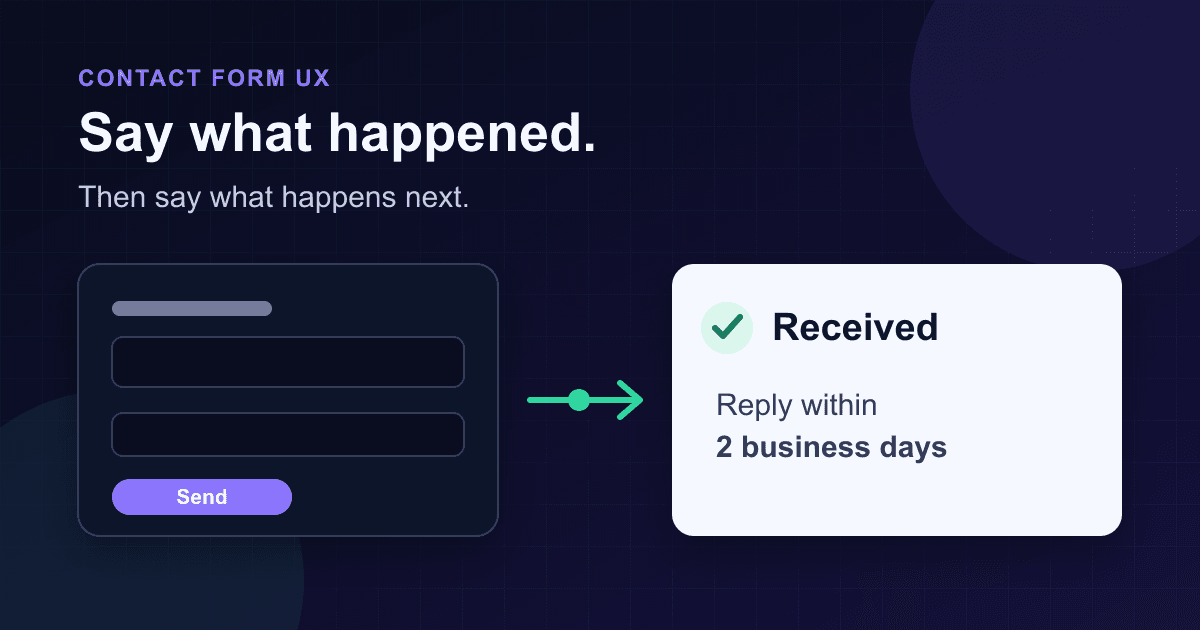
A contact form success message has two jobs: confirm that the submission reached the endpoint, then tell the visitor what happens next. "Thanks!" only does half the work. It leaves people wondering whether anyone will reply, whether a file arrived, or whether they should submit again.
The strongest confirmation copy is specific without making promises your workflow cannot keep. Say what you received, name the next step, give a realistic time window when one exists, and offer a recovery path when waiting could cause a real problem.
A reliable success message formula
Use this structure as a starting point:
We received [what they sent]. [Who or what responds] [when or how]. [What to do if the next step does not happen].
A small contact form might need one sentence. An application or support request may need a reference number and a separate confirmation page. The wording should match the actual process behind the form.
| Part | Useful copy | What to avoid |
|---|---|---|
| Outcome | "We received your message." | "Success!" |
| Next step | "Our support team will reply by email." | "We'll be in touch soon." |
| Timing | "Expect a reply within 2 business days." | A deadline nobody tracks |
| Recovery | "If your request is urgent, call..." | "Do not submit again" with no alternative |
| Record | "Your reference is SF-20481." | A random reference that support cannot search |
The GOV.UK confirmation-page pattern follows the same practical logic: confirm completion, then include details about what happens next and when.[8] You do not need to copy its page design. The useful part is the information hierarchy.
Contact form success message examples
These are templates, not promises. Replace the bracketed details and remove any sentence your process cannot support.
General contact form
Thanks, we received your message. Someone from [team name] will reply to [email address] within 2 business days.
This works when a shared inbox has a real service target. If replies sometimes take a week, do not publish "2 business days" because it sounds better.
Sales or demo request
Your demo request is in. We'll send scheduling options to [email address] within 1 business day.
Repeat the destination when the visitor typed it moments ago. A visible typo gives them a chance to correct the address before they leave.
Support request
Support request SF-20481 has been created. We'll reply by email. Add SF-20481 to any follow-up so we can find the request quickly.
Only show a reference if the receiving system creates one and your team can search it. Decorative IDs make support harder, not easier.
Job application
We received your application for Frontend Engineer, including 2 files. If your experience matches the role, our hiring team will contact you by email.
This confirms the role and attachment count without promising an interview. If you do not verify the uploaded files before showing the message, leave the count out.
Newsletter signup with confirmation
Check your inbox to confirm your subscription. You are not subscribed until you click the link in that email.
This is clearer than saying "You're subscribed" before a double opt-in step finishes. Add a resend link only if it works and has rate limits.
Quote or booking request
We received your request for [service or date]. This is not a confirmed booking yet. We'll email availability and pricing within 1 business day.
The second sentence matters. A request form should not look like a completed reservation.
File or document submission
Your message and 3 files were received. Keep reference SF-20481 for your records.
Use this only after the server has accepted the request and validated the upload. A browser selecting three files does not prove that all three reached storage.
Match the message to the actual result
A green panel is not evidence of success. The browser should show confirmation only after the endpoint returns a successful HTTP status. The Fetch API does not reject its promise merely because the server returned an error such as 404, so your code must inspect the response.[6] response.ok is true for HTTP statuses from 200 through 299.[7]
That distinction catches a surprisingly common bug:
// Wrong: this runs for HTTP 400 and 500 responses too.
await fetch(form.action, { method: "POST", body: new FormData(form) });
showSuccess();
A request can also succeed at one boundary and fail later. "We received your message" is safe after the form endpoint accepts it. "The sales team read your message" is not. "A confirmation email is on its way" is only honest if that email was actually queued as part of the successful operation.
The Static Forms form editor documentation gives the current per-form endpoint as https://api.staticforms.dev/submit/<API_KEY>. The key appears in browser markup and is a public identifier, while domain restriction and CAPTCHA settings handle abuse controls.[1] Keep the placeholder in sample code and replace it with the form's real key before deployment.
A tested inline confirmation pattern
The example below keeps the form usable without JavaScript through its normal action and method. With JavaScript enabled, it submits with fetch(), checks response.ok, preserves the fields after failure, and announces the result without moving keyboard focus.
<!doctype html>
<html lang="en">
  <head>
    <meta charset="utf-8" />
    <meta name="viewport" content="width=device-width, initial-scale=1" />
    <title>Contact us</title>
  </head>
  <body>
    <main>
      <h1>Contact us</h1>

      <form
        id="contact-form"
        action="https://api.staticforms.dev/submit/YOUR_API_KEY"
        method="post"
      >
        <label for="name">Name</label>
        <input id="name" name="name" autocomplete="name" required />

        <label for="email">Email</label>
        <input
          id="email"
          name="email"
          type="email"
          autocomplete="email"
          required
        />

        <label for="message">Message</label>
        <textarea id="message" name="message" required></textarea>

        <button type="submit">Send message</button>
      </form>

      <p id="form-status" role="status" aria-live="polite" aria-atomic="true"></p>
      <p id="form-error" role="alert" hidden></p>
    </main>

    <script>
      const form = document.querySelector("#contact-form");
      const button = form.querySelector("button[type='submit']");
      const status = document.querySelector("#form-status");
      const error = document.querySelector("#form-error");

      form.addEventListener("submit", async (event) => {
        event.preventDefault();

        if (!form.checkValidity()) {
          form.reportValidity();
          return;
        }

        button.disabled = true;
        button.textContent = "Sending...";
        status.textContent = "Sending your message...";
        error.hidden = true;
        error.textContent = "";

        try {
          const response = await fetch(form.action, {
            method: "POST",
            body: new FormData(form),
            headers: { Accept: "application/json" },
          });

          if (!response.ok) {
            throw new Error(`Submission failed with HTTP ${response.status}`);
          }

          form.reset();
          status.textContent =
            "Thanks, we received your message. We'll reply by email within 2 business days.";
        } catch (submissionError) {
          console.error(submissionError);
          status.textContent = "";
          error.textContent =
            "We could not send your message. Your entries are still here. Try again or email support@example.com.";
          error.hidden = false;
        } finally {
          button.disabled = false;
          button.textContent = "Send message";
        }
      });
    </script>
  </body>
</html>
Replace YOUR_API_KEY and support@example.com. Change the two-business-day promise to a window your team measures. If you use domain restriction or CAPTCHA, configure those in the form's Security settings rather than putting a private server credential in this page.
The success target exists in the initial markup before JavaScript changes its text. W3C's ARIA22 technique checks for exactly that sequence: the container has role="status" before the update, and the new message appears inside it.[4] A status role has polite live-region behavior, so assistive technology can announce the update without focus jumping away from the submit button.[3] MDN also recommends starting with an empty live region and updating it after the page has loaded.[5]
The error has a separate role="alert" because it needs prompt attention. It also tells the visitor that their entries remain in place and provides another contact method. Do not clear the form inside catch.
Inline message or thank-you page?
Use an inline message when the visitor should remain in context, such as a short contact, feedback, or newsletter form. It is fast, avoids another navigation, and makes retry behavior easier.
Use a dedicated confirmation page when the result needs a reference number, printable record, next-step instructions, related documents, or analytics that should fire only after a completed transaction. GOV.UK's pattern also notes that some people bookmark confirmation pages as receipts.[8]
A full page changes the focus and document title through normal navigation. An inline update does not, which is why the live region matters. WCAG 2.2 Success Criterion 4.1.3 covers status messages that appear without receiving focus and requires their purpose to be programmatically determinable.[3]
Do not redirect before you know the request succeeded. A timer such as setTimeout(() => location.href = "/thanks", 500) can send someone to a confirmation page after a failed request.
Common success-message mistakes
Saying "sent" before checking the response
Awaiting fetch() is not enough. Check response.ok, then update the interface. The Static Forms troubleshooting guide recommends checking the form action, POST method, browser console, and exact error when a form does not submit.[2]
Promising a reply nobody owns
"We'll reply within 24 hours" creates an expectation. Publish it only when the inbox has an owner, coverage, and a way to spot overdue requests.
Removing the form after a failed request
Keep entered values available when the network or server fails. The visitor should not have to reconstruct a long message because your endpoint returned an error.
Using color as the whole message
A green border does not say what happened. Keep visible text in the confirmation, use sufficient contrast, and announce dynamic changes with suitable semantics.
Moving focus to a polite status
A routine inline confirmation does not need forced focus. The status role is designed to announce advisory information without changing context.[4] If you replace the entire form with a new confirmation view, test the resulting focus order with a keyboard and screen reader instead of assuming the live region is enough.
Hiding useful limits until after submit
If attachments, message length, or accepted formats have limits, put that guidance next to the field before submission. The success message can confirm the accepted result, but it should not be the first place a visitor learns the rules.
Test the confirmation before shipping
- Submit valid data and confirm the success text appears only after a 2xx response.
- Return a 400 or 500 response from a test endpoint. The error should appear, the fields should remain filled, and the button should become usable again.
- Disconnect the network and repeat the test.
- Submit with the keyboard, then confirm focus remains visible.
- Listen with a screen reader. The status should be announced once, in full, without interrupting unrelated speech.
- Check the message at 200% zoom and on a narrow phone viewport.
- Verify every claim in the copy: recipient, reply channel, response window, reference number, attachment count, and confirmation email.
- Check the Static Forms inbox before diagnosing downstream email delivery. An accepted form request and an email arriving are separate events. If repeat clicks are creating extra records, fix that separately with the duplicate-submission safeguards.
A useful confirmation is plain evidence, not celebration. Tell the visitor what the system accepted, what your team will do, and how to recover if the next step never arrives.
Sources
[1] Static Forms form editor documentation
[2] Static Forms troubleshooting guide
[3] W3C: Understanding WCAG 2.2 Status Messages
[4] W3C Technique ARIA22: Using role=status
[5] MDN: aria-live attribute
[6] MDN: Using the Fetch API
[7] MDN: Response.ok
[8] GOV.UK Design System: Confirmation pages
Related Articles
Confirm email field validation in HTML and JavaScript
Build a confirm email field that catches mismatches, clears stale errors, and works with Enter. Test the exact HTML example without confusing matching with verification.
checkValidity() vs reportValidity(): Check or show errors
Compare checkValidity() and reportValidity() with a working HTML lab. Debug invalid events, clear custom errors, and separate validation from form submission.
Add a Contact Form to Hexo Without a Backend
Add a no-JavaScript contact form to Hexo, keep it outside fragile theme files, inspect the generated HTML, and test the deployed form safely.







































