

Prevent Duplicate Form Submissions in JavaScript
A visitor clicks "Send" twice because nothing seems to happen. A mobile connection stalls, so they tap again. A submit handler gets attached twice after a partial page update. Each case can turn one message into two requests.
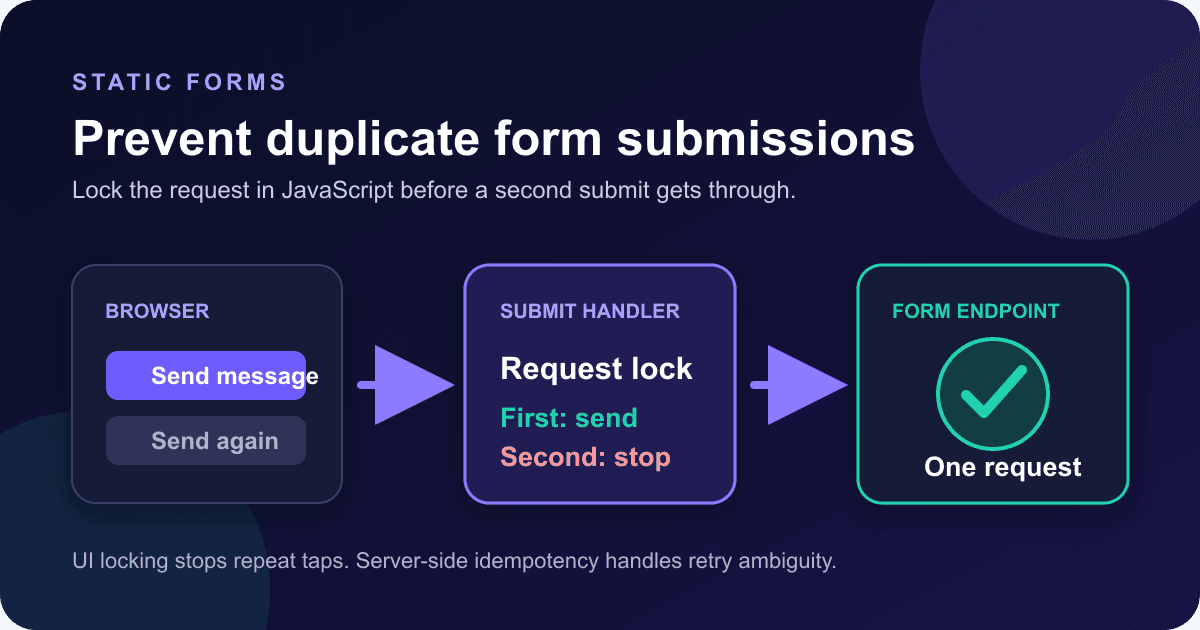
In the browser, the fix is small: listen on the form's submit event, take a snapshot of its data, lock the handler, disable the submit button, and unlock only when the request finishes. That stops repeat requests from the current page without pretending the browser can guarantee exactly-once processing.
Start with the right failure model
Duplicate submissions do not all have the same cause.
A double-click, a second tap, or an Enter key press while the first request is pending happens in one page instance. A JavaScript guard can block it.
A retry after a timeout is different. The server may have accepted the first request even though the browser never received the response. Sending the same POST again can create another submission because HTTP does not define POST as idempotent. RFC 9110 defines an idempotent method as one where repeated identical requests have the same intended server effect; it names PUT, DELETE, and safe methods, but not POST.[6]
This article fixes the first problem. If you own a server that performs payments, provisioning, or other sensitive side effects, add durable server-side idempotency too. The existing webhook retry and idempotency guide covers that boundary.
Listen to the form, not the button
Do not put the whole submission flow in a button click listener. Forms can be submitted without a click. Pressing Enter in a text field and calling requestSubmit() can both trigger submission.
The browser fires submit on the <form> itself. The event also exposes submitter, which identifies the button that initiated the request when one exists.[2] One form-level listener catches mouse, keyboard, and scripted requestSubmit() paths in the same place.
Native constraint validation still runs first. If a required field is empty or an email is malformed, the browser blocks submission and the submit handler does not run.[2] You do not need to duplicate those basic checks in JavaScript.
Use one tested form and handler
This example posts FormData to Static Forms. Replace YOUR_STATIC_FORMS_API_KEY with the API key for the form you want to receive. The current Static Forms API reference documents POST https://api.staticforms.dev/submit, requires apiKey, and accepts multipart/form-data requests.[1]
<form id="contact-form" action="https://api.staticforms.dev/submit" method="post">
  <input type="hidden" name="apiKey" value="YOUR_STATIC_FORMS_API_KEY">

  <label for="name">Name</label>
  <input id="name" name="name" type="text" autocomplete="name" required>

  <label for="email">Email</label>
  <input id="email" name="email" type="email" autocomplete="email" required>

  <label for="message">Message</label>
  <textarea id="message" name="message" rows="6" required></textarea>

  <button id="submit-button" type="submit">Send message</button>
  <p id="form-status" role="status" aria-live="polite"></p>
</form>

<script>
  const form = document.querySelector("#contact-form");
  const submitButton = document.querySelector("#submit-button");
  const status = document.querySelector("#form-status");
  let submitting = false;

  form.addEventListener("submit", async (event) => {
    event.preventDefault();

    if (submitting) return;

    const data = event.submitter
      ? new FormData(form, event.submitter)
      : new FormData(form);

    submitting = true;
    submitButton.disabled = true;
    form.setAttribute("aria-busy", "true");
    status.textContent = "Sending your message...";

    try {
      const response = await fetch(form.action, {
        method: "POST",
        body: data,
        headers: { Accept: "application/json" },
      });
      const result = await response.json().catch(() => ({}));

      if (!response.ok) {
        throw new Error(result.error || `Submission failed (${response.status})`);
      }

      form.reset();
      status.textContent = "Message sent. Thanks for getting in touch.";
    } catch (error) {
      console.error("Form submission failed", error);
      status.textContent = "We could not send your message. Check your connection and try again.";
    } finally {
      submitting = false;
      submitButton.disabled = false;
      form.removeAttribute("aria-busy");
    }
  });
</script>
The code uses the HTML form action as the request URL, so the endpoint remains visible in the markup. It does not set a Content-Type header. When fetch receives a FormData body, the browser creates the multipart boundary; setting that header by hand can leave the boundary out.
Capture data before disabling controls
The order around FormData looks fussy because it is.
Disabled controls are not submitted with a form.[3] FormData likewise includes successful controls with names and excludes controls in a disabled state.[4] If you disable an input or the pressed submit button before constructing the data, its name and value can disappear from the payload.
The example creates FormData first, then disables the button. The button has no name, so its value is not needed here, but FormData(form, event.submitter) still handles named submit buttons correctly when the browser provides one. The fallback to new FormData(form) covers submissions without a submitter.
Disable only the controls that must stop another request. Disabling the entire fieldset may look tidy, but it also removes those fields from any later FormData snapshot and prevents users from selecting or copying their text while they wait.
Keep a lock separate from the button state
The submitting variable is the actual duplicate guard. The disabled button is feedback and an extra barrier.
Relying only on button.disabled leaves the business rule attached to one control. A form may later gain a second submit button, or another script may dispatch a submit event. The lock gives the handler one explicit state to check before it starts another request.
Set the lock synchronously, before the first await. JavaScript runs the handler until it yields. A second submission that arrives after the first handler sets submitting = true returns immediately.
Unlock in finally, not only in the error branch. finally runs after a successful response, an HTTP error you throw yourself, a JSON parsing fallback, or a network failure. Users can then send another message after the first attempt has a definite result.
Treat HTTP errors as errors
fetch() does not reject its promise just because the server returns 400, 401, 403, 429, or 500. It rejects on request-level failures such as a network error. Code must inspect response.ok or response.status for HTTP failures.[5]
That is why the example checks response.ok before showing success. Without the check, an invalid API key could produce a red HTTP response while the page says "Message sent."
The code attempts to read the JSON error body but tolerates an empty or non-JSON response. It shows visitors a short recovery message and sends the detailed exception to the console. Do not render a server error with innerHTML; use textContent if you decide to show it, and avoid exposing internal details that do not help the visitor recover.
A 429 response is not a cue for an immediate automatic retry. The API reference uses 429 for quota and submission rate limits.[1] Unlock the form, keep the visitor's fields intact, and let them retry deliberately after they understand the problem.
Make the pending state accessible
Changing the button is not enough for everyone. A screen reader user may not notice a visual spinner or a disabled color.
The status paragraph has role="status" and aria-live="polite". The W3C's WCAG 2.2 guidance says status changes that do not take focus need to be programmatically exposed so assistive technology can announce them.[7] Updating textContent to "Sending your message..." and then to a result gives the waiting state a readable name.
aria-busy="true" on the form adds state while the request is pending. The script removes it when the request settles. Focus stays where the user put it; the code does not jump focus to the status message for routine progress.
Keep the button label stable unless the design has a good reason to change it. If you swap "Send message" for "Sending...", restore the original text in finally and test the disabled contrast. A button that fades to nearly invisible is technically disabled but still hard to understand.
Do not clear the form on failure
form.reset() runs only after a successful HTTP response. On failure, the visitor's name, email, and message stay in place.
This matters most when the message took time to write. Clearing it before the request completes turns a recoverable network error into lost work. It also encourages more duplicate attempts because the visitor cannot tell whether the original text was accepted or discarded.
A timeout has one awkward property: the browser does not know whether the server acted before the connection failed. Use honest copy such as "We could not confirm the submission" when your client imposes a timeout. Do not promise that nothing was sent.
Know what the browser lock cannot guarantee
The lock lives in memory. Reloading the page creates a new lock. Opening another tab creates another lock. A proxy or service worker may retry under rules the page does not control. A user can also resubmit after an ambiguous network failure.
Static Forms' public API reference does not document a client-provided idempotency key, so this example does not invent one. Adding an Idempotency-Key header would not make the request idempotent unless the receiving server explicitly stores and enforces it.
If your own backend performs a costly side effect, generate an operation ID before the first attempt and enforce uniqueness in durable storage. Return the stored result when the same ID arrives again. Do not mark the operation complete before the side effect happens unless your design also handles the crash window between those steps.
For contact messages, the browser guard removes the common accidental duplicates. For money movement or account creation, it is only the first layer.
Avoid the duplicate-listener trap
Sometimes one click sends two requests even though the button was pressed once. Open the browser's Network panel and compare their start times. Two requests launched almost simultaneously often point to two listeners or two independent submission paths.
Common causes include initializing the same script after every partial navigation, loading a bundled handler and an inline handler together, or keeping both a button click listener and a form submit listener. Pick one form-level path.
If initialization can run more than once, make it idempotent:
const form = document.querySelector("#contact-form");

if (form.dataset.submitHandler !== "ready") {
  form.dataset.submitHandler = "ready";
  form.addEventListener("submit", handleSubmit);
}
This marker prevents the same initialization block from attaching another listener to the same form element. It does not replace the in-flight submitting guard inside handleSubmit.
Test more than a double-click
A useful test pass covers behavior, not only code syntax.
- Click the submit button twice quickly. The Network panel should show one request while the first is pending.
- Press Enter from the email field. The same form-level handler should run.
- Throttle the network. The button should remain disabled and the status should say that the form is sending.
- Force an HTTP error. The form should keep its values, announce failure, and unlock.
- Return a successful response. The form should reset once, announce success, and unlock.
- Run the initializer twice if your site uses partial navigation. One submission should still create one request.
After deploying, send a clearly labeled synthetic message and open the Static Forms Inbox. Check the request in the browser first, then confirm that one submission appears in the Inbox. If email or a webhook follows, verify that delivery separately. One browser request proves the client guard worked; one downstream notification does not explain how many requests reached the API.
Review the form's security settings while you are there. A duplicate guard reduces accidental repeats. It is not spam protection, rate limiting, CAPTCHA, or authorization.
Shipping checklist
- The handler listens on
submit, not only button clicks. - The first line of defense is an in-memory lock set before any
await. FormDatais constructed before the submit button is disabled.- The request leaves
Content-Typeto the browser when sendingFormData. - Success requires
response.ok, not merely a resolvedfetchpromise. - Failure keeps the visitor's field values and unlocks the form.
- A polite status region announces sending, success, and failure.
- Production testing checks the browser request and the stored submission as separate facts.
- Sensitive server-side effects use durable idempotency rather than trusting a page-level lock.
This pattern has a narrow job. It stops the duplicate request your page can see and control, while leaving server guarantees to the server.
Sources
[1] https://www.staticforms.dev/docs/api-reference — Static Forms API reference
[2] https://developer.mozilla.org/en-US/docs/Web/API/HTMLFormElement/submit_event — MDN: HTMLFormElement submit event
[3] https://developer.mozilla.org/en-US/docs/Web/HTML/Reference/Attributes/disabled — MDN: disabled HTML attribute
[4] https://developer.mozilla.org/en-US/docs/Web/API/FormData/FormData — MDN: FormData constructor
[5] https://developer.mozilla.org/en-US/docs/Web/API/Window/fetch — MDN: Window fetch method
[6] https://www.rfc-editor.org/rfc/rfc9110.html — RFC 9110: HTTP Semantics
[7] https://www.w3.org/WAI/WCAG22/Understanding/status-messages.html — W3C: Understanding WCAG 2.2 Status Messages
Related Articles
Multiple submit buttons: keep the chosen value in FormData
Keep the clicked submit button's value with event.submitter and FormData. Try a complete browser demo and fix values lost when buttons are disabled too soon.
HTML form attribute: include fields outside the form
Fix missing external form fields with the HTML form attribute. Check form ownership, native validation, keyboard submission, and the exact FormData payload.
Add browser details to a bug report form safely
Build a bug report form that captures page, viewport, language, time zone, and user agent while letting users review the details before sending.







































