

Add a Contact Form to Ghost Without Editing Your Theme
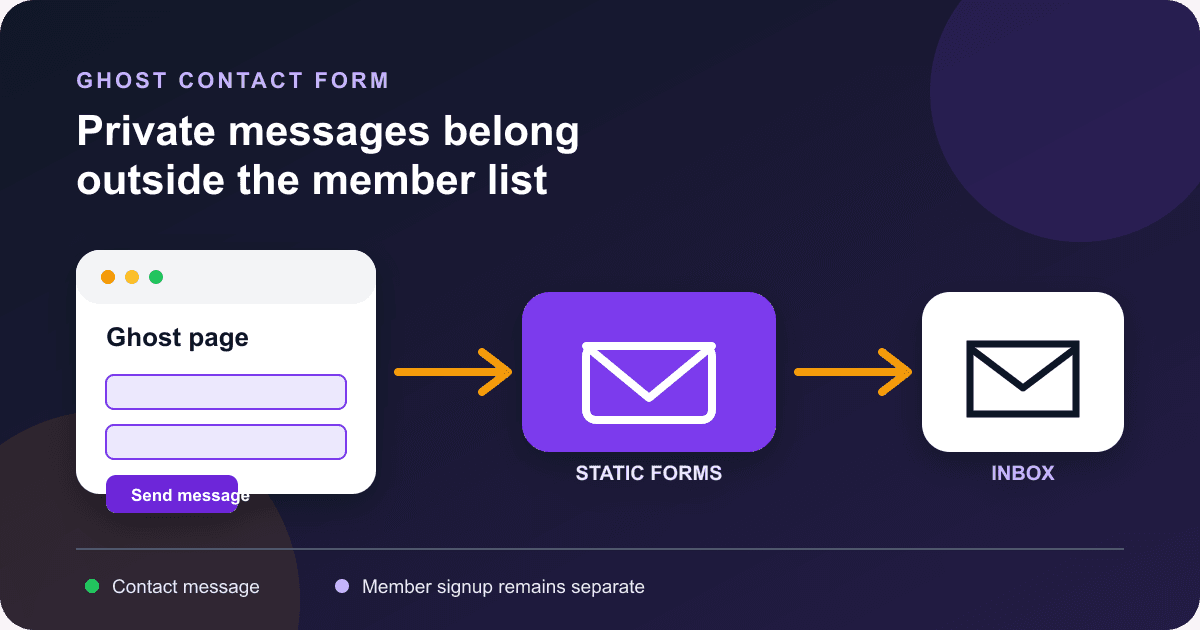
Ghost already has signup forms for readers who want to become members. That is not the same job as a contact form. A sponsor, source, or reader needs somewhere to send a private message without being added to your publication's member list.
The quickest fix is a Ghost page with an HTML card. The form below works without editing a theme or running your own API. It keeps native browser validation, sends the message to Static Forms, and returns the visitor to a thank-you page on your Ghost site.
Choose the right kind of Ghost form
Ghost's embeddable signup forms are built for membership. They create or segment members so you can offer subscriptions, newsletters, and gated content.[3][4] Use one when the desired action is "subscribe."
Use a contact form when the desired action is "send a private message." Typical examples include:
- sponsorship and advertising inquiries;
- corrections or confidential tips;
- reader feedback that needs a reply;
- speaking, consulting, or partnership requests.
Ghost's own form integration guide uses an external form endpoint for this job, then places the HTML inside an HTML card.[5] The message goes to the form service rather than Ghost Members.
What you will build
The finished setup has two Ghost pages:
/contact/contains the form./thanks/confirms that the form service accepted the request.
You also need a Static Forms form key. The key appears in your public page source because the browser must send it, so treat it as a form identifier rather than a private credential. Never paste an email password, Ghost Admin key, webhook secret, or payment credential into an HTML card.
Ghost pages are meant for standalone content such as contact pages. They use the same editor and cards as posts, but Ghost does not automatically add them to your navigation.[2]
Create the thank-you page first
In Ghost Admin, open Pages, select New page, and create a page titled Thanks for your message. Set its URL to thanks, add a short confirmation, and publish it.
Keep the wording precise:
Your message was accepted. If it needs a reply, we will respond by email.
A redirect proves that the form endpoint accepted the request. It does not prove that a notification reached an inbox or that someone read the message. Clear success feedback helps people understand whether their task finished.[10]
Open the published page and copy its full URL. You will put that URL in the form's redirectTo field.
Add the form with an HTML card
Create another Ghost page titled Contact. Add one short sentence that sets expectations, such as the kinds of messages you accept and your normal reply window.
On a new line, click the + button and choose HTML. Ghost documents HTML cards as the place for forms, custom styling, and third-party integrations.[1] Paste this complete block into the card:
<style>
  .sf-contact {
    --sf-accent: #6d28d9;
    --sf-border: #a1a1aa;
    --sf-error: #b91c1c;
    max-width: 42rem;
    margin: 2rem auto;
    padding: clamp(1.25rem, 4vw, 2rem);
    border: 1px solid var(--sf-border);
    border-radius: 0.75rem;
  }

  .sf-contact__intro {
    margin-top: 0;
  }

  .sf-contact__field {
    margin-top: 1.25rem;
  }

  .sf-contact label {
    display: block;
    margin-bottom: 0.35rem;
    font-weight: 700;
  }

  .sf-contact input,
  .sf-contact select,
  .sf-contact textarea,
  .sf-contact button {
    box-sizing: border-box;
    width: 100%;
    font: inherit;
  }

  .sf-contact input,
  .sf-contact select,
  .sf-contact textarea {
    padding: 0.75rem;
    color: inherit;
    background: transparent;
    border: 1px solid var(--sf-border);
    border-radius: 0.4rem;
  }

  .sf-contact textarea {
    min-height: 11rem;
    resize: vertical;
  }

  .sf-contact button {
    margin-top: 1.5rem;
    padding: 0.8rem 1rem;
    color: #ffffff;
    background: var(--sf-accent);
    border: 0;
    border-radius: 0.4rem;
    font-weight: 700;
    cursor: pointer;
  }

  .sf-contact :focus-visible {
    outline: 3px solid #f59e0b;
    outline-offset: 3px;
  }

  .sf-contact__help {
    display: block;
    margin-top: 0.35rem;
    font-size: 0.9em;
  }

  .sf-contact__honeypot {
    display: none;
  }
</style>

<section class="sf-contact" aria-labelledby="sf-contact-heading">
  <h2 id="sf-contact-heading">Send a private message</h2>
  <p class="sf-contact__intro">
    Use this form for pitches, corrections, and partnership inquiries.
  </p>

  <form action="https://api.staticforms.dev/submit" method="POST">
    <input type="hidden" name="apiKey" value="YOUR_API_KEY">
    <input
      type="hidden"
      name="redirectTo"
      value="https://YOUR-DOMAIN.example/thanks/"
    >
    <input type="hidden" name="subject" value="New message from the Ghost contact page">

    <div class="sf-contact__honeypot" aria-hidden="true">
      <label for="website-honeypot">Leave this field empty</label>
      <input
        id="website-honeypot"
        name="website_honeypot"
        type="text"
        tabindex="-1"
        autocomplete="off"
      >
    </div>

    <div class="sf-contact__field">
      <label for="contact-name">Name</label>
      <input
        id="contact-name"
        name="name"
        type="text"
        autocomplete="name"
        maxlength="100"
        required
      >
    </div>

    <div class="sf-contact__field">
      <label for="contact-email">Email address</label>
      <input
        id="contact-email"
        name="email"
        type="email"
        autocomplete="email"
        maxlength="254"
        required
      >
    </div>

    <div class="sf-contact__field">
      <label for="contact-topic">Topic</label>
      <select id="contact-topic" name="topic" required>
        <option value="">Choose a topic</option>
        <option value="correction">Correction</option>
        <option value="sponsorship">Sponsorship</option>
        <option value="partnership">Partnership</option>
        <option value="other">Something else</option>
      </select>
    </div>

    <div class="sf-contact__field">
      <label for="contact-message">Message</label>
      <textarea
        id="contact-message"
        name="message"
        aria-describedby="contact-message-help"
        minlength="20"
        maxlength="5000"
        required
      ></textarea>
      <small id="contact-message-help" class="sf-contact__help">
        Include enough detail for us to route your message. Do not send passwords or payment details.
      </small>
    </div>

    <button type="submit">Send message</button>
  </form>
</section>
Replace both placeholders before publishing:
YOUR_API_KEYwith the form key from your Static Forms account;https://YOUR-DOMAIN.example/thanks/with the exact public URL of the thank-you page.
Static Forms requires the POST action and apiKey. It accepts redirectTo as an optional success destination, and every field with a name is included in the submission.[6]
Why this markup behaves well inside Ghost
The CSS is scoped under .sf-contact, which lowers the chance of colliding with your theme. It does not restyle every input or button on the site. The form also has no JavaScript dependency, so pressing Enter and activating the button use the browser's normal submission path.
Every visible control has an explicit label whose for value matches the control's id. W3C WAI recommends that association because it gives the control an accessible name and makes the label a larger clickable target.[9]
The fields use suitable autocomplete values, a visible keyboard focus outline, and native constraints. required, type="email", minlength, and maxlength give immediate browser feedback, but they are not a server-side security boundary.
The hidden field is a honeypot. Static Forms recognizes field names containing honeypot and rejects a submission when the field has a value.[7] It is a low-friction filter for simple bots, not a promise that all spam will stop.
Publish the page and add it to navigation
Publish the Contact page, then open its public URL in a private browser window. A page that looks correct in Ghost's editor can still inherit unexpected theme spacing or colors on the published site.
Ghost pages do not appear in site navigation automatically.[2] Add /contact/ under Settings > Site > Navigation if readers should find it in your header or footer.
Do not paste the form into a newsletter email. The working form belongs on the published web page. Link to that page from your newsletter instead.
Restrict submissions to your Ghost domain
Anyone can read a browser-visible form key. That is expected, but it also means somebody could copy the form to another site.
If your plan includes domain restriction, add the public Ghost hostname in the form's Security settings without https:// or a path. Static Forms checks the request's Origin or Referer and rejects domains outside the allowlist.[8]
Add every hostname you really publish from before enabling the restriction. A Ghost(Pro) staging domain, custom production domain, and local test host are different origins. Test them deliberately rather than weakening the allowlist after a surprise 403.
For a broader spam rollout, use the CAPTCHA-free spam guide. It explains when a honeypot is enough and when rate limits or a challenge make sense.
Test the published contact page
Use a unique marker such as Ghost launch check 2026-09-18 so you can identify the test later.
- Open
/contact/in a private window. - Submit the empty form. The browser should focus the first required control and send no request.
- Enter an invalid email address. The browser should block the submission again.
- Enter fewer than 20 characters in the message. The browser should keep you on the page.
- Complete every field and submit once.
- Confirm that the browser reaches the public
/thanks/page. - Find the unique marker in the Static Forms inbox.
- Check the configured recipient mailbox and its spam folder.
- Repeat the valid test at a narrow mobile width and with only the keyboard.
Those checks cover different boundaries. A thank-you redirect proves endpoint acceptance. The saved submission proves storage. The email proves notification delivery. If the first two pass and the email does not arrive, use the contact form email troubleshooting guide.
Fix the common Ghost form problems
The HTML appears as text
Make sure you used an HTML card, not a Markdown card or normal paragraph. Ghost's card menu opens from the + button or / on a blank line.[1]
The page looks right in the editor but wrong after publishing
Inspect the published page. A theme may apply rules to .kg-html-card, headings, or form controls. Keep your fixes inside .sf-contact instead of adding broad selectors such as input { ... } through site-wide Code Injection.
The submission says the form key is missing
The hidden apiKey input must stay inside the <form> element, and its name must keep the exact casing shown in the example.[6]
The valid form gets a 403 response
Check domain restriction first. Add the hostname exactly as Static Forms expects, without a protocol or path. If you moved from a Ghost subdomain to a custom domain, update the allowlist before retesting.[8]
The thank-you redirect returns 404
Open the destination directly. Confirm that the Ghost page is published and that the redirectTo value is its full https:// URL. Ghost pages live at /:slug/, so a page with the slug thanks normally uses /thanks/.[2]
The form works, but email does not arrive
Look for the message in the Static Forms inbox before changing the Ghost page. If the stored submission exists, the browser and endpoint already did their jobs. Notification delivery is a separate step.
When a theme template is worth the extra work
An HTML card is the safer default because editors can change the copy and fields without repackaging a theme. A custom template is useful when many sites share the same form or when the layout must sit outside normal post content.
Ghost supports page.hbs for static pages and a slug-specific file such as page-contact.hbs for /contact/.[2] Theme work adds a deployment and maintenance obligation, so do it for reuse or layout control, not because a basic form requires it.
Keep the contact form separate from membership
A newsletter signup should stay a Ghost signup form. A private message should stay a contact submission. Mixing the two creates awkward consent and routing questions, and it leaves editors wondering whether a pitch was stored as a member or delivered as a message.
Publish the two pages, run one identifiable test, and add the Contact page to navigation. If you later add JavaScript for inline feedback, preserve the native form path and use the success-message examples to keep the status honest and accessible.
Sources
[1] https://ghost.org/help/cards — Ghost: Editor cards
[2] https://ghost.org/help/pages — Ghost: Pages
[3] https://ghost.org/help/embeddable-signup-forms — Ghost: Embeddable signup forms
[4] https://ghost.org/help/setup-members — Ghost: Setting up members
[5] https://ghost.org/integrations/formspree — Ghost: Official Formspree integration
[6] https://www.staticforms.dev/docs/forms/form-basics — Static Forms: Form basics
[7] https://www.staticforms.dev/docs/forms/security/honeypot — Static Forms: Honeypot field
[8] https://www.staticforms.dev/docs/forms/security/domain-restriction — Static Forms: Domain restriction
[9] https://www.w3.org/WAI/tutorials/forms/labels — W3C WAI: Labeling controls
[10] https://www.w3.org/WAI/tutorials/forms/notifications — W3C WAI: User notification
Related Articles
Add a Contact Form to Hexo Without a Backend
Add a no-JavaScript contact form to Hexo, keep it outside fragile theme files, inspect the generated HTML, and test the deployed form safely.
Add a Contact Form to Neocities Without PHP
Add a working contact form to Neocities with plain HTML, accessible labels, spam protection, a thank-you page, and a practical test checklist.
Build a Vite Contact Form Without a Backend
Build a Vite contact form with native validation, a hosted endpoint, safe environment variables, clear status messages, and production testing.







































