

HTML form reset: restore defaults and clear stale errors
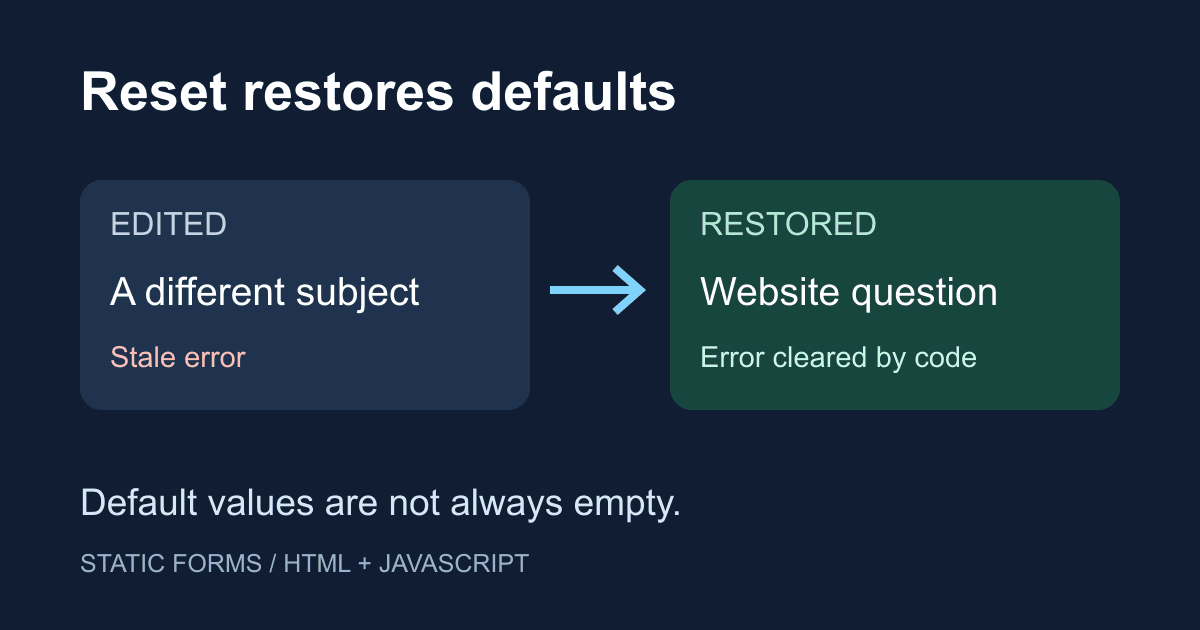
Calling form.reset() does not necessarily leave a form empty. It restores the controls' defaults: a text input can return to its original text, a checkbox can become checked again, and a select can return to its preselected option.
That distinction matters when someone discards a draft or starts another message. It also explains why a form can look reset while an old error message still blocks it. This guide builds a local reset demo, then separates browser-managed values from the application state you need to clean up yourself. It does not send a submission or need an API key.
Reset restores defaults, not empty values
MDN's reset method reference defines reset as restoring a form's default values. For a text input, the value attribute supplies that default. JavaScript's .value property is the current value; .defaultValue reflects the attribute.
For example, if an input starts with value="Website question", typing a different subject and resetting the form brings back "Website question". If the original value is empty, resetting returns it to empty. A checkbox's checked attribute and an option's selected attribute also establish reset defaults. A textarea's initial text sits between its opening and closing tags, not in a value attribute.
Be careful with code that changes defaults after the page loads. Setting an input's value attribute with setAttribute() changes what a later reset restores. Changing only .value changes the current text without replacing that default. If you populate an edit form from saved data, decide whether "Restore defaults" means the original HTML or the loaded record, then set the defaults deliberately.
Build a reset demo you can inspect
Save the following as reset-demo.html and open it in a browser. No packages, server, or placeholder replacements are required. Change the subject, topic, message, and checkbox, then press "Restore defaults". The status should say that the defaults were restored, and the controls should match the initial HTML again.
"Add a test error" deliberately sets a custom validation error. Reset clears that application-owned error too. The subject is optional here so the example can isolate custom validity rather than required-field validation.
<!doctype html>
<html lang="en">
<head>
  <meta charset="utf-8">
  <meta name="viewport" content="width=device-width, initial-scale=1">
  <title>Form reset demo</title>
  <style>
    body { font: 1rem/1.6 system-ui; margin: 2rem auto;
      padding: 0 1rem; max-width: 36rem; }
    label { display: block; margin-top: 1rem; }
    input[type="text"], select, textarea {
      box-sizing: border-box; width: 100%; font: inherit;
    }
    button { font: inherit; margin: 1rem .5rem 0 0; }
    :focus-visible { outline: 3px solid #0759b8;
      outline-offset: 3px; }
    #error { color: #a11919; }
  </style>
</head>
<body>
  <h1>Restore a form's defaults</h1>
  <p>This demo stays in your browser. It sends nothing.</p>
  <form id="demo">
    <button type="submit" hidden disabled>Submission unavailable</button>
    <label for="subject">Subject</label>
    <input id="subject" name="subject" type="text"
      value="Website question" aria-describedby="error">
    <p id="error" role="alert"></p>

    <label for="topic">Topic</label>
    <select id="topic" name="topic">
      <option value="general" selected>General</option>
      <option value="support">Support</option>
    </select>

    <label for="message">Message</label>
    <textarea id="message" name="message" rows="4">Hello!</textarea>

    <label for="copy">
      <input id="copy" name="copy" type="checkbox" checked>
      Include a copy in this local demo
    </label>
    <button id="add-error" type="button" disabled>
      Add a test error
    </button>
    <button id="restore" type="reset" disabled>
      Restore defaults
    </button>
  </form>
  <p id="status" role="status" aria-live="polite"></p>
  <noscript>Enable JavaScript to run this demo.</noscript>
  <script>
    const form = document.querySelector("#demo");
    const subject = document.querySelector("#subject");
    const error = document.querySelector("#error");
    const status = document.querySelector("#status");
    const addError = document.querySelector("#add-error");
    const restore = document.querySelector("#restore");

    function clearError() {
      subject.setCustomValidity("");
      subject.removeAttribute("aria-invalid");
      error.textContent = "";
    }

    addError.addEventListener("click", () => {
      const message = "Test error: edit the subject or restore defaults.";
      subject.setCustomValidity(message);
      subject.setAttribute("aria-invalid", "true");
      error.textContent = message;
      status.textContent = "";
      subject.focus();
    });

    subject.addEventListener("input", clearError);
    form.addEventListener("input", () => {
      status.textContent = "";
    });
    form.addEventListener("submit", (event) => {
      event.preventDefault();
    });
    form.addEventListener("reset", (event) => {
      setTimeout(() => {
        if (event.defaultPrevented) return;
        clearError();
        status.textContent = "Defaults restored. Nothing was sent.";
      }, 0);
    });

    addError.disabled = false;
    restore.disabled = false;
  </script>
</body>
</html>
All visible controls have labels or button text. The reset button has an explicit type, so it does not accidentally submit the form. The error is associated with the subject, and the status has a polite live region. Reset does not force focus back to the first field; a keyboard user can stay on the button they activated.
The two visible buttons start disabled because the error cleanup and feedback depend on JavaScript. A hidden, permanently disabled submit button also blocks implicit Enter submission; this is a local demo, not a send form. If a hosted copy does not enable the visible buttons, check the browser console and your Content Security Policy. Move the inline script and styles into permitted files, or configure your policy's approved nonce/hash approach. Do not weaken a production policy just to run this example.
Clean up state the browser does not own
Resetting the values is only part of returning a form to a usable state. Custom validation messages, your error paragraphs, aria-invalid attributes, progress indicators, and application flags need their own cleanup. In the demo, clearError() clears both the custom validity message and its visible representation.
Reset does not remove a field's disabled attribute. If your submit handler disables a button while sending, restore that button separately when the request finishes. The disabled versus readonly guide explains how those attributes also affect which values are submitted.
File controls and rich editors need separate attention. A native file input cannot be repopulated with a local file path by assigning a string. A third-party editor or upload widget can have its own state and reset API; check its documentation instead of assuming the surrounding form will reset the widget. Resetting controls also does not delete a server-side upload or erase a saved submission.
Handle the reset event at the right time
The HTML reset algorithm fires a cancelable reset event before it resets the controls. An ordinary event listener can therefore still see their old values. Calling preventDefault() on the event prevents the reset.
The demo schedules cleanup with setTimeout(..., 0) so it runs in a later task, after event dispatch and the normal reset have finished. It checks defaultPrevented before announcing success, so another synchronous listener can cancel the operation without producing a false "Defaults restored" message. Do not replace that timer with a microtask: during a browser-dispatched event, a microtask can run between listeners, before a later listener cancels. Keep listeners synchronous when deciding whether to cancel; a decision after an await is too late to reliably stop the default action.
The reset algorithm does not treat restored values as user edits, so it does not fire the usual input events for each restored control. Do not depend only on your typing handlers to clear errors or update counters. Put that work in the reset path too. MDN's reset event reference covers event registration.
Reset after confirmed success, not after an attempt
In a real contact form, clearing a draft before you know the outcome can cost the visitor their message. Keep their input after validation failures, rejected requests, or network errors. Reset only when the response meets your endpoint's documented acceptance contract, and keep a visible confirmation outside the fields you reset.
An accepted HTTP request is not automatically proof that an email reached an inbox or that a downstream integration finished. Write the confirmation for the boundary you actually verified. The contact form success message guide covers that response flow; this reset demo deliberately does not implement delivery.
Avoid adding a prominent reset button beside "Send" to an ordinary contact form unless visitors have a reason to discard their draft. This example includes one to make the behavior testable. In a longer editor, consider an explicit discard action with a confirmation or recovery mechanism appropriate to the value of the work being lost.
Diagnose a reset that seems broken
- Old text comes back: inspect the default value in the HTML and any code that changes
defaultValueor thevalueattribute. Reset is doing its job if it restores that default. form.resetis not a function: a control named or identified asresetcan mask the method. Rename the control; the demo usesrestoreinstead.- The fields restore but submission is still invalid: clear any custom validity messages and recheck ordinary constraints. Reset does not mean the default values satisfy
requiredor your business rules. - The spinner or disabled button stays on: restore your application state explicitly. Resetting field values is not a request lifecycle manager.
- A counter still shows the old length: recompute it in the reset path after the default action, rather than waiting for an
inputevent. - Nothing changes: inspect reset listeners for
preventDefault(), check that the control belongs to the intended form, and confirm the values differ from their defaults.
Before shipping a reset path, test edited values, an active error, keyboard activation, and a canceled reset. If the form sends data, also test a failed request and make sure the draft survives. Those checks matter more than whether the fields happen to look empty.
Related Articles
FormData.getAll(): keep every selected form value
Fix missing checkbox values with FormData.getAll(). Run a complete browser demo, compare JSON conversions, and check repeated fields before sending them.
HTML form attribute: include fields outside the form
Fix missing external form fields with the HTML form attribute. Check form ownership, native validation, keyboard submission, and the exact FormData payload.
Add browser details to a bug report form safely
Build a bug report form that captures page, viewport, language, time zone, and user agent while letting users review the details before sending.







































