

When Is a Honeypot Enough? A CAPTCHA-Free Rollout Guide
A honeypot can be enough for a quiet brochure-site contact form, but only when it sits beside domain restriction, server-side validation, rate limits, and a reviewable spam filter. Launch the passive setup first, test it properly, then add a challenge only if real traffic shows that the quieter controls are missing too much abuse.
This guide is a rollout decision, not another catalogue of anti-spam tools. It gives you a baseline, a test matrix, and clear reasons to keep or retire the no-challenge setup.
Start with the kind of form you have
A passive setup is a sensible first attempt when the form has low or moderate traffic, asks for ordinary contact details, and does not trigger a costly action by itself. A message that lands in a reviewable inbox is very different from a request that creates an account, issues a coupon, starts an expensive job, or posts directly to a public channel.
Use a stronger control from the start when one submission can spend money, change data, send an auto-reply to an arbitrary address, or trigger an unmoderated workflow. A honeypot catches simple form-filling bots. It does not prove that a plausible message came from a person, and a direct HTTP client can inspect your public HTML before deciding which fields to omit.[1]
That distinction saves a lot of confusion. "No visible challenge" is a user-experience choice. It is not a security guarantee.
Build the passive baseline
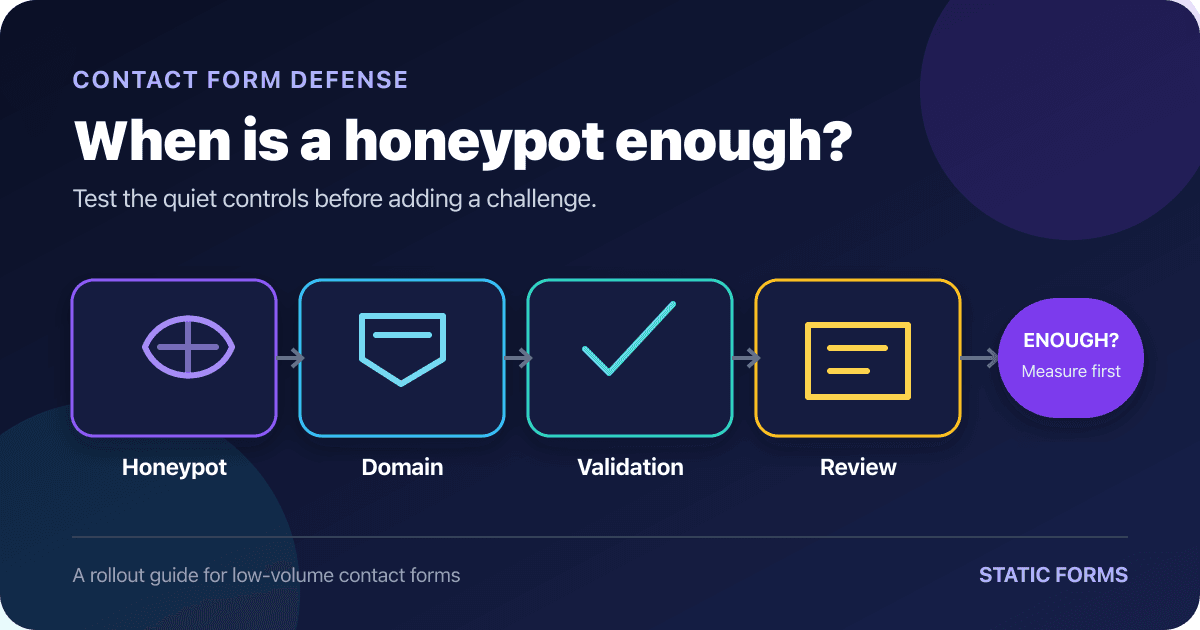
For a Static Forms form, the baseline has four parts:
- Add a correctly named honeypot field.
- Allow submissions only from your real site domains.
- Keep content filtering on and review its Spam folder.
- Let the endpoint enforce field validation and rate limits.
The honeypot is the only part that belongs in the page markup. Current Static Forms documentation says the field name must contain honeypot. A convincing but unrecognized name such as company_website or bot_trap will not activate this product check.[1]
<form action="https://api.staticforms.dev/submit/YOUR_API_KEY" method="post">
  <div class="contact-honeypot" aria-hidden="true">
    <label for="contact-honeypot">Leave this field empty</label>
    <input
      id="contact-honeypot"
      name="contact_honeypot"
      type="text"
      tabindex="-1"
      autocomplete="off"
    >
  </div>

  <label for="contact-name">Name</label>
  <input id="contact-name" name="name" type="text" autocomplete="name" required>

  <label for="contact-email">Email</label>
  <input id="contact-email" name="email" type="email" autocomplete="email" required>

  <label for="contact-message">Message</label>
  <textarea id="contact-message" name="message" rows="6" maxlength="3000" required></textarea>

  <button type="submit">Send message</button>
  <p aria-live="polite" id="form-status"></p>
</form>

<style>
  .contact-honeypot {
    position: absolute;
    left: -10000px;
    width: 1px;
    height: 1px;
    overflow: hidden;
  }
</style>
The ordinary fields still have labels and useful autocomplete values. The trap is removed from keyboard navigation, and autocomplete="off" reduces the chance that a browser fills it for a real visitor. Static Forms recommends CSS hiding rather than type="hidden", since basic bots often ignore hidden inputs.[1]
Do not treat required, type="email", or maxlength as endpoint protection. Browser constraints help people correct mistakes, but anyone can bypass them with a hand-built request. The server must enforce the same shape and length rules before it stores, emails, or forwards the data.[2][3]
Turn on domain restriction without overclaiming it
A domain allowlist stops other browser-hosted pages from casually reusing your form endpoint. Add every production host that legitimately serves the form, including the www and non-www versions you use. Add preview or staging hosts only if they must submit to the same form.
Static Forms checks the request's Origin or Referer against the allowed domains. Its documentation also notes that privacy settings, browser extensions, and proxies can remove those headers.[4] Test the real combinations your visitors use before making the rule strict.
Domain restriction is useful, but it is not proof of humanity. Origin metadata is not a password, and direct clients are not bound to behave like browsers. OWASP recommends exact origin comparisons and warns against loose suffix checks that mistake example.com.attacker.test for example.com.[5]
Keep suspicious messages recoverable
A good passive rollout needs somewhere for uncertain submissions to go. Static Forms' content filter routes suspicious messages to the Spam tab instead of deleting them. The standard level is the documented default, while the aggressive level trades more catches for more false positives.[6]
Start with the standard level unless recent traffic gives you a reason to change it. Review both the main inbox and Spam during the rollout. A clean inbox means little if genuine customer messages are being filed out of sight.
This is also why a hand-written list of "bad words" is a poor primary filter. Free-form messages contain names, URLs, product terms, and quoted error text. OWASP recommends allowlists where the valid set is genuinely constrained, such as a country code or topic selector, but not as a substitute for semantic handling of open-ended text.[3]
Test the setup before sending traffic to it
Run these checks against the deployed form, not only a local copy. Use a test recipient and disable expensive downstream automations until the matrix passes.
- For the normal keyboard path, complete every visible field with Tab and Shift+Tab. Focus should never enter the honeypot, and the submission should arrive once.
- Use browser autofill for saved name and email details. The visible fields should fill while the honeypot stays empty.
- Temporarily reveal and fill
contact_honeypot. Static Forms should reject the trap submission as spam. - Omit required data and try an invalid email shape. The browser should give useful errors, and the endpoint should reject a hand-built request that bypasses those browser checks.
- Submit from a host outside the domain allowlist. The endpoint should reject it.
- Test every production, preview, and canonical host you intend to allow. Each one should submit successfully.
- Press Submit twice, then retry after a slow response. The interface should prevent accidental repeats, and downstream work should not create two irreversible actions.
- Send a clearly suspicious test message. It should appear in the expected review location without hiding unrelated valid messages.
The honeypot test deserves special attention. If a filled trap still produces a normal submission, stop. The field name, request encoding, or endpoint contract is wrong. Publishing the page anyway gives you the appearance of protection without the behavior.
Run the keyboard and autofill checks after every design-system change. A CSS refactor can expose the field, put it back in the tab order, or move it somewhere a password manager decides to fill.
Watch the first real submissions
Passive controls need feedback. For the first week, record small operational counts: accepted messages, obvious spam in the inbox, valid messages in Spam, rejected origin tests, and unusual bursts. Avoid copying full message bodies or unnecessary personal data into a separate spreadsheet just to measure the filter.
Do not borrow a universal requests-per-minute number from somebody else's form. A portfolio that receives two messages a week and a ticket release form have different traffic. Cloudflare's current rate-limiting documentation describes how rules count matching requests over a period, while OWASP recommends using genuine traffic as the baseline and putting cheap checks before expensive processing.[7][8]
Rate limits control volume. They do not decide whether one well-written message is useful. Shared networks can also put many legitimate visitors behind one IP address, so tune the rule and inspect false positives instead of setting it once and forgetting it.
Decide whether the honeypot is enough
Keep the passive setup when all of these remain true after the initial review:
- Obvious spam rarely reaches the main inbox.
- Genuine messages are not being lost in Spam.
- The endpoint is not receiving sustained bursts.
- Downstream actions remain moderated or easy to reverse.
- The team can keep reviewing the filter as traffic changes.
Escalate when spam keeps reaching people or automations, direct endpoint abuse becomes routine, bursts consume meaningful resources, or one accepted submission can cause real damage. The CAPTCHA comparison for contact forms covers reCAPTCHA, Turnstile, and ALTCHA when you reach that point.
Timing checks can add another passive signal, but they need care. A server can flag a submission that arrives implausibly soon after a form is issued. There is no universal safe delay: browser autofill, cached pages, assistive technology, and genuinely short forms all change completion time. Treat timing as one signal and test it with your users rather than turning a borrowed number into a hard rule.
Preserve accessibility and privacy
A passive defense avoids making every visitor solve an interactive puzzle. W3C documents the accessibility problems CAPTCHA can create for people with visual, auditory, cognitive, learning, language, and situational limitations. WCAG still permits CAPTCHA under specific conditions, including a text alternative that explains its purpose and another modality.[9][10]
The honeypot itself must also stay out of the user's way. Keep it out of keyboard navigation, stop autofill where possible, and verify it with screen readers and password managers. aria-hidden="true" hides the trap's wrapper from accessibility APIs, while the visible fields retain explicit labels.
CAPTCHA-free does not mean data-free. IP-based limits, server logs, fingerprints, and content filters may still process personal data. W3C's privacy principles recommend limiting transferred data to what is necessary and constraining secondary use.[11] Keep the information you need to operate the form, set a retention policy, and avoid collecting behavioral details simply because your tooling makes it possible.
Use the no-challenge setup as a measured choice
A honeypot is enough when your evidence says it is enough. For a quiet contact form, the combination of a recognized trap field, exact domain rules, server validation, tuned rate limits, and a recoverable spam queue can protect the workflow without interrupting every visitor.
That answer can change. Review the numbers after a campaign, a traffic spike, or a change to downstream automation. If the passive layers start missing abuse, add a stronger challenge deliberately rather than pretending the old setup still works.
For implementation details, use the current Static Forms honeypot documentation, domain restriction guide, and spam-filter settings. The broader form spam protection guide explains the other tools without repeating this rollout checklist.
Sources
[1] Static Forms: Honeypot Field (checked September 11, 2026; no visible update date)
[2] MDN: Constraint validation (last modified November 25, 2025)
[3] OWASP: Input Validation Cheat Sheet (checked September 11, 2026; no visible update date)
[4] Static Forms: Domain Restriction (checked September 11, 2026; no visible update date)
[5] OWASP: Cross-Site Request Forgery Prevention Cheat Sheet (checked September 11, 2026; no visible update date)
[6] Static Forms: Spam Filter (checked September 11, 2026; no visible update date)
[7] Cloudflare: Rate limiting rules (last updated August 25, 2026)
[8] OWASP: Denial of Service Cheat Sheet (checked September 11, 2026; no visible update date)
[9] W3C: Inaccessibility of CAPTCHA (Group Draft Note, December 16, 2021)
[10] W3C: Understanding SC 1.1.1 Non-text Content (checked September 11, 2026; no visible update date)
[11] W3C: Privacy Principles (W3C Statement, May 15, 2025)
Related Articles
Fix CSP form-action Errors for Contact Form Endpoints
Fix CSP form-action errors that block contact forms with safe allowlisting patterns, Vercel and Netlify examples, and practical browser test steps.
Contact Form Success Message Examples That Help Users
Write clearer contact form success messages with practical examples, accessible live-region markup, honest response states, and a tested HTML pattern.
Multiple submit buttons: keep the chosen value in FormData
Keep the clicked submit button's value with event.submitter and FormData. Try a complete browser demo and fix values lost when buttons are disabled too soon.







































