

Build a Vite Contact Form Without a Backend
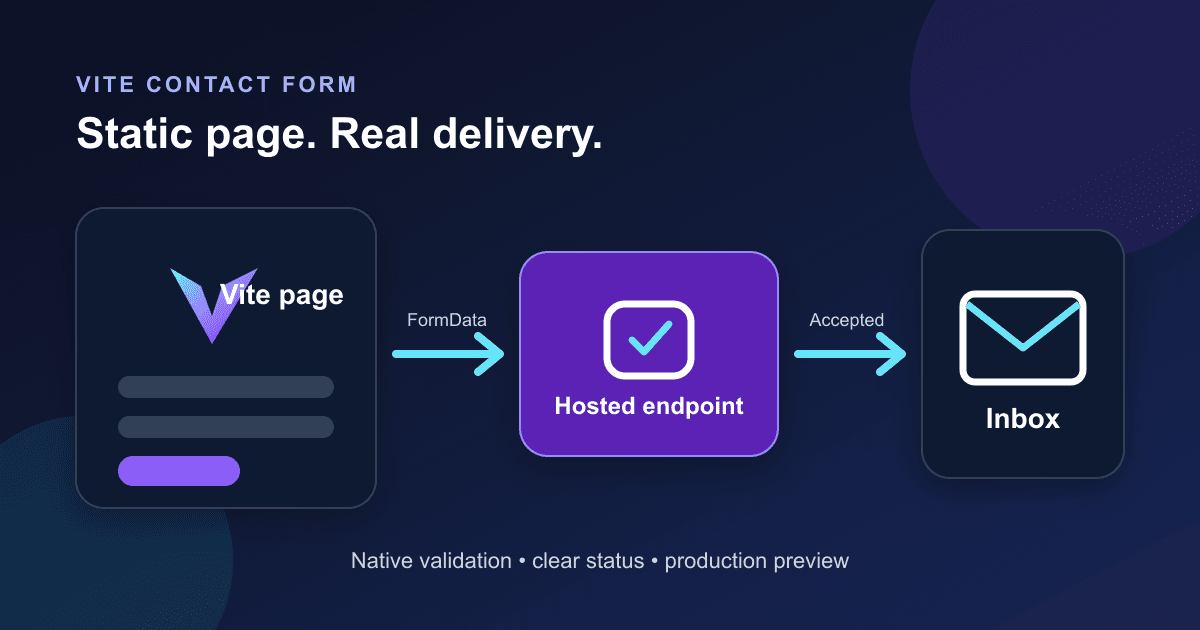
A Vite site can send a contact form without adding an Express route or a serverless function. The browser posts the form to a hosted endpoint, while Vite keeps the page, styles, and submission code in the same static build.
This guide uses Vite's vanilla JavaScript template. You will get native validation, a no-JavaScript submission path, an inline status message, and a production check that runs against the files in dist.
Create the Vite project
Vite's current starter includes vanilla, React, Vue, and several other templates. The plain JavaScript template is enough here because the submission code uses browser APIs rather than framework-specific state.[1]
npm create vite@latest vite-contact-form -- --template vanilla
cd vite-contact-form
npm install
Current Vite documentation requires Node.js 20.19+ or 22.12+ for the latest release. If the scaffold command prints a version warning, update Node before debugging the form.[1]
Delete the starter markup from index.html and replace it with this page:
<!doctype html>
<html lang="en">
  <head>
    <meta charset="UTF-8" />
    <meta name="viewport" content="width=device-width, initial-scale=1.0" />
    <meta name="description" content="Contact the Acme Studio team." />
    <title>Contact Acme Studio</title>
    <script type="module" src="/src/main.js"></script>
  </head>
  <body>
    <main>
      <h1>Contact Acme Studio</h1>
      <p>Tell us what you are working on. We usually reply within two business days.</p>

      <form
        id="contact-form"
        action="https://api.staticforms.dev/submit"
        method="post"
      >
        <input type="hidden" name="apiKey" value="%VITE_STATIC_FORMS_KEY%" />
        <input
          class="form-trap"
          type="text"
          name="website-honeypot"
          tabindex="-1"
          autocomplete="off"
          aria-hidden="true"
        />

        <label for="name">Name</label>
        <input id="name" name="name" autocomplete="name" required />

        <label for="email">Email</label>
        <input id="email" name="email" type="email" autocomplete="email" required />

        <label for="message">Message</label>
        <textarea id="message" name="message" rows="6" required></textarea>

        <button type="submit">Send message</button>
        <p id="form-status" role="status" aria-live="polite"></p>
      </form>
    </main>
  </body>
</html>
The form keeps a real action and method. If the JavaScript bundle fails to load, the browser can still submit it. The fallback navigates to the endpoint's response instead of showing the inline message, but the visitor's message is not trapped behind a script error.
The honeypot is deliberately off-screen rather than marked hidden. Basic bots often fill text fields they find in the markup. Do not use the honeypot as your only defence when a form attracts sustained abuse.
Add the submission handler
Replace src/main.js with the code below. It sends the browser-created FormData, checks the HTTP status and the API's success value, and leaves the entered values in place when the request fails.
import './style.css'

const form = document.querySelector('#contact-form')
const button = form.querySelector('button[type="submit"]')
const status = document.querySelector('#form-status')

form.addEventListener('submit', async (event) => {
  event.preventDefault()

  button.disabled = true
  button.textContent = 'Sending...'
  status.textContent = ''

  try {
    const response = await fetch(form.action, {
      method: 'POST',
      body: new FormData(form),
      headers: { Accept: 'application/json' },
    })

    const data = await response.json().catch(() => ({}))

    if (!response.ok || data.success !== true) {
      throw new Error(data.message || `Request failed with ${response.status}`)
    }

    form.reset()
    status.textContent = 'Message received. We will reply within two business days.'
  } catch (error) {
    console.error('Contact form submission failed', error)
    status.textContent = 'We could not send your message. Check your connection and try again.'
  } finally {
    button.disabled = false
    button.textContent = 'Send message'
  }
})
fetch() does not reject merely because a server returns 400, 403, or 500, so the explicit response.ok check matters.[4] Static Forms also returns a JSON success flag. Checking both keeps an error response from becoming a false confirmation.[5]
The disabled button prevents a second click while this request is active. If you need protection across retries or repeated browser tabs, use a server-side receipt as well; the duplicate-submission guide separates those two jobs.
Do not set the multipart Content-Type header yourself. The browser adds the boundary when it serializes FormData. The only custom request header above is Accept, which asks for JSON.
Add the following to src/style.css or fold it into your existing stylesheet:
:root {
  font-family: system-ui, sans-serif;
  color: #172033;
  background: #f4f6fb;
}

body { margin: 0; }
main { width: min(42rem, calc(100% - 2rem)); margin: 4rem auto; }
form { display: grid; gap: 0.75rem; }
input, textarea, button { font: inherit; }
input, textarea { padding: 0.75rem; border: 1px solid #98a2b3; border-radius: 0.5rem; }
input:focus-visible, textarea:focus-visible, button:focus-visible {
  outline: 3px solid #8b5cf6;
  outline-offset: 2px;
}
button { width: fit-content; padding: 0.75rem 1rem; cursor: pointer; }
button:disabled { cursor: wait; opacity: 0.65; }
#form-status { min-height: 1.5em; }
.form-trap { position: absolute; left: -10000px; width: 1px; height: 1px; }
The labels, native required constraints, visible focus treatment, and live status message all do separate jobs. A placeholder cannot replace a label, and a color change alone is a poor way to communicate success or failure.
Put the form key in a Vite environment file
Create .env.local in the project root:
VITE_STATIC_FORMS_KEY=replace_with_your_form_keyRestart npm run dev after changing an environment file. Vite loads environment files when the process starts, and variables prefixed with VITE_ become part of the client bundle.[2]
That exposure is expected for a browser-submitted form key. It identifies the destination form; it does not grant dashboard access. Still, treat every VITE_* value as public. Never put a webhook signing secret, database password, private API token, or provider credential there. Vite's own documentation warns that prefixed values are bundled into client-side code.[2]
Use Static Forms domain restriction if you want the endpoint to reject submissions from unapproved origins. Add both the production hostname and localhost while testing locally. A disallowed origin receives HTTP 403.[6]
Test the development build
Start Vite:
npm run devOpen the local URL printed by Vite, usually http://localhost:5173. Run these checks in order:
- Submit an empty form. The browser should focus the first required field and send no request.
- Enter a malformed email. Native validation should stop the submission again.
- Send a valid test. The button should show
Sending..., then return toSend message. - Confirm that the success text appears only after an HTTP success response with
success: true. - Simulate an offline connection in DevTools. The form values should remain, the button should recover, and the error text should be announced.
The Static Forms API accepts multipart/form-data, requires apiKey, and documents 200, 400, 401, 403, 429, and 500 outcomes.[5] A 200 response means the submission was accepted; it does not prove that a recipient's mail provider placed the notification in the inbox. Check the Static Forms Inbox and delivery status when email is missing.
If the request reaches Static Forms but no notification arrives, follow the email-delivery diagnostic checklist instead of changing frontend code at random.
Build and preview the same files you will deploy
A working dev server is not the final test. Vite replaces environment constants during the build, writes the default production output to dist, and provides vite preview for local inspection of that build.[2][3]
npm run build
npm run preview
Open the preview URL, usually http://localhost:4173, and submit one more test. Then inspect dist/index.html and confirm that %VITE_STATIC_FORMS_KEY% is gone. Do not paste the built key into a bug report or public build log.
Vite says vite preview is for local preview, not as a production server. Deploy the dist directory to your static host instead.[3]
Fix the failures that usually look mysterious
The page sends `%VITE_STATIC_FORMS_KEY%`
Vite did not replace the HTML constant. Check the spelling in .env.local, keep the VITE_ prefix, restart the dev server, and rebuild. If the literal placeholder remains in dist/index.html, the value was unavailable at build time.
The API returns 401
The form key is missing or invalid. Check the request payload in the Network panel. The field must be named apiKey, including the capital K.[5]
The API returns 403
Check domain restriction and CAPTCHA settings before changing CORS code. Domain restriction compares the submitting origin against the approved list.[6]
The request succeeds but the page shows an error
Inspect the response body. A proxy or unrelated endpoint may return HTML, which makes response.json() fail. Confirm that form.action still points to https://api.staticforms.dev/submit and that the Network panel shows the response you expected.
The form works locally but not after deployment
Test the deployed hostname, not only a preview URL. Add the production domain to domain restriction, verify that the host builds with the intended environment value, and inspect the deployed bundle for an unreplaced placeholder. Vite environment values are build-time inputs, so changing a hosting dashboard variable requires a new build.[2]
Know when a hosted endpoint is the wrong boundary
This setup fits a static Vite site whose form data can go directly to a form service. It keeps notification credentials and mail delivery code off the frontend.
Use your own server or serverless function when the submission must authorize a signed-in user, query private data, perform a sensitive transaction, or call an API that requires a secret. Moving a secret into VITE_* does not make it safe. It publishes the value in the generated JavaScript.
Before shipping, test the dist build, verify the production origin, submit one real message, and follow it through the Static Forms Inbox to its delivery status. That sequence catches more than another pass through the source code.
Sources
[1] Vite: Getting Started (checked September 16, 2026; no visible update date)
[2] Vite: Env Variables and Modes (checked September 16, 2026; no visible update date)
[3] Vite: Deploying a Static Site (checked September 16, 2026; no visible update date)
[4] MDN: Using the Fetch API (last modified August 20, 2025; checked September 16, 2026)
[5] Static Forms API Reference (checked September 16, 2026; no visible update date)
[6] Static Forms: Domain Restriction (checked September 16, 2026; no visible update date)
Related Articles
Add a Contact Form to Hexo Without a Backend
Add a no-JavaScript contact form to Hexo, keep it outside fragile theme files, inspect the generated HTML, and test the deployed form safely.
Add a Contact Form to Neocities Without PHP
Add a working contact form to Neocities with plain HTML, accessible labels, spam protection, a thank-you page, and a practical test checklist.
Build a FilePond Upload Form Without an Upload Server
Add FilePond to a multipart form, keep uploads in one browser request, validate size and type, preserve fallback HTML, and test the real payload.







































