

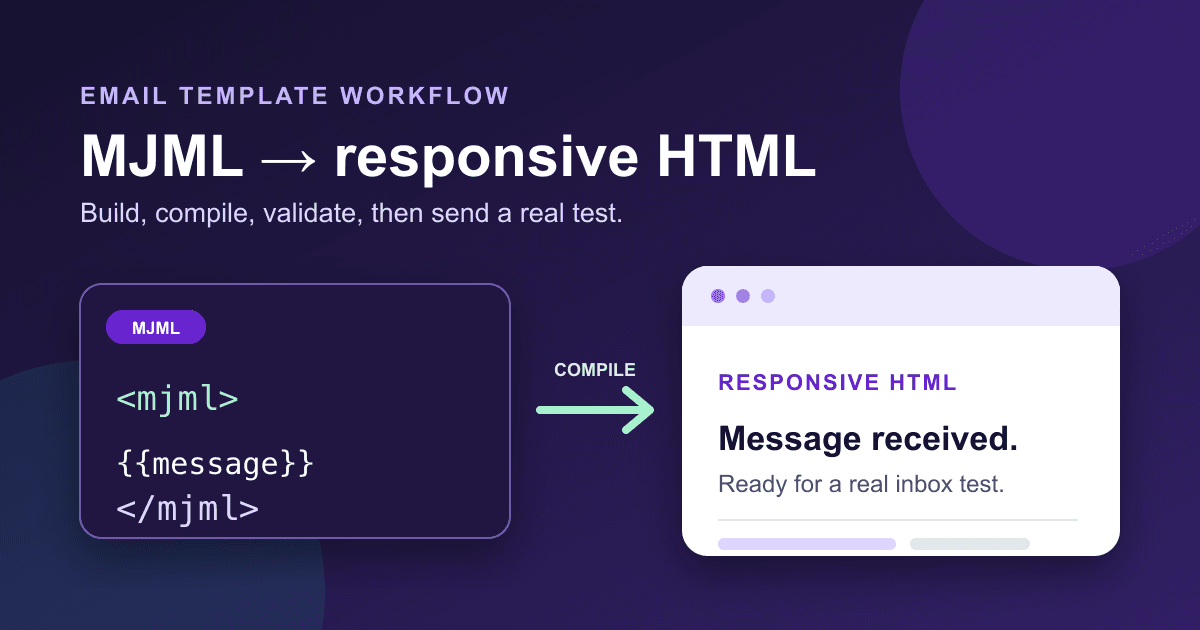
Build an MJML confirmation email for Static Forms
MJML is useful here, but you cannot paste MJML into an email-template field and expect it to render. Compile it first, then paste the generated HTML into Static Forms.
The result in this guide is a compact confirmation email with a real preview line, one clear heading, readable spacing, and room for the auto-reply message. The source stays small enough to edit by hand, while MJML handles the awkward table markup and responsive CSS that email clients still need.[1]
Know where each piece belongs
Static Forms keeps the reply message and its visual wrapper separate. Write the actual confirmation copy in the form's Auto-reply tab. Put the compiled HTML wrapper in Branding > Auto-reply and AI-reply emails > Custom HTML.[2][3]
The wrapper must contain {{message}}. Static Forms replaces that marker with the processed auto-reply body. You can also use field placeholders such as {{name}}; submitted values are HTML-escaped before insertion.[2]
This distinction matters. MJML is source code for the design, not a template language that Static Forms runs. The path is:
- edit
confirmation.mjmllocally; - compile it to
confirmation.html; - check the output;
- paste the HTML output into Static Forms;
- send a real test submission.
Create the MJML confirmation template
Save this as confirmation.mjml:
<mjml>
  <mj-head>
    <mj-title>
      Message received
    </mj-title>
    <mj-preview>
      We received your
      message and
      will reply soon.
    </mj-preview>
    <mj-attributes>
      <mj-all
        font-family="Arial"
      />
      <mj-text
        color="#243047"
        font-size="16px"
        line-height="1.6"
      />
    </mj-attributes>
  </mj-head>

  <mj-body
    background-color="#f4f7fb"
    width="600px"
  >
    <mj-section
      padding="32px 16px 12px"
    >
      <mj-column>
        <mj-text
          align="center"
          color="#5b21b6"
          font-size="14px"
          font-weight="700"
          letter-spacing="1px"
          padding="0"
        >
          NORTHSTAR STUDIO
        </mj-text>
      </mj-column>
    </mj-section>

    <mj-section
      background-color="#fff"
      border-radius="16px"
      padding="36px 36px 16px"
    >
      <mj-column>
        <mj-text
          color="#111827"
          font-size="28px"
          font-weight="700"
          line-height="1.25"
          padding="0 0 16px"
        >
          Thanks, {{name}}. We
          received your
          message.
        </mj-text>

        <mj-text
          padding="0 0 20px"
        >
          A person from our team
          will read it and reply
          within two
          business days.
        </mj-text>

        <mj-divider
          border-color="#ddd"
          border-width="1px"
          padding="0 0 20px"
        />

        <mj-text padding="0">
          {{message}}
        </mj-text>
      </mj-column>
    </mj-section>

    <mj-section
      background-color="#fff"
      border-radius="16px"
      padding="8px 36px 32px"
    >
      <mj-column>
        <mj-text
          color="#596579"
          font-size="14px"
          padding="0"
        >
          If you did not send
          this message, you can
          ignore this
          email.
        </mj-text>
      </mj-column>
    </mj-section>

    <mj-section
      padding="18px 24px 32px"
    >
      <mj-column>
        <mj-text
          align="center"
          color="#667085"
          font-size="12px"
          padding="0"
        >
          Northstar Studio,
          14 Market Street,
          Example City
        </mj-text>
      </mj-column>
    </mj-section>
  </mj-body>
</mjml>
Replace the company name, response time, and postal address. Keep {{message}} exactly as written. If your form does not require a name, replace the personalized heading with a fixed line so an empty field cannot produce an awkward greeting.
The example uses no remote image. That keeps the first version easier to test and still makes sense when images are blocked. If you add a logo later, host it on HTTPS, give it useful alternative text, set an explicit width, and check the email with remote images disabled.
Compile MJML into paste-ready HTML
MJML's command-line interface accepts an input file and writes compiled HTML with -o. It also supports strict validation and minification.[1] Pin the package version so a future release does not quietly change your output.
npx --yes mjml@5.4.1 \
  confirmation.mjml \
  -o confirmation.html \
  --config.validationLevel \
  strict \
  --config.minify true
Version 5.4.1 was the current npm release when this guide was checked on September 21, 2026.[4] Review the current release before adopting the command in a long-lived build pipeline.
Do not paste confirmation.mjml into Static Forms. Open confirmation.html and paste that generated document into the custom HTML editor.
Check the generated file before pasting it
A successful compile is only the first gate. Static Forms requires the output to contain {{message}}, limits each custom HTML template to 50 KB, and rejects <script> tags and inline event handlers such as onclick.[2]
This small Node script catches those mistakes:
import {
  readFile
} from 'node:fs/promises';

const html = await readFile(
  'confirmation.html',
  'utf8'
);
const bytes =
  Buffer.byteLength(html);
const problems = [];
const messageToken =
  '{{message}}';

if (!html.includes(messageToken)) {
  problems.push(
    'Message token is missing'
  );
}
if (bytes > 50 * 1024) {
  problems.push(
    `Too large: ${bytes} bytes`
  );
}
const hasScript =
  /<script\b/i.test(html);
if (hasScript) {
  problems.push(
    'Script tag found'
  );
}
const hasEventHandler =
  /\bon\w+\s*=/i.test(html);
if (hasEventHandler) {
  problems.push(
    'Event handler found'
  );
}

if (problems.length) {
  console.error(
    problems.join('\n')
  );
  process.exit(1);
}

console.log(
  `Passed: ${bytes} bytes`
);
Save it as check-template.mjs, then run:
node check-template.mjsThis check does not prove that Outlook, Gmail, Apple Mail, and every mobile client will render identically. It proves that the file meets the receiving template contract and avoids two blocked HTML patterns.
Add the message in Static Forms
Open the form editor and go to Auto-reply. Enable the reply, choose a sender name and subject, then write the confirmation copy. A short message works better than repeating the entire email wrapper:
We have your note about {{form}}.
Keep this email for your records.
Next, open Branding. In the section for auto-reply and AI-reply emails, choose Custom HTML and paste the contents of confirmation.html. The preview should show your wrapper with sample content in place of {{message}}.[2][3]
Custom HTML email templates are available from the Starter plan upward in the current product documentation.[2] Check the live branding documentation before relying on plan details in a client handoff.
Keep the email readable without its styling
Email CSS support is uneven, which is exactly why MJML generates more HTML than anyone wants to write manually. Still, the content order is your responsibility.
Use one descriptive heading. Put the confirmation before secondary details. Write link text that says where it goes, and keep sentences short enough to scan. Those choices follow the W3C's general guidance for headings, meaningful links, and clear writing.[5]
A few practical rules help:
- Keep essential information as text rather than embedding it in a banner image.
- Use dark text on a light background with enough contrast.
- Do not communicate status by color alone.
- Avoid a row of tiny links in the footer.
- If you add a button, make the label specific, such as "View support hours" rather than "Click here."
The plain address in the sample is a placeholder, not legal advice. Use the sender details appropriate to your organization and the type of email you send.
Test the real delivery path
The editor preview is useful, but it is not the inbox. Send a submission through the same form a visitor will use.
Check these in the received email:
- The subject and preview text make sense together.
- The greeting works with a normal name, a long name, and no name.
- The inserted message appears once.
- The layout is readable at a narrow mobile width.
- Text can be selected and zoomed.
- Links, if you add any, use HTTPS and reach the intended page.
- The email still makes sense when remote images are disabled.
Then open it in the clients your audience actually uses. Static Forms documentation makes the same recommendation because HTML email rendering differs between clients.[2]
Fix the failures you are likely to see
Static Forms says the placeholder is missing
Confirm you pasted the compiled HTML and that the output still contains {{message}}. Do not change it to an MJML expression or remove the braces during minification.
The template is larger than 50 KB
Remove decorative sections and unused web fonts first. Minification can help, but a smaller design is usually easier to maintain. The byte limit applies to the compiled HTML, not the shorter MJML source.[2]
The greeting has a blank space
The form did not supply a name value. Use a fixed heading, or require a named field only when collecting a name is genuinely necessary.
The preview looks right but an inbox does not
Treat the inbox as the authority. Simplify the section, avoid clever positioning, and retest. MJML reduces client-specific work, but its own documentation does not promise identical rendering everywhere.[1]
A later edit breaks the template
Recompile from the .mjml source and rerun the check script. Do not hand-edit the generated HTML and then forget which file is authoritative.
Keep the source, not just the pasted output
Store confirmation.mjml, the pinned compile command, and check-template.mjs with the rest of your project. The HTML in Static Forms is a deployable artifact. The MJML file is the part a human should edit.
When the wording changes, update the Auto-reply tab. When the layout changes, update MJML, compile again, run the checks, paste the new HTML, and send another real submission. That separation makes later changes much less mysterious.
Sources
[1] MJML official documentation
[2] Static Forms branding documentation
[3] Static Forms auto-reply documentation
[4] MJML package on npm
[5] W3C WAI: Writing for Web Accessibility
Related Articles
Keep an Astro contact form working after ClientRouter navigation
Fix Astro contact forms after ClientRouter navigation with an idempotent lifecycle handler, native POST fallback, accessible status messages, and tested code.
Input Type Checkbox: Comprehensive Guide 2026
Input type checkbox - Master the `input type="checkbox"` for static sites: HTML semantics, state, accessibility, styling, JS APIs, framework patterns, & Static
Why Your Contact Form Is Getting Spam and How to Fix It in 2026
Discover why your contact form is getting spam and how to fix it in 2026. Stop spam with layered defenses like honeypots, CAPTCHA, and backend validation.







































