

HTML phone number input: type=tel without a restrictive regex
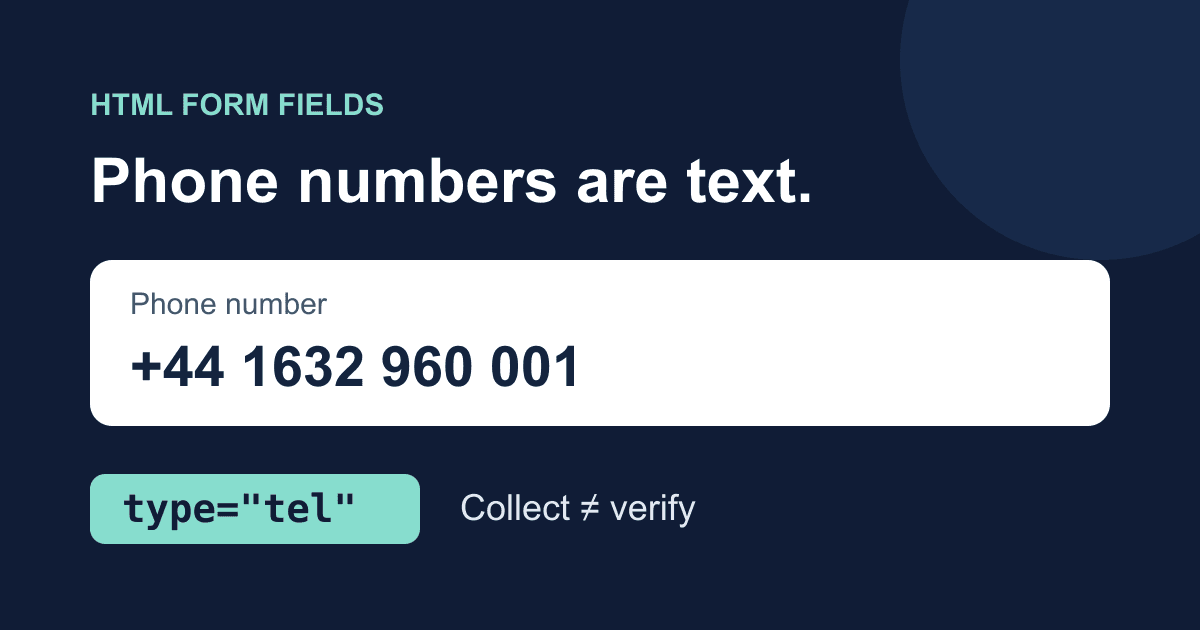
Use <input type="tel"> for an HTML phone number input, with a visible label, a name, and autocomplete="tel". It tells the browser what the field is for and may bring up a telephone keypad. It does not check whether the value is a valid phone number.
That distinction matters when a form accepts international callers. A ten-digit pattern might suit one narrowly defined service, but it can reject someone whose number includes a country code, spaces, or a different number of digits.
This guide builds a local phone-field demo that shows exactly what the browser would submit. It keeps the entered number as text, separates an optional extension, and makes the boundary between collecting a number and verifying one explicit. It does not send messages or place calls.
What type="tel" actually validates
The HTML Standard's telephone input definition deliberately leaves phone-number syntax open. The browser does not reject letters merely because a field has type="tel".
Other constraints still work. required rejects an empty field. maxlength limits the amount a user can type, measured in UTF-16 code units. A valid pattern can impose a format you choose. None of those checks establishes that a number is assigned to someone or can receive a call.
MDN's telephone input reference documents these attributes and the possible mobile keypad. The keypad is a browser and device decision; desktop viewport emulation does not prove what an actual phone will display.
Do not use type="number" for a telephone number. A phone number is text with dialing meaning, not a quantity to increment. Leading zeroes and a leading plus sign should not be lost through numeric conversion. Avoid Number(), parseInt(), and arithmetic when storing it.
For the broader choice among text, email, number, and other controls, see our HTML form input types guide.
A complete phone-field demo
Save the following file as phone-demo.html and open it in a browser. You do not need a package manager, API key, or backend. Use fictional test data rather than a customer's number.
The button previews the two named field values locally. JavaScript cancels submission, and the button starts disabled so that disabling JavaScript cannot accidentally turn the demo into a network submission.
<!doctype html>
<html lang="en">
<head>
  <meta charset="utf-8">
  <meta name="viewport" content="width=device-width, initial-scale=1">
  <title>Phone number field demo</title>
  <style>
    * { box-sizing: border-box; }
    body {
      margin: 2rem auto;
      padding: 0 1rem;
      max-width: 34rem;
      font: 1rem/1.5 system-ui, sans-serif;
      color: #172033;
      background: #fff;
    }
    label { display: block; font-weight: 600; margin-bottom: .5rem; }
    input, button {
      font: inherit;
      padding: .7rem;
      max-width: 100%;
    }
    input { display: block; width: 100%; margin-bottom: 1.25rem; }
    :focus-visible { outline: 3px solid #175cd3; outline-offset: 3px; }
    pre { white-space: pre-wrap; overflow-wrap: anywhere; }
  </style>
</head>
<body>
  <h1>Phone number field demo</h1>
  <p>This preview stays in your browser. Nothing is sent.</p>
  <form id="phone-demo">
    <label for="phone">Phone number (optional)</label>
    <p id="phone-hint">
      Include the country code for an international number.
      Spaces, brackets and hyphens are welcome.
    </p>
    <input id="phone" name="phone" type="tel"
      autocomplete="tel" aria-describedby="phone-hint">

    <label for="extension">Extension (optional)</label>
    <input id="extension" name="phone_extension" type="text"
      autocomplete="tel-extension" inputmode="numeric">

    <button id="preview" type="submit" disabled>Preview field values</button>
  </form>
  <noscript><p>Enable JavaScript to run this local preview.</p></noscript>
  <p id="status" role="status"></p>
  <pre id="result" aria-label="Previewed field values"></pre>
  <script>
    const form = document.querySelector('#phone-demo');
    const status = document.querySelector('#status');
    const result = document.querySelector('#result');
    let previews = 0;

    form.addEventListener('submit', (event) => {
      event.preventDefault();
      const values = Object.fromEntries(new FormData(form));
      result.textContent = JSON.stringify(values, null, 2);
      previews += 1;
      status.textContent = `Preview ${previews} ready. Nothing was sent.`;
    });
    document.querySelector('#preview').disabled = false;
  </script>
</body>
</html>
Try 01632 960 001, then +44 1632 960 001. The preview retains the leading zero or plus sign, along with spaces. An extension such as 0042 remains a separate string. These are test values, not numbers to call.
Now enter not a phone number. The demo accepts that too. This is intentional evidence of what native tel does, not a claim that production validation should accept arbitrary text. Leave both inputs blank and the preview contains two empty strings: an optional empty field is different from a missing field name.
The code uses textContent to display input as text rather than interpreting it as HTML. The status region announces that a preview is ready without automatically reading the entire number aloud. The counter changes the status even when you preview the same value twice.
Keep formatting flexible without losing context
The GOV.UK phone numbers pattern recommends accepting familiar formats, including spaces, hyphens, brackets, and country or area codes. It also says to collect phone numbers only when you genuinely need them and to offer a choice of contact methods.
For a general contact form, keep the field optional unless your workflow cannot proceed without a phone number. Explain why you need it. A callback request can justify requiring a number; an email-only support question usually cannot.
Use one field for the full phone number rather than splitting area code and local number just to make the layout look tidy. If extensions matter to your workflow, a separate extension field keeps them distinct from the main dialing number. Do not show an extension field for an SMS-only flow.
autocomplete="tel" describes the full number. autocomplete="tel-extension" describes an extension. These are hints, not promises that the browser has a saved value or will fill it. MDN's autocomplete reference lists the tokens; our form autofill guide covers their use across a larger form.
The extension's inputmode="numeric" suggests a keyboard. It does not restrict the field to digits. If your own extension system accepts only digits or has a length limit, state that rule in visible hint text and validate it at the receiving endpoint too.
Decide what "valid" means before adding a regex
There are different questions hiding behind phone-number validation:
- Was something entered?
requiredcan answer this in the browser, although whitespace still needs an explicit policy. - Does it fit a numbering plan? A maintained phone-number library can use region metadata to assess that.
- Can this person receive a call or message there? Format checks cannot establish this. A separate verification flow is needed when your product requires that assurance.
Google's libphonenumber FAQ explicitly warns that a valid number is not proof of assignment or reachability. It also explains why parsing needs context: leading digits can be ambiguous, and a national prefix is not always safe to remove.
Avoid a global rule that strips every non-digit character and assumes the result is ready to dial. That loses the plus sign, conflates extensions with the main number, and does not supply a missing country context. Do not infer a caller's numbering region solely from the country where they live.
If your service accepts national-format numbers, ask for enough region context to interpret them. Parse and validate on the server with a maintained library appropriate to your stack. Keep any normalized dialing value separate from the user-facing value when your workflow needs both. Limit access and retention instead of duplicating phone numbers across debug logs.
A pattern is reasonable when the service truly has a narrow documented input format. Explain the accepted format next to the control and provide an example. A pattern that merely looks phone-like is not a substitute for numbering-plan validation. For the mechanics of browser constraints, use the HTML validation guide.
Move the field into a real contact form
The demo is a field-behavior test, not a deployable callback service. For a real form, move the labeled inputs and their hint text into your existing working contact form. Keep their name attributes so the values participate in submission. Remove the demo preview script, counter, status copy, and disabled preview button; retain your real form's submit button and success/error handling.
If you use Static Forms, follow the current setup documentation for the endpoint, form identifier, delivery configuration, and spam controls. Adding type="tel" does not configure phone verification, send SMS, or make a form backend enforce your custom numbering rules. Put any business-critical phone validation in the server-side system that makes the callback or messaging decision.
Deploy the containing form over HTTPS. Send a clearly marked test through its normal submission path, then check that both field names and their string values reach the intended destination. A browser preview proves serialization only; an accepted submission does not, by itself, prove notification delivery or that the number is reachable.
Keep phone numbers out of analytics events and error URLs. Tell people how you plan to contact them. If the form is for support, do not treat the presence of a phone number as permission for unrelated marketing.
Checks before shipping
Test the actual form in addition to the local demo:
- Paste a number with a leading zero, a plus-prefixed international number, and a number containing brackets. Confirm that your own code does not silently rewrite them.
- Leave an optional field blank. If you deliberately made it required, confirm the visible explanation and the empty-field error.
- Use Tab and Enter without a mouse. Check the focus outline and the announced success or error status.
- Test autofill and the telephone keypad on real devices. A narrow desktop window checks layout, not a phone's keyboard.
- Submit a fictional test value and inspect the received fields. Do not contact a number merely because it passed a format check.
If the number disappears from a submission, check the name, form association, and whether the input is disabled. If a national number is rejected, inspect the selected region and validation rule before asking the user to remove punctuation. If letters are accepted by the browser, remember that tel alone is behaving as specified. Add the validation your service actually needs rather than changing the input to a numeric quantity.
Related Articles
HTML date inputs: min, max, step, and timezone mistakes
Build an HTML date input with min, max, and step. Validate a weekly date range, preserve date-only values, and avoid off-by-one timezone mistakes.
requestSubmit() vs submit(): Validate Forms Before Sending
Learn why requestSubmit() runs browser validation and submit handlers while submit() skips them, with a tested contact form pattern and debugging checks.
Form Validation Without JavaScript: A Practical Guide
Learn how to handle form validation without JavaScript using HTML5 attributes, server-side checks, and hosted backends like Static Forms.




































