

HTML input pattern: validate a format without blocking users
An HTML input's pattern attribute checks whether a value fits a format. It does not check whether an order exists, a postal address receives mail, or a person owns an account. That distinction makes it useful for catching a mistyped reference code, but a poor substitute for checking records on a server.
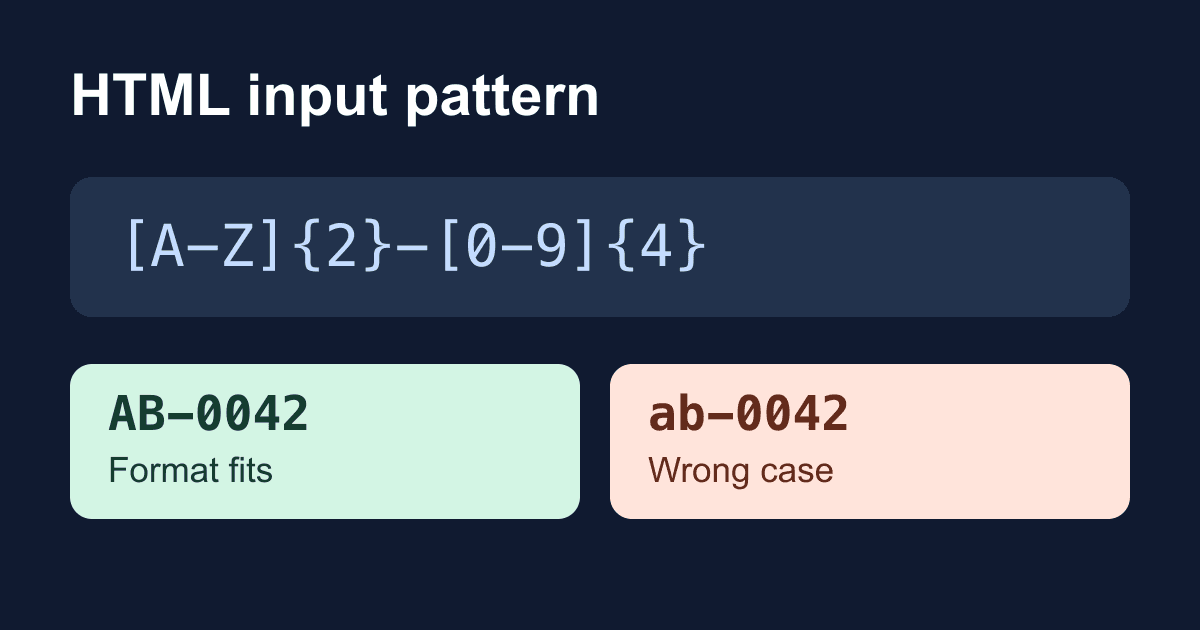
This guide builds a local reference-code checker. The example accepts two uppercase letters, a hyphen, and four digits, such as AB-0042. It shows the value that would go into form data without sending it anywhere. You need a text editor and a modern browser; there are no accounts, packages, or credentials to configure.
What pattern checks
The browser matches the whole value, not a substring. With pattern="[A-Z]{2}-[0-9]{4}", AB-0042 fits, while order AB-0042 and AB-0042 extra do not. You do not need to add anchors around this expression, and you should not wrap it in JavaScript-style slash delimiters.
pattern applies to text, search, telephone, URL, email, and password inputs. It does not apply to number inputs or textareas. A reference code is text even if part of it contains digits: keeping 0042 intact matters more than doing arithmetic with it. For quantities, use the number input's min, max, and step rules.
An empty value does not cause a pattern mismatch. Add required if the visitor must supply an answer. On an email or URL input, the input type's own validity rules still apply too. The HTML Standard's pattern algorithm defines these checks; MDN's pattern reference explains the supported types and usability considerations.
Build a reference-code checker
Save this complete file as pattern-check.html and open it in your browser. The visible hint describes the format before a visitor encounters an error. The field and button start disabled so that, if scripting is unavailable, this local demo cannot accidentally submit a GET request containing the reference.
<!doctype html>
<html lang="en">
<head>
  <meta charset="utf-8">
  <meta name="viewport" content="width=device-width, initial-scale=1">
  <title>Reference code checker</title>
  <style>
    * { box-sizing: border-box; }
    body {
      max-width: 36rem;
      margin: 0 auto;
      padding: 1.5rem;
      font: 1rem/1.6 system-ui, sans-serif;
      color: #172033;
      background: #fff;
    }
    label { display: block; font-weight: 700; }
    input, button {
      font: inherit;
      padding: .75rem;
      border: 1px solid #64748b;
      border-radius: .35rem;
    }
    input { width: 100%; color: #172033; background: #fff; }
    button { margin-top: 1rem; color: #fff; background: #172033; }
    :focus-visible { outline: 3px solid #1d4ed8; outline-offset: 3px; }
    #result { overflow-wrap: anywhere; }
  </style>
</head>
<body>
  <main>
    <h1>Check a reference code</h1>
    <p>This demo checks a format locally. It does not look up an order.</p>
    <form id="reference-form">
      <label for="reference">Reference code (required)</label>
      <p id="reference-help">
        Use two uppercase letters, a hyphen, and four digits.
        Example: AB-0042.
      </p>
      <input id="reference" name="reference" type="text"
        pattern="[A-Z]{2}-[0-9]{4}" required disabled
        aria-describedby="reference-help"
        title="Two uppercase letters, a hyphen, and four digits">
      <button type="submit" disabled>Check format</button>
    </form>
    <p id="result" role="status"></p>
    <noscript>This local checker needs JavaScript. Nothing is sent.</noscript>
  </main>
  <script>
    const form = document.querySelector('#reference-form');
    const input = document.querySelector('#reference');
    const button = form.querySelector('button');
    const result = document.querySelector('#result');

    form.addEventListener('submit', (event) => {
      event.preventDefault();
      const value = new FormData(form).get('reference');
      result.textContent = `Format accepted: ${value}. Nothing was sent.`;
    });
    input.addEventListener('input', () => {
      result.textContent = '';
    });
    input.disabled = false;
    button.disabled = false;
  </script>
</body>
</html>
There are no placeholders to replace. The reference format is deliberately fictional; change it only to match an actual documented format in your application, and change the hint and title at the same time.
The submit handler runs after native validation permits a normal submission. It cancels that submission, reads the named field, and writes a local status message with textContent. It does not insert the visitor's value as HTML. Editing the field clears the old success message so it cannot describe a newly invalid value.
Try AB-0042, then ab-0042, AB0042, AB-042, and a blank field. Only the first should reach the local success message. Tab to the button and activate it with Enter as well as clicking it. Browser error wording varies, so test the visible instructions and focus behavior rather than relying on one exact native error sentence.
Why an old regular expression can stop working
The HTML Standard compiles patterns with the JavaScript v flag. Older examples may have been written for the previous u behavior. Under v, character classes have stricter syntax, including extra literal characters that need escaping. MDN lists the affected characters in its pattern reference.
In this example, the literal hyphen sits outside a character class. The hyphens inside [A-Z] and [0-9] define ranges. If you later put a literal hyphen inside a character class, escape it with a backslash rather than assuming an older expression remains valid.
An invalid expression does not impose a pattern constraint. That failure can look like a permissive form rather than a broken page. Inspect the browser console and test values you expect to reject. A happy-path check alone would miss it.
Do not confuse an omitted attribute with an empty one. An empty pattern="" has a valid empty expression: nonempty text fails it. An optional empty input still avoids a pattern mismatch. The standard's compilation and validation steps resolve this edge case more precisely than a blanket claim that an empty pattern is ignored.
Keep the restriction explainable
A strict format is reasonable for a reference generated by your own system. It is much harder to justify for names, international addresses, or telephone numbers. Do not reuse this example's uppercase-and-digits rule for personal details. The telephone input guide covers why a narrow phone regex can reject legitimate callers.
Keep the format hint visible and connect it with aria-describedby. A placeholder disappears as someone types, and a title tooltip is not a dependable instruction for touch or keyboard users. This example supplies a visible label, a persistent hint, a focus outline, and a status region. That is a starting point for accessibility testing, not proof that every browser and assistive-technology combination behaves the same way.
Move from a local check to a real form
You can host the demo as an ordinary static HTML file over HTTPS. Its behavior should remain local: a successful check displays a message but creates no submission request. Check the browser's Network panel to confirm that boundary after deployment, especially if you add analytics or other scripts.
To collect requests with Static Forms, build the delivery form separately using the quick-start documentation. Keep the field's label, name, hint, and pattern, but do not copy this demo's submission-cancelling handler and expect email delivery. Follow the current setup instructions for the endpoint, form key, and spam controls, then verify a real test submission in the configured destination. This article's local checker does not prove backend acceptance or email delivery.
A browser pattern is not a security rule. Someone can remove the attribute or send a request without your page. Any workflow that needs a valid reference must independently validate the format and, when relevant, look up the reference before taking action. Do not assume a hosted form backend infers your HTML pattern from the submitted value. Avoid collecting sensitive identifiers unless the receiving workflow needs them.
Troubleshoot the observed failure
- Blank input is accepted: check whether
requiredis present and whether the control is enabled. - Every nonempty value is rejected: inspect the actual
patternattribute for an empty string, copied slash delimiters, or an unintended restriction. - Bad values reach the handler: check for an invalid regex, an unsupported input type,
novalidateon the form, orformnovalidateon the button. A directform.submit()call also bypasses validation; the requestSubmit versus submit guide explains that difference. - A valid value produces no local message: inspect script errors and confirm the demo controls became enabled. A hosted Content Security Policy may block inline scripts; move the script to an allowed external file or apply your site's approved policy rather than disabling the policy.
- The format passes but the reference is unknown: the pattern has done its job. The next check belongs in the system that owns the records.
Before adding a pattern to a production form, write down accepted and rejected examples, include a blank value, and try the form by keyboard. Then test the receiving workflow independently. A format check is useful only when it catches a real mistake without rejecting a legitimate answer.
Related Articles
HTML select placeholder: make required choices work
Build an HTML select placeholder that works with required. Test empty options, optgroups, keyboard input, and the exact FormData value in a local checker.
HTML number input: fix min, max, and step validation
Fix HTML number input validation with min, max, and step. Test decimals, required values, keyboard errors, and FormData in a complete local quantity checker.
HTML phone number input: type=tel without a restrictive regex
Build an accessible HTML phone number input with type=tel, autocomplete, and an optional extension. Test what submits and where phone validation belongs.







































