

reCAPTCHA vs Turnstile vs ALTCHA for Contact Forms
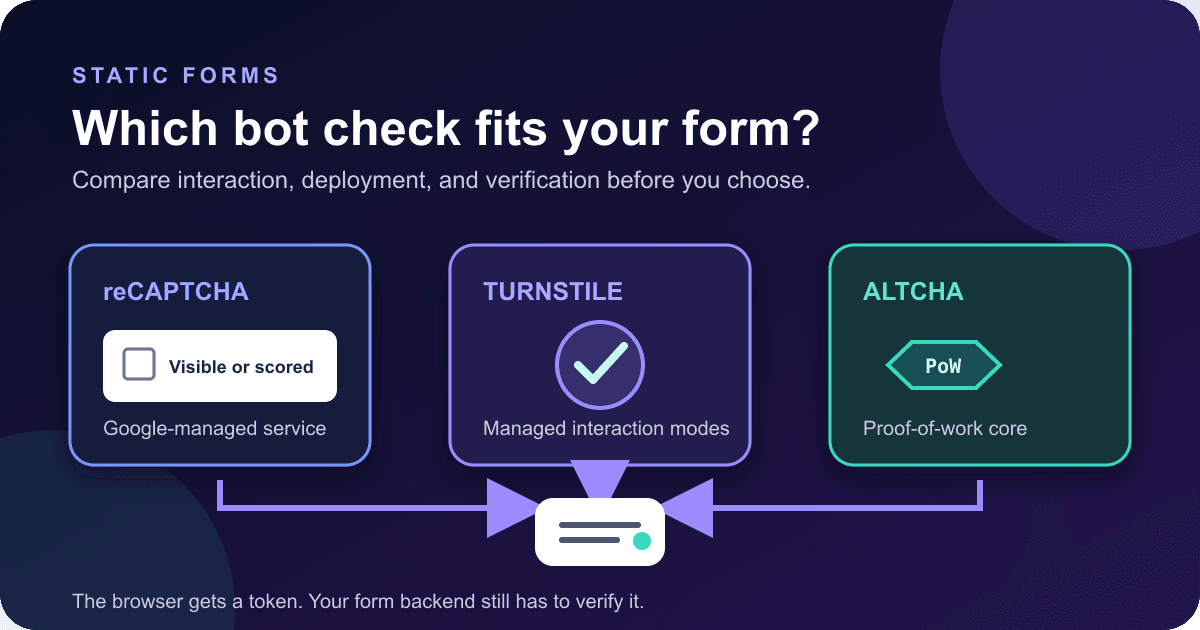
A contact form needs some way to slow down automated abuse, but the choice is less obvious than it first appears. reCAPTCHA can show a familiar checkbox or return a score. Cloudflare Turnstile's managed mode decides whether a visitor needs an interaction. ALTCHA can solve a proof-of-work challenge in the browser.
To choose between them, compare the deployment details: browser connections, secret storage, script failures, and maintenance.
This article compares those deployment details. The provider-specific setup stays in the Static Forms security documentation, where it can be kept current without turning this article into three competing tutorials.
The short answer
For a plain contact form, I would start with the least complicated option that fits the site's constraints.
- reCAPTCHA v2 Checkbox is the practical choice when you need a familiar visible check and want to use the option available on every Static Forms plan. reCAPTCHA v3 uses a score, which means someone must decide how scores affect submissions.
- Turnstile is a good candidate when you want Cloudflare to choose between non-interactive and visible checks. Its managed mode can adapt the interaction, but the browser still loads Cloudflare code and the token still needs verification.
- ALTCHA is worth considering when proof of work and an open-source core matter more than using a large challenge network. With Static Forms, the challenge endpoint is managed for you, so this is not the same deployment as running every ALTCHA component yourself.
None of these tools makes a form bot-proof. Each produces evidence that a server evaluates. You still need field validation, rate limits, domain restrictions, and submission review.
Compare the request path before the widget
The easiest way to understand the difference is to follow one submission.
| Question | reCAPTCHA | Turnstile | ALTCHA with Static Forms |
|---|---|---|---|
| What runs in the page? | Google's widget or v3 script | Cloudflare's Turnstile widget | The ALTCHA web component |
| What reaches the form request? | g-recaptcha-response |
cf-turnstile-response |
altcha or altchaToken |
| What must stay private? | reCAPTCHA secret key | Turnstile secret key | Static Forms handles the managed challenge and verification setup |
| Who operates the challenge service? | Cloudflare | Static Forms for this integration | |
| What does the visitor usually see? | A checkbox for v2; no prompt for v3 | Depends on widget mode and risk | A proof-of-work check, usually without an image puzzle |
Google documents reCAPTCHA v2 as a widget that can render automatically or explicitly. Its v3 product returns a score for an action rather than interrupting the visitor.[4][5] Cloudflare documents Turnstile as a browser widget followed by server-side token validation; its managed mode chooses between non-interactive and checkbox behavior.[6][7] ALTCHA describes its open-source core as a proof-of-work system and separates that core from its commercial Cloud and Sentinel products.[8]
Self-hostable software is not necessarily self-hosted in a specific integration. "ALTCHA is self-hostable" does not mean every ALTCHA integration is self-hosted. The Static Forms version uses a Static Forms challenge URL and verification path.[3] Write the real data flow into your architecture notes.
reCAPTCHA offers two different decisions
reCAPTCHA v2 and v3 require different form logic.
reCAPTCHA v2 Checkbox has a visible checkbox flow. A visitor may complete the checkbox and, when Google requires it, an additional challenge. The interaction is obvious, which can make support easier. It can also interrupt a person who only wanted to send a short message.
reCAPTCHA v3 does not show a challenge. It returns a score, and Google's documentation says the score should inform what the site does next.[5] Before choosing it, confirm that the form service's current score handling matches your risk policy and decide how you will review false positives.
There is also a timing detail worth respecting. Google says v3 tokens expire after two minutes and recommends calling execute when the protected action happens, not when the page loads.[5] A token created while the visitor is still writing can be stale before the form is sent.
Google marks the cited legacy v3 guide as deprecated and points readers to Google Cloud Fraud Prevention documentation. That does not say reCAPTCHA v3 has been discontinued, but a new rollout should confirm which Google product and key-management path it intends to use.[5]
Static Forms currently supports reCAPTCHA v2 on every plan and reCAPTCHA v3 from Starter upward.[1] The public site key belongs in the page. The secret key belongs in the form's Security settings, not in HTML, a JavaScript bundle, or a public environment variable.
Choose v2 Checkbox when a visible check is acceptable and a simple decision matters more than an invisible flow. Choose v3 only after confirming how Static Forms evaluates scores and testing that behavior with representative traffic.
Turnstile moves the interaction decision to a managed widget
Turnstile has managed, non-interactive, and invisible widget modes. Cloudflare recommends managed mode, which can choose a non-interactive check or ask for a checkbox based on the visitor's apparent risk.[7]
That sounds like a clean middle ground, and often it is. It still has operational edges.
The page connects to challenges.cloudflare.com, so a strict Content Security Policy must allow the required Cloudflare resources.[7] Privacy extensions, network filtering, or a regional outage can stop the widget from loading. Your form needs a readable error and another way to contact you. Hiding a dead submit button is not a fallback.
Turnstile also separates a public site key from a private secret key. Cloudflare states that the server must validate the returned token.[6] A green check drawn in the browser is not proof on its own. Static Forms performs that verification when you save the matching secret in the form's Security settings and submit the token as cf-turnstile-response.[2]
For forms that people may leave open, mint the token at submit time. The current Static Forms Turnstile guide uses explicit execution so the token is fresh when the request leaves the page.[2] This also gives your submit handler one place to manage the pending state and token errors.
Turnstile is a sensible default when you prefer Cloudflare's managed interaction model and are comfortable adding its runtime origin to your site's dependency list. Test the visible challenge path too. A rollout that only exercises the quiet path has skipped the part most likely to confuse a visitor.
ALTCHA changes who does the work
ALTCHA's open-source core uses proof of work. The browser solves a small computational challenge, and the server verifies the result.[8] There is no image-recognition puzzle in that basic flow.
That is an appealing model, but "small computation" is still computation. Test older phones, battery-saving modes, slow browsers, and assistive technology combinations that your audience uses. Do not turn a vendor's general accessibility statement into a guarantee about your finished form.
Static Forms offers a managed ALTCHA integration from Starter upward. The widget requests a challenge from a Static Forms URL, solves it, and adds the result to the form. The current docs accept the widget's altcha field and altchaToken for a custom integration.[3]
This setup does not require the site owner to create a Google or Cloudflare CAPTCHA account. It also does not give the site owner a self-hosted challenge service. Static Forms operates that part of the request path. If full infrastructure ownership is a hard requirement, you would need to evaluate and operate ALTCHA's open-source server components separately rather than assuming the managed integration meets it.
ALTCHA fits teams that like proof of work, want to avoid a Google or Cloudflare widget account, and accept the managed Static Forms boundary. It deserves a real device test before launch. A desktop developer machine is a poor stand-in for every visitor.
Privacy is a data-flow question
Provider labels such as "privacy-first" are not a privacy assessment. Draw the request path.
For each option, record which domains the page contacts, which identifiers or signals leave the browser, where the verification secret is stored, and how long logs are kept. Read the provider's current privacy terms alongside your own disclosures. Requirements differ by jurisdiction and use case, so this article cannot decide compliance for you.
The architecture is clear enough to compare without legal guesswork:
- reCAPTCHA loads Google code and sends a token for Google-backed verification.
- Turnstile loads Cloudflare code and sends a token for Cloudflare-backed verification.
- The documented Static Forms ALTCHA setup loads the widget from
cdn.jsdelivr.net, requests a challenge fromwww.staticforms.dev, and submits the result toapi.staticforms.dev. Self-hosting the widget script can remove the jsDelivr dependency.[3]
If a procurement rule forbids a provider, that may settle the choice before user experience does. If no such rule exists, document the vendors honestly and avoid claims such as "no third party" unless you operate the complete chain yourself.
Accessibility depends on the finished form
A CAPTCHA provider can publish accessibility features, but your page can still make the form unusable.
Every field needs a real label or instruction. W3C guidance for WCAG 2.2 SC 3.3.2 explains that people need to know what information an input expects.[9] The CAPTCHA needs the same care around it: an understandable purpose, a useful failure message, and a retry that does not erase the message someone just wrote.
For a non-text CAPTCHA, WCAG 2.2 SC 1.1.1 also calls for a text alternative that describes its purpose and alternative forms that use different sensory modalities.[10] Confirm that the selected provider's fallback modes remain usable in your finished integration.
Keep keyboard focus predictable. Do not move it merely because a token completed in the background. If verification fails, place a clear message near the submit action and expose the update through a status region. If the provider offers an interactive challenge, test it with only a keyboard and at browser zoom. Then test what happens when the provider script never loads.
This submission shell preserves field labels and provides a status target. If JavaScript handles submission, that handler must update the target on success, verification failure, and network failure while preserving field values.
<form id="contact-form" action="https://api.staticforms.dev/submit" method="post">
  <input type="hidden" name="apiKey" value="YOUR_STATIC_FORMS_API_KEY">

  <label for="email">Email</label>
  <input id="email" name="email" type="email" autocomplete="email" required>

  <label for="message">Message</label>
  <textarea id="message" name="message" rows="6" required></textarea>

  <!-- Add one provider integration here. v3 uses a hidden response field and submit-time JavaScript. -->

  <button type="submit">Send message</button>
  <p id="form-status" role="status" aria-live="polite"></p>
</form>
The exact widget code differs, which is why copying a token field from another provider fails. Use the reCAPTCHA guide, Turnstile guide, or ALTCHA guide for the current field and key setup.
Failure behavior matters more than the happy path
A good test proves more than "the widget appeared once."
Start with a successful submission, then force the uncomfortable cases. Block the provider script in DevTools. Let a form sit open before submitting. Use an unregistered preview hostname where provider domain controls apply. Try a wrong secret in a non-production form. Verify that the form keeps the visitor's text and explains what can be retried.
Read the HTTP status and machine-readable error code when the response includes one. Use a short message for the visitor, and keep raw provider errors or secret-bearing diagnostics out of the page. The current Turnstile guide documents captcha_required, captcha_expired_or_reused, and captcha_failed; do not assume every provider maps failures to the same code.[2]
If a network timeout makes the result ambiguous, avoid an immediate loop of automatic POST retries. The browser may not know whether the server accepted the first request. The duplicate-submission guide explains that boundary in detail.
A submission that reached Static Forms but did not trigger a later webhook is a different incident. CAPTCHA changes will not fix it. Use the webhook delivery debugging runbook and start from the recorded submission and delivery log.
A rollout checklist that catches real mistakes
Run the same checks in local, preview, and production environments. Provider hostname rules and content policies often differ between them.
- Confirm the public site key is in frontend code and the secret is only in Static Forms settings.
- Check the submitted field name:
g-recaptcha-response,cf-turnstile-response, or the documented ALTCHA field. - Generate the token close to submission time when the provider flow requires it.
- Complete one real accepted submission and verify it in the Static Forms Inbox.
- Force a missing, expired, and rejected-token path in a non-production form.
- Use keyboard navigation and zoom, and confirm status changes are announced without losing field values.
- Block the provider script and confirm the visitor gets a recovery path.
- Review CSP rules, allowed hostnames, privacy disclosures, and vendor dependencies before launch.
Keep a honeypot and server-side rate controls in the design even after the CAPTCHA is live. A challenge handles one slice of abuse. It does not validate field meaning, stop every manual submission, or replace account-level throttling.
Make the choice you can operate
The widget with the nicest demo is not necessarily the one your team will maintain well.
Use reCAPTCHA v2 Checkbox when a visible, familiar check is acceptable. Use reCAPTCHA v3 when you have confirmed that its score handling fits your policy. Use Turnstile when its managed interaction and Cloudflare dependency fit the site. Use ALTCHA when proof of work and the Static Forms managed challenge path fit your privacy and operational requirements.
Document the request path, keep the secret out of frontend code, and test failures on representative devices before launch.
Sources
[1] Static Forms reCAPTCHA documentation
[2] Static Forms Cloudflare Turnstile documentation
[3] Static Forms ALTCHA documentation
[4] Google reCAPTCHA v2 documentation
[5] Google reCAPTCHA v3 documentation
[6] Cloudflare Turnstile get started
[7] Cloudflare Turnstile widget concepts
[8] ALTCHA documentation
[9] W3C WCAG 2.2 labels or instructions
[10] W3C WCAG 2.2 non-text content
Related Articles
How to Process HTML Forms
Learn how to process HTML forms with practical examples, spam protection, file uploads, GDPR tips, and integrations for static sites and apps.
hCaptcha Best Practices
A practical guide to using hCaptcha, including setup decisions, common mistakes, and implementation planning tips.
Cloudflare Turnstile Best Practices
A practical guide to using Cloudflare Turnstile, including rollout advice, common mistakes, and implementation planning tips.







































