

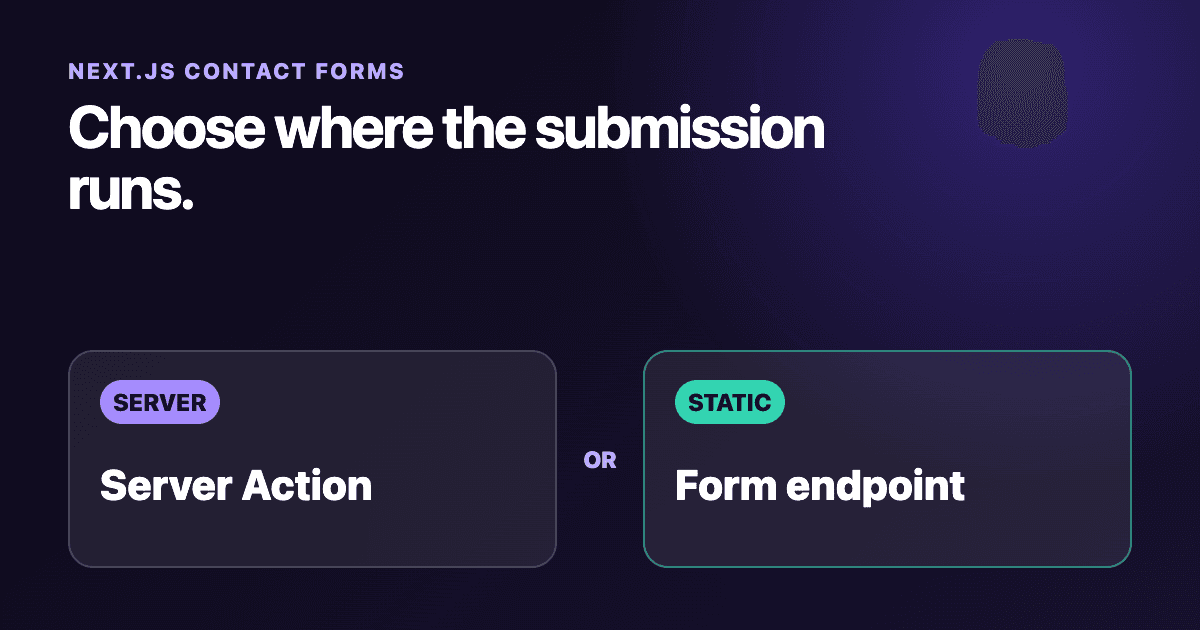
Next.js Server Actions vs a Form Endpoint for Contact Forms
A Next.js contact form can submit through a Server Action or post straight to a managed form endpoint. The right choice mostly comes down to where the site runs and who should own the server work.
Use a Server Action when the app already needs a Next.js server and you want validation, delivery logic, and the form result to stay inside the React action flow. Use a managed endpoint when the site is a static export, the form should work without an application server, or you do not want to operate the delivery pipeline.
This guide compares those boundaries with two working App Router examples. It targets Next.js 16 and React 19.
The short answer
| Question | Server Action | Managed form endpoint |
|---|---|---|
| Needs a Next.js server runtime | Yes | No |
Works with output: 'export' |
No | Yes, when the browser posts to an external endpoint |
| Keeps delivery credentials on the server | Yes | The form key is visible in the page |
| Uses React action state directly | Yes | Not with a plain HTML post |
| Who owns validation and abuse controls | Your application, plus the delivery provider | The provider, with browser validation as an early check |
| Best fit | Server-rendered apps with custom workflow logic | Static sites and simple form-to-email delivery |
There is a third option: a Next.js Route Handler. It gives you a conventional POST endpoint, but it still needs a server-capable deployment. Pick it when non-React clients need the same HTTP interface or when explicit request and response semantics matter more than React's action model.
Option 1: submit through a Server Action
A Server Action receives FormData from <form action={...}>. In this example, the action validates three fields and then sends a JSON request to Static Forms. The browser never sees STATICFORMS_API_KEY, although a Static Forms form key is an identifier rather than a password.
Create app/contact/actions.ts:
'use server';

type ContactState = {
  status: 'idle' | 'success' | 'error';
  message: string;
  errors?: Partial<Record<'name' | 'email' | 'message', string>>;
};

const readText = (formData: FormData, name: string): string => {
  const value = formData.get(name);
  return typeof value === 'string' ? value.trim() : '';
};

export async function submitContact(
  _previousState: ContactState,
  formData: FormData,
): Promise<ContactState> {
  const name = readText(formData, 'name');
  const email = readText(formData, 'email');
  const message = readText(formData, 'message');
  const honeypot = readText(formData, 'company_website');

  if (honeypot) {
    return { status: 'success', message: 'Thanks. Your message was received.' };
  }

  const errors: ContactState['errors'] = {};
  if (name.length < 2 || name.length > 80) errors.name = 'Enter a name between 2 and 80 characters.';
  if (!/^\S+@\S+\.\S+$/.test(email) || email.length > 254) errors.email = 'Enter a valid email address.';
  if (message.length < 10 || message.length > 5000) errors.message = 'Enter a message between 10 and 5,000 characters.';

  if (Object.keys(errors).length > 0) {
    return { status: 'error', message: 'Check the marked fields.', errors };
  }

  const apiKey = process.env.STATICFORMS_API_KEY;
  if (!apiKey) {
    console.error('STATICFORMS_API_KEY is not configured');
    return { status: 'error', message: 'The form is unavailable right now. Please try again later.' };
  }

  const response = await fetch('https://api.staticforms.dev/submit', {
    method: 'POST',
    headers: { 'Content-Type': 'application/json' },
    body: JSON.stringify({
      apiKey,
      name,
      email,
      message,
      replyTo: email,
      subject: 'Website contact form',
      honeypot,
    }),
    cache: 'no-store',
  });

  if (!response.ok) {
    console.error('Static Forms rejected a contact submission', { status: response.status });
    return { status: 'error', message: 'Your message could not be sent. Please try again.' };
  }

  return { status: 'success', message: 'Thanks. Your message was sent.' };
}
Then create app/contact/contact-form.tsx:
'use client';

import { useActionState } from 'react';

import { submitContact } from './actions';

const initialState = {
  status: 'idle' as const,
  message: '',
};

export function ContactForm() {
  const [state, formAction, pending] = useActionState(submitContact, initialState);

  return (
    <form action={formAction}>
      <div>
        <label htmlFor="name">Name</label>
        <input id="name" name="name" autoComplete="name" required minLength={2} maxLength={80} aria-describedby={state.errors?.name ? 'name-error' : undefined} />
        {state.errors?.name && <p id="name-error">{state.errors.name}</p>}
      </div>

      <div>
        <label htmlFor="email">Email</label>
        <input id="email" name="email" type="email" autoComplete="email" required maxLength={254} aria-describedby={state.errors?.email ? 'email-error' : undefined} />
        {state.errors?.email && <p id="email-error">{state.errors.email}</p>}
      </div>

      <div>
        <label htmlFor="message">Message</label>
        <textarea id="message" name="message" rows={7} required minLength={10} maxLength={5000} aria-describedby={state.errors?.message ? 'message-error' : undefined} />
        {state.errors?.message && <p id="message-error">{state.errors.message}</p>}
      </div>

      <div hidden aria-hidden="true">
        <label htmlFor="company_website">Company website</label>
        <input id="company_website" name="company_website" type="text" tabIndex={-1} autoComplete="off" />
      </div>

      <button type="submit" disabled={pending}>{pending ? 'Sending...' : 'Send message'}</button>
      <p role="status" aria-live="polite">{state.message}</p>
    </form>
  );
}
Render <ContactForm /> from app/contact/page.tsx, and add STATICFORMS_API_KEY to the deployment environment. Do not prefix it with NEXT_PUBLIC_ in this version because only the action needs it.
The browser constraints improve the first pass, but the action still validates every value. A direct POST can reach a used Server Action even when a visitor never opens the page. Next.js makes the same warning in its data security guide. For an account-only form, authenticate and authorize inside the action itself. A page-level check is not enough.
The action also avoids logging names, addresses, or message text. A status code is useful for diagnosis; the submitted content is usually not.
Option 2: post straight to a form endpoint
A static export cannot run a Server Action or a request-time POST Route Handler. The browser can still submit ordinary HTML to an external endpoint.
This component works in a statically exported Next.js app:
export function StaticContactForm() {
  const apiKey = process.env.NEXT_PUBLIC_STATICFORMS_API_KEY;

  return (
    <form action="https://api.staticforms.dev/submit" method="POST">
      <input type="hidden" name="apiKey" value={apiKey} />
      <input type="hidden" name="redirectTo" value="https://example.com/contact/thanks" />

      <div>
        <label htmlFor="static-name">Name</label>
        <input id="static-name" name="name" autoComplete="name" required minLength={2} maxLength={80} />
      </div>

      <div>
        <label htmlFor="static-email">Email</label>
        <input id="static-email" name="email" type="email" autoComplete="email" required maxLength={254} />
      </div>

      <div>
        <label htmlFor="static-message">Message</label>
        <textarea id="static-message" name="message" rows={7} required minLength={10} maxLength={5000} />
      </div>

      <input type="text" name="honeypot" tabIndex={-1} autoComplete="off" hidden aria-hidden="true" />
      <button type="submit">Send message</button>
    </form>
  );
}
Replace the thank-you URL with a page on your own site. Set NEXT_PUBLIC_STATICFORMS_API_KEY during the build because a static export inlines public environment variables into the client output.
Anyone can inspect that form key. That is expected for a browser-submitted form, but it means the key cannot serve as proof that a request came from your site. Configure domain restriction for the production hostname and keep the honeypot field. Add CAPTCHA only when the traffic justifies the extra friction.
A plain form post also has a useful failure property: it does not depend on hydration. The trade-off is the page navigation. If you intercept submission with fetch to keep the user on the page, you take responsibility for pending state, errors, retries, and false-success bugs. The existing Next.js integration guide covers that client-side pattern.
Do not confuse a Route Handler with a static endpoint
An App Router Route Handler at app/api/contact/route.ts can expose POST. That is a normal HTTP boundary and can be shared by a mobile app, another website, or a non-React client.
It is still application backend code. You must deploy it to a platform that runs Next.js server features, validate the request, set abuse controls, handle delivery failures, and monitor it. With output: 'export', a request-time POST Route Handler is not available.
If only the React form calls the logic, a Server Action is usually less plumbing. If several clients need the same endpoint, the Route Handler is easier to treat as a stable API.
Watch the body limits before adding uploads
Next.js 16 sets a 1 MB default body limit for Server Actions. The limit applies to the raw body, so multipart headers and boundaries count too. You can raise serverActions.bodySizeLimit, but the hosting platform may impose a separate ceiling. Vercel Functions currently cap request or response bodies at 4.5 MB.
That makes the simple examples above suitable for text, not arbitrary attachments. Static Forms has a separate Next.js document upload guide for multipart forms. Check the provider's plan and file limits as well as the application and hosting limits before promising an upload will work.
Test the boundary you chose
For a Server Action:
- Submit with JavaScript disabled. A Server Component form can use progressive enhancement, though a Client Component queues submission until hydration.
- Send an empty field and a message over 5,000 characters. The server must reject both even if browser validation is bypassed.
- Remove
STATICFORMS_API_KEYin a preview environment. The page should show the generic unavailable message, while the server log names the configuration problem without printing the submission. - Submit twice quickly. The button should become disabled while the action is pending, but server-side rate and duplicate controls still matter.
- Confirm delivery separately. A success message proves the endpoint accepted the request, not that a recipient opened the email.
For the direct endpoint:
- Build with
output: 'export'and serve theoutdirectory rather than testing only withnext dev. - Inspect the generated form action, form key, and thank-you URL.
- Submit from the production hostname so a domain allowlist is tested against the real origin.
- Try an invalid email, complete the honeypot during a controlled test, and confirm the expected rejection or spam behavior.
- Use the keyboard from the first field through the submit button. Labels, focus styles, and the thank-you page heading should remain clear.
A practical decision rule
Choose the Server Action when you already operate a server-rendered Next.js app and the contact workflow needs application-owned checks or custom branching. Treat the action like any public mutation: validate input, repeat auth checks where needed, limit abuse, and return only what the interface needs.
Choose the direct form endpoint when the site is static or the job is simply to deliver a submission without maintaining server code. The form key will be visible, so pair it with provider-side domain and spam controls.
Choose a Route Handler when the form is one client of a broader HTTP API. That extra boundary earns its keep only when something else needs to call it.
Related Articles
Build a Custom Shopify Contact Form Section in Liquid
Build a reusable Shopify contact form section in Liquid. Add custom fields, accessible errors, native hCaptcha, theme settings, and a storefront test.
Use a Custom Squarespace Form Without Losing Your Styling
Add a custom Squarespace contact form that keeps your site styling. Use tested HTML, a thank-you page, accessible focus states, and production checks.
Vercel Static Site Contact Form: Plain HTML Tutorial
Build a working contact form for a static Vercel site with one HTML file. Add accessible status feedback, preview testing, spam controls, and production checks.







































