

Send an HTML Form to Discord Without Exposing the Webhook
Anyone with a Discord incoming webhook URL can post to its channel. That URL therefore does not belong in frontend code or HTML. "Hidden" inputs are still visible to every visitor.
Put Static Forms between the page and Discord:
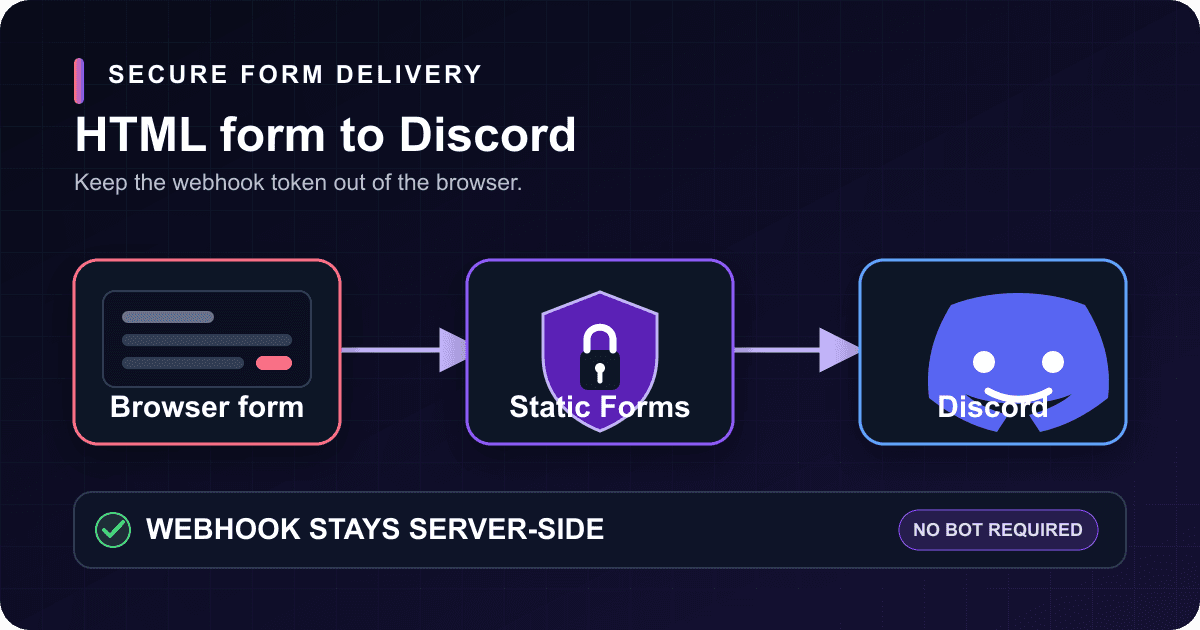
visitor's browser -> Static Forms -> Discord incoming webhook
The page contains a Static Forms form key, which identifies the form. The Discord webhook URL stays on the server side. This guide sets it up with plain HTML and tests the form submission and Discord delivery separately.
What you need
Before starting, create a Static Forms form and make sure you can edit the page HTML and manage webhooks in the destination Discord server. The built-in Discord integration is currently available from the Starter plan upward.
You do not need a Discord bot. Discord incoming webhooks can post to channels without a bot user or persistent connection. Use a bot only if you need to receive Discord events or handle commands.
Why the Discord URL must stay out of the page
A Discord webhook URL contains both a webhook ID and a token. Discord accepts requests to that tokenized URL without a separate authorization header. If you paste it into frontend code, a visitor can find it in DevTools, copy it, and send messages to the channel outside your form.
A frontend environment variable does not hide the URL; its value still ends up in the browser bundle.
The browser sends the form fields to Static Forms instead. Static Forms stores the Discord URL encrypted and returns only a masked hint in the dashboard. It then formats accepted submissions as Discord embeds. The webhook token never reaches the page.
The form key has to appear in a plain HTML form so the endpoint knows which Static Forms account should receive the submission. Treat it as public. Enable domain restriction and keep the honeypot in place; Static Forms applies submission rate limits separately.
Create the Discord incoming webhook
In Discord, open Server Settings, choose Integrations, then open Webhooks. Create a webhook, select the channel, give it a recognizable name, and copy its URL.
Paste the URL only into the Static Forms dashboard. Keep it out of frontend files, tickets, chat messages, and fixtures. If it has already leaked, delete that webhook in Discord and create a new one. Deleting the webhook invalidates the old URL.
In Static Forms, open the form, choose Edit, select Delivery, and find the Discord card. Paste the URL, save it, and enable notifications. The integration is configured per form, so a support form can post to #support while a partnership form posts elsewhere.
Add the HTML form
This version uses a normal browser form post. It works without JavaScript and redirects to a thank-you page after the endpoint accepts the submission.
<form action="https://api.staticforms.dev/submit" method="POST">
  <input type="hidden" name="apiKey" value="YOUR_STATIC_FORMS_KEY" />
  <input
    type="hidden"
    name="redirectTo"
    value="https://example.com/contact/thanks"
  />

  <div>
    <label for="contact-name">Name</label>
    <input
      id="contact-name"
      name="name"
      type="text"
      autocomplete="name"
      minlength="2"
      maxlength="80"
      required
    />
  </div>

  <div>
    <label for="contact-email">Email</label>
    <input
      id="contact-email"
      name="email"
      type="email"
      autocomplete="email"
      maxlength="254"
      required
    />
  </div>

  <div>
    <label for="contact-topic">Topic</label>
    <select id="contact-topic" name="topic" required>
      <option value="">Choose a topic</option>
      <option value="Support">Support</option>
      <option value="Partnership">Partnership</option>
      <option value="Other">Other</option>
    </select>
  </div>

  <div>
    <label for="contact-message">Message</label>
    <textarea
      id="contact-message"
      name="message"
      rows="7"
      minlength="10"
      maxlength="3000"
      required
    ></textarea>
  </div>

  <div style="display: none" aria-hidden="true">
    <label for="contact-honeypot">Leave this field empty</label>
    <input
      id="contact-honeypot"
      name="honeypot"
      type="text"
      tabindex="-1"
      autocomplete="off"
    />
  </div>

  <button type="submit">Send message</button>
</form>
Replace YOUR_STATIC_FORMS_KEY with the key for this form. Replace the redirectTo value with an HTTPS page on your own site. That page should say the message was received and explain what happens next; do not promise a response time your team cannot meet.
Each visible control has a label. The name and email fields also provide autocomplete hints, while the browser enforces the declared length and required-field constraints. The honeypot is a text field hidden from people and removed from keyboard navigation. Static Forms treats any nonempty field whose name contains honeypot as a bot trap and silently drops the submission.
Field names matter because Static Forms turns submitted fields into labeled Discord embed fields. Names such as topic and message are easier to scan than field3 and data.
What arrives in Discord
Static Forms sends one rich embed titled "New Form Submission." Each submitted value becomes an inline field, and the footer identifies Static Forms. When a submission ID is available, the footer includes it; the embed also carries a timestamp.
Discord allows up to 25 fields per embed and 6,000 characters across an embed's text. Static Forms keeps one field slot available for an overflow notice, truncates long names and values, and stops adding fields before the combined limit. If the form exceeds either limit, the Discord message ends with an "Additional fields" field. The inbox still contains the complete submission.
Use Discord for notifications and the Static Forms inbox for the complete submission and delivery status.
Test both delivery hops
Start with Send test message on the Discord card. That checks the saved URL and the server-to-Discord hop. If it succeeds, the selected channel receives a test embed.
It does not test the deployed form. Run a second test from the page:
- Submit recognizable synthetic data such as
Discord production test, not a real customer's details. - Confirm the browser reaches the expected thank-you page.
- Check that the submission appears in the Static Forms inbox.
- Check the Discord channel and compare the field labels and values.
- Repeat once from the keyboard, moving through every visible control and the submit button.
Test from the production hostname after enabling domain restriction. A localhost success cannot prove the production origin is on the allowlist.
Troubleshooting
| Symptom | Likely cause | What to check |
|---|---|---|
| The Discord test button is unavailable | The URL is not saved or notifications are disabled | Save the webhook URL, enable the Discord card, then reload the form editor |
| The test fails with a webhook error | The webhook or its channel was deleted, or the copied URL is incomplete | Create a new Discord webhook and replace the saved URL |
| The test works, but the website form does not | The browser-to-Static Forms hop is failing | Check the form action, POST method, form key, browser network response, and domain allowlist |
| The submission reaches the inbox but not Discord | Discord delivery failed after the form was accepted | Read the last error and timestamp on the integration card; verify the channel and webhook still exist |
| Discord shows fewer fields than the form | The embed reached Discord's field or character budget | Use shorter field names and review the complete submission in the inbox |
| Messages appear in the wrong channel | The saved webhook belongs to another channel | Create or copy a webhook from the intended channel and update this form's Delivery settings |
Discord delivery errors do not reject the original form submission. Static Forms records the integration error instead. The form can therefore reach its thank-you page even when Discord delivery fails.
Secure the public form
Enable domain restriction for the real site and every preview hostname that should submit. Static Forms checks the request's Origin or Referer against that list. Keep the honeypot. If spam gets through, add a CAPTCHA.
Check who can read the destination channel. Discord notifications may contain names, email addresses, and message text. Send only what that audience should see, then set the channel's access and retention policy accordingly.
Do not log the Discord webhook URL while debugging. If a screenshot or error report shows it, rotate it. Once the URL has been exposed, delete the webhook and create another one.
Production checklist
- The Discord URL exists only in Discord and the authenticated Static Forms settings.
- The HTML contains the Static Forms form key, never the Discord webhook.
- Every visible control has a label and a descriptive
name. - Domain restriction includes production and any intentional preview hosts.
- The dashboard test reaches the expected Discord channel.
- A real browser submission reaches the inbox and Discord with synthetic test data.
- The Discord integration card shows no new delivery error.
- Anyone with access to the destination channel is allowed to see the submitted fields.
Related Articles
Bearer vs Basic vs Custom Header Auth for Form Webhooks
Choose Bearer, Basic, or a custom header for form webhooks. See exact request formats, safe Node.js validation, token rotation, and 401/403 fixes.
Send HTML Form Submissions to Telegram Safely
Send HTML form submissions to Telegram without exposing your bot token. Includes bot setup, accessible HTML, security checks, and two-hop testing.
Send Form Submissions to n8n With a Reliable Webhook
Connect Static Forms to n8n with a production webhook, Header auth, payload mapping, branching, retry-safe deduplication, and end-to-end tests.







































