

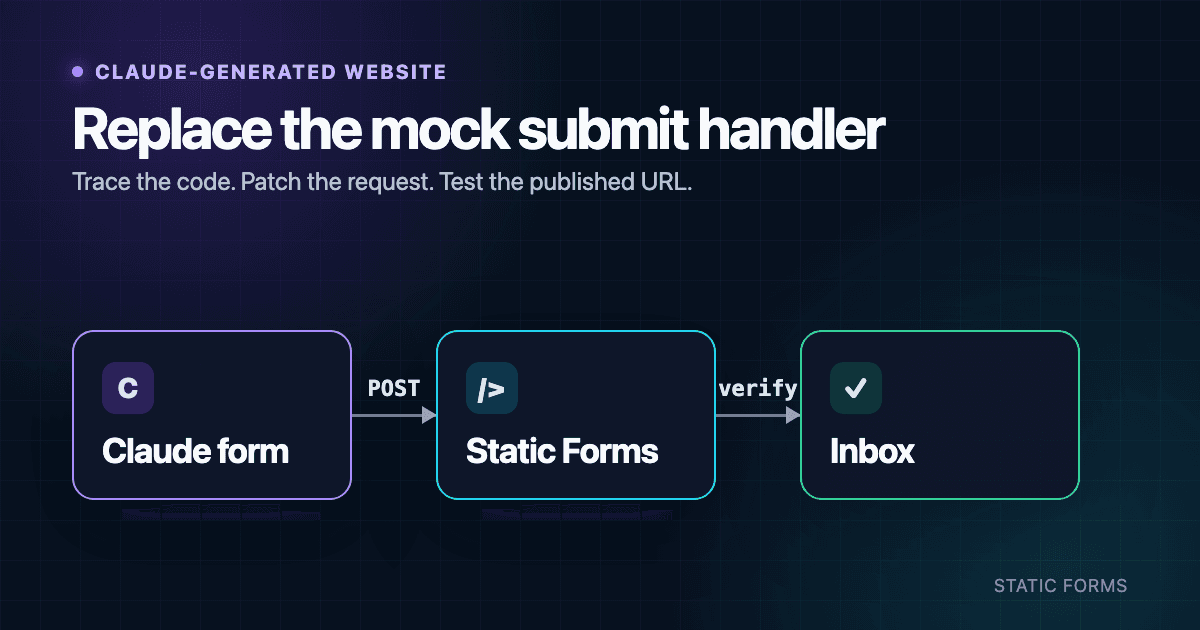
Make a Claude-Generated Website Contact Form Send Email
A Claude-generated contact form may show a success message without sending a request. Unless its handler submits the form or calls an endpoint, the message never leaves the page.
Start with the code, not the preview. This guide covers the two relevant examples in Anthropic's current Artifacts documentation: single-page HTML websites and interactive React components. You will trace Claude's submit handler, ask for a constrained patch, and verify the exact version visitors can open.
Trace the existing submit handler
Open the Artifact's code view or download its files. Anthropic documents both options. Find the form element and follow whatever runs when it submits.
In HTML, inspect <form action="..." method="...">. In React, start at onSubmit and follow the function it references. A handler is incomplete if its success path only calls setSubmitted(true), shows a notification, logs the fields, or waits on a timer without making a request.
Test the existing version with the browser's Network panel open. If the page claims success but there is no form navigation or submission request, the code will show what triggered that state.
This is also where Claude-built sites differ from an ordinary framework tutorial. You may have three copies of the same design:
- the Artifact inside the conversation;
- a published Artifact;
- files you downloaded and deployed elsewhere.
Changes made in Claude do not update a copy already deployed to another host. Write down the URL visitors use before editing anything.
Give Claude a bounded task
Create a form in Static Forms and copy its public form key. Static Forms accepts that key as apiKey in a browser request. It identifies the destination for a new submission; do not treat it like an Anthropic or email-provider secret.
Paste the following prompt into the conversation that owns the Artifact:
Inspect the existing contact form before editing it. Tell me whether it is
plain HTML or React, name the current submit handler, and explain why the
current success state does or does not prove that a request was sent.

Then patch the existing form without changing its layout, classes, field copy,
or visible labels. Submit to https://api.staticforms.dev/submit using
YOUR_PUBLIC_FORM_KEY as the public apiKey. Keep name attributes on every field
that should be submitted.

Remove mock submission code. Add an in-flight guard. Show success only after a
2xx response whose JSON contains success: true. Show a short, user-safe error
otherwise, and log the response status for debugging. Announce the result in a
role="status" region with aria-live="polite".

Do not add an Anthropic key, SMTP password, email-provider token, or any other
private credential to HTML, client-side JavaScript, browser-exposed environment
variables, or the repository. Return a diff and list every changed file.
Replace YOUR_PUBLIC_FORM_KEY before you accept the patch. After Claude returns the diff, confirm that onSubmit points to the new handler and that the old success path is gone. A redesign, new form library, or server framework is out of scope for this repair.
Anthropic's API key guidance recommends encrypted storage for confidential credentials. If your form workflow needs one, put the protected operation behind a server function. The public form key used by Static Forms is meant to travel with the browser submission.
Check Claude's HTML patch
For a single-page HTML Artifact, the smallest useful patch is an endpoint, a method, and names on the submitted fields:
<form action="https://api.staticforms.dev/submit" method="post">
  <input type="hidden" name="apiKey" value="YOUR_PUBLIC_FORM_KEY" />

  <label for="contact-name">Name</label>
  <input id="contact-name" name="name" autocomplete="name" required />

  <label for="contact-email">Email</label>
  <input
    id="contact-email"
    name="email"
    type="email"
    autocomplete="email"
    required
  />

  <label for="contact-message">Message</label>
  <textarea id="contact-message" name="message" rows="6" required></textarea>

  <button type="submit">Send message</button>
</form>
The browser excludes an input without a name from submitted form data. This is easy to miss when Claude has generated attractive controls whose state exists only in the page. MDN's guide to sending form data explains the name/value behavior.
A native POST navigates away from the Artifact to the endpoint response. If that is acceptable, the patch above is enough for a first delivery test. For an inline confirmation, ask Claude to use fetch() and keep the native fields and validation. The Static Forms API reference documents supported request formats; the HTML form guide has a complete browser example.
Check Claude's React patch
A React patch should change the handler rather than replace the component. The important part should resemble this:
import { useRef, useState } from "react";
import type { FormEvent } from "react";

const STATIC_FORMS_KEY = "YOUR_PUBLIC_FORM_KEY";

type SubmitState = "idle" | "sending" | "sent" | "error";

export function ContactForm() {
  const inFlight = useRef(false);
  const [state, setState] = useState<SubmitState>("idle");

  async function handleSubmit(event: FormEvent<HTMLFormElement>) {
    event.preventDefault();
    if (inFlight.current) return;

    const form = event.currentTarget;
    const data = new FormData(form);
    data.set("apiKey", STATIC_FORMS_KEY);

    inFlight.current = true;
    setState("sending");

    try {
      const response = await fetch("https://api.staticforms.dev/submit", {
        method: "POST",
        body: data,
      });
      const result = (await response.json()) as { success?: boolean };

      if (!response.ok || !result.success) {
        console.error("Contact form rejected", { status: response.status });
        setState("error");
        return;
      }

      form.reset();
      setState("sent");
    } catch (error) {
      console.error("Contact form request failed", error);
      setState("error");
    } finally {
      inFlight.current = false;
    }
  }

  return (
    <form onSubmit={handleSubmit} aria-busy={state === "sending"}>
      {/* Keep the existing labeled inputs here. Each submitted field needs a name. */}

      <button type="submit" disabled={state === "sending"}>
        {state === "sending" ? "Sending..." : "Send message"}
      </button>

      <p role="status" aria-live="polite">
        {state === "sent" && "Your message was submitted."}
        {state === "error" &&
          "Your message could not be sent. Please try again."}
      </p>
    </form>
  );
}
This is a handler skeleton, not a replacement form. Keep Claude's labeled controls inside the <form> and check that every submitted field has a stable name. FormData ignores unnamed controls. When sending FormData, leave Content-Type unset so the browser can add the multipart boundary; MDN documents both details in Using FormData objects.
The status check is equally important. fetch() does not reject simply because the endpoint returns a 4xx or 5xx response. Code that skips response.ok can show success after the server rejected the submission. See MDN's current Fetch API guide.
Publish the version you tested
Anthropic currently allows public Artifact publishing on Free, Pro, and Max. Anyone with the link can open a public Artifact. Team and Enterprise Artifacts can be shared within the organization but cannot be published publicly. Anthropic's publishing guide also documents embed code and the Allowed domains list.
Those rules change the test plan:
- Publish the Artifact version that contains the handler patch.
- Open its shared URL in the same account state your intended visitor will use.
- If the Artifact is embedded, test it on every website listed under Allowed domains.
- If you downloaded the code, redeploy that copy and test its own production URL.
Now submit a unique message such as Claude form test <timestamp-or-id>. Confirm the request in Network, then find the same value in the Static Forms inbox. Check the configured mailbox separately; API acceptance and email delivery are different boundaries.
If the request fails only after publishing, inspect its response before asking Claude for another rewrite. A 400-series response points to the request or a configured rule. A network failure needs the browser error and request context. A missing POST means the published page is still running the old handler.
Review the parts AI edits tend to disturb
Before release, compare the diff with the rendered form:
onSubmitreferences the real handler.- The previous timer or unconditional success call is gone.
- Existing labels still point to unique input IDs.
- Submitted fields still have
nameattributes. - The button cannot start another request while one is pending.
- The status region changes after the response and is announced to assistive technology.
- No private credential appears in source, browser code, or Git.
Use the form security guide if the public form needs more than its current spam controls. Domain restriction, when enabled, must allow the origin that sends the published request. Test the real standalone and embedded versions before adding a hostname based on guesswork.
Collect only what the recipient needs. General contact forms should not ask for passwords, payment-card details, health information, or other sensitive data. Treat every submitted value as untrusted when it enters another system or custom HTML.
Repeat the published-page test after changes to the handler, Artifact version, embed configuration, or allowed domains. Delete test submissions when you no longer need them.
Related Articles
Add Email to a Replit Website Contact Form
Connect a Replit website contact form to email with plain HTML and React examples, safe key handling, publishing checks, spam controls, and fixes.
Make a Lovable Contact Form Send Real Email
Connect a Lovable contact form to real email with a copy-paste React example, safe key handling, spam controls, deployment tests, and troubleshooting.
HTML Form That Sends Email Without Server (2026)
Create an HTML contact form that sends emails directly to your inbox without PHP, Node.js, or any backend code. Complete beginner-friendly guide.







































