

Bearer vs Basic vs Custom Header Auth for Form Webhooks
A webhook URL is not a secret once it appears in deployment logs, screenshots, or a vendor dashboard. Put a credential on the request and make the receiver reject anything that does not have it.
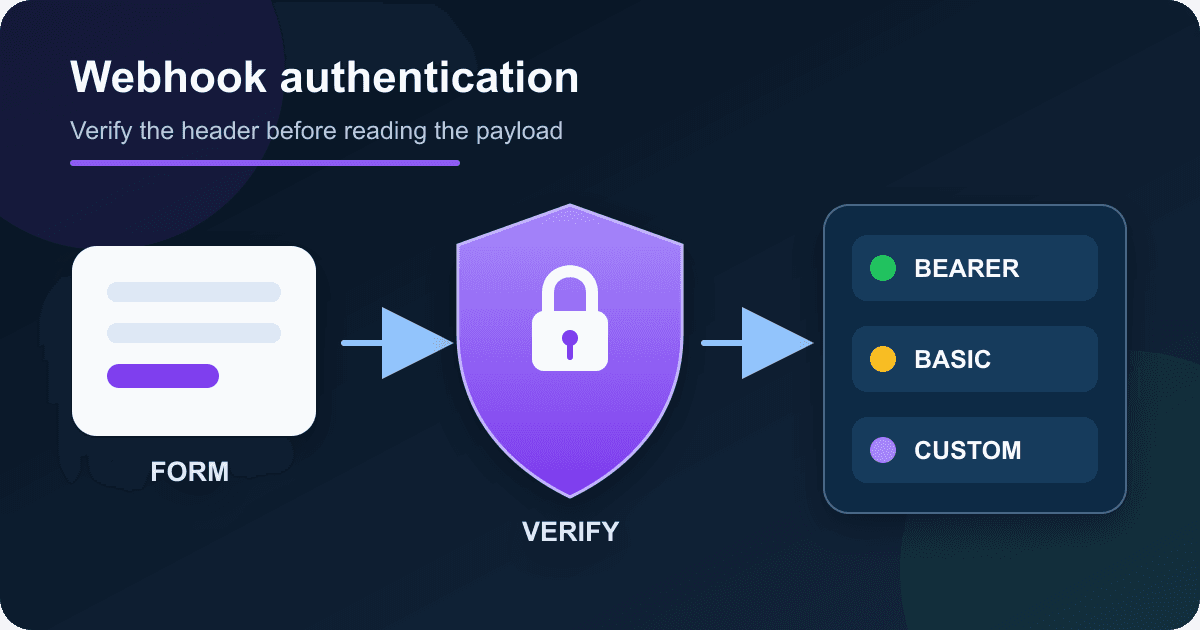
Static Forms supports Bearer tokens, Basic authentication, and custom authentication headers. They all protect the same boundary, but they are not interchangeable in day-to-day operation. This guide shows the exact headers, when each mode makes sense, and a tested Node.js validator that allows a short two-token rotation window.
Pick the mode before writing receiver code
For a new endpoint you control, Bearer is usually the least surprising choice. It uses the standard Authorization header and keeps the credential separate from the webhook body.
| Mode | Static Forms sends | Good fit | Main drawback |
|---|---|---|---|
| Bearer | Authorization: Bearer <token> |
Your own API or a service that expects Bearer auth | Some gateways reserve or rewrite Authorization |
| Basic | Authorization: Basic <base64> |
A legacy receiver that already requires HTTP Basic | Base64 is encoding, not encryption |
| Custom header | <chosen-name>: <value> |
n8n, an API gateway, or a receiver with a fixed API-key header | Both sides must agree on the exact header name |
Bearer tokens are bearer credentials: whoever has the value can use it. RFC 6750 requires TLS for bearer-token requests and warns against putting tokens in URLs. Use an HTTPS receiver and keep the value out of query strings.
Basic authentication does not make a weak secret stronger. Static Forms currently encodes api:<configured value> before sending the header. If a receiver expects a different username, choose another mode instead of trying to make the two formats look compatible.
A custom header is practical when a destination asks for a name such as X-Webhook-Token. Header names are case-insensitive, and Node exposes normalized incoming header names in lowercase. The credential value is still case-sensitive.
Configure the sender in Static Forms
Open the form editor, then go to Delivery -> Webhook. Add the public HTTPS endpoint, turn the webhook on, and select an authentication type.
For Bearer, paste only the token. Static Forms adds the Bearer scheme. For Basic, paste the shared value expected after the fixed api: username. For a custom header, enter both the header name and its value. The Delivery documentation lists the fields for all three modes.
Generate a separate random value for this integration. Do not reuse a login password, form key, database password, or another webhook's token. Keep the receiver's copy in its server-side secret store or environment configuration. Nothing from this section belongs in browser JavaScript.
Static Forms also has a temporary webhook tester for inspecting payloads. Treat temporary inspection URLs and captured headers as sensitive while you test.
Validate Bearer, Basic, or a custom header in Node.js
The validator below accepts one configured mode at a time. It compares fixed-length SHA-256 digests with Node's timingSafeEqual, accepts the current token plus an optional previous token during rotation, and never returns the supplied credential to the caller.
Save this as webhook-auth.mjs:
import { createHash, timingSafeEqual } from "node:crypto";

function digest(value) {
  return createHash("sha256").update(value, "utf8").digest();
}

function secureMatch(received, expected) {
  if (typeof received !== "string" || typeof expected !== "string") return false;
  return timingSafeEqual(digest(received), digest(expected));
}

function matchesEither(received, current, previous) {
  return secureMatch(received, current) ||
    (typeof previous === "string" && secureMatch(received, previous));
}

function bearerCredential(header) {
  if (typeof header !== "string") return null;
  const match = header.match(/^Bearer\s+([^\s]+)$/i);
  return match ? match[1] : null;
}

export function authenticateWebhook(headers, config) {
  const normalized = Object.fromEntries(
    Object.entries(headers).map(([name, value]) => [name.toLowerCase(), value]),
  );

  if (config.mode === "bearer") {
    return matchesEither(
      bearerCredential(normalized.authorization),
      config.current,
      config.previous,
    );
  }

  if (config.mode === "basic") {
    const current = `Basic ${Buffer.from(`api:${config.current}`).toString("base64")}`;
    const previous = config.previous
      ? `Basic ${Buffer.from(`api:${config.previous}`).toString("base64")}`
      : undefined;
    return matchesEither(normalized.authorization, current, previous);
  }

  if (config.mode === "custom") {
    const name = config.headerName?.toLowerCase();
    return Boolean(name) && matchesEither(
      normalized[name],
      config.current,
      config.previous,
    );
  }

  return false;
}
Use it before parsing or acting on the body. A minimal route can return 401 with WWW-Authenticate: Bearer when Bearer credentials are missing or invalid. Return 403 only when the caller is authenticated but is not allowed to perform that action. This distinction saves time when a gateway, framework, or monitoring alert reports the failure.
Node's timingSafeEqual documentation says its two inputs must have the same byte length. Hashing both strings first gives the comparison fixed-length inputs. Node also warns that one safe comparison does not make all surrounding code timing-safe, so keep authentication failure paths simple and do not reveal which candidate failed.
Test the exact authentication behavior
Save this beside the validator as webhook-auth.test.mjs:
import assert from "node:assert/strict";
import test from "node:test";
import { authenticateWebhook } from "./webhook-auth.mjs";

const bearer = { mode: "bearer", current: "current-secret", previous: "old-secret" };

test("accepts current and previous Bearer tokens", () => {
  assert.equal(authenticateWebhook({ authorization: "Bearer current-secret" }, bearer), true);
  assert.equal(authenticateWebhook({ authorization: "bearer   old-secret" }, bearer), true);
});

test("rejects malformed and incorrect Bearer credentials", () => {
  assert.equal(authenticateWebhook({ authorization: "Bearer wrong" }, bearer), false);
  assert.equal(authenticateWebhook({ authorization: "current-secret" }, bearer), false);
  assert.equal(authenticateWebhook({}, bearer), false);
});

test("matches the Basic format emitted by Static Forms", () => {
  const encoded = Buffer.from("api:basic-secret").toString("base64");
  assert.equal(authenticateWebhook(
    { authorization: `Basic ${encoded}` },
    { mode: "basic", current: "basic-secret" },
  ), true);
});

test("normalizes a custom header name", () => {
  assert.equal(authenticateWebhook(
    { "X-Webhook-Token": "custom-secret" },
    { mode: "custom", headerName: "x-webhook-token", current: "custom-secret" },
  ), true);
});
Run node --test webhook-auth.test.mjs. The four tests should pass. Then test the deployed receiver twice: once with the right credential and once with a deliberately wrong value. The valid request should reach the body-validation path. The invalid request should stop at 401 without creating a lead, sending a message, or logging the secret.
Rotate a token without dropping deliveries
Changing both systems at exactly the same instant is brittle. Give the receiver a short overlap instead:
- Generate a new random token.
- Deploy the receiver with the new token as
currentand the old token asprevious. - Update the Static Forms webhook authentication value.
- Send a test webhook and one recognizable form submission.
- Confirm the new token was accepted, then remove the previous token from the receiver.
Set an owner and a deadline for removing the old value. An overlap with no end date leaves two valid credentials forever. OWASP's Secrets Management Cheat Sheet recommends rotation and revocation so stolen credentials do not remain useful indefinitely.
If you suspect a leak, skip the leisurely overlap. Replace the sender value, revoke the old receiver value, and inspect delivery logs for failed or unfamiliar requests. Availability matters, but a known-compromised credential should not stay valid for convenience.
Log enough to debug, not enough to leak
Record a request ID, event type, authentication mode, outcome, HTTP status, and a timestamp. Do not record the Authorization value, a custom authentication value, the expected secret, or the full rejected header set.
OWASP's logging guidance lists access tokens and primary secrets among data that should usually be removed, masked, hashed, or encrypted before recording. Check every layer, including reverse proxies, serverless request inspectors, error trackers, and temporary webhook tools.
Form payloads can contain names, email addresses, messages, and attachments. Log only the fields you need for operations, apply a retention period, and restrict who can read the logs. Authentication prevents an unknown sender from reaching the handler; it does not make submitted data harmless. Validate the event name and body shape before passing values to HTML, SQL, shell commands, or another API.
Diagnose 401 and 403 responses
| Symptom | Likely cause | Check |
|---|---|---|
| Every request returns 401 | Sender and receiver values differ | Replace both from the same secret-store entry without printing it |
| Bearer fails but custom header works | A proxy removed Authorization |
Inspect gateway allowlists and forwarding rules |
| Basic always fails | Receiver expects another username or raw value | Confirm it expects api:<value> before Base64 encoding |
| Custom header is missing | Header name differs or a gateway strips it | Compare the configured name and proxy header policy |
| Old and new tokens both fail during rotation | Receiver deployment and sender update happened in the wrong order | Restore old as previous, verify, then repeat the sequence |
| Valid credentials return 403 | Authorization logic runs after authentication | Check account, tenant, IP, or event permissions separately |
HTTP authentication scheme names are case-insensitive under RFC 9110. A receiver may accept bearer, but send the conventional Bearer spelling and avoid unusual formatting unless you are testing the parser itself.
Production check
Before leaving the integration alone, confirm these facts with a real deployed submission:
- The webhook destination uses HTTPS.
- Exactly one authentication mode is configured at both ends.
- The credential exists only in server-side configuration and an approved secret store.
- A correct request is accepted and a wrong credential gets
401. - Logs show the outcome without showing the credential or full form payload.
- Rotation has a documented owner, sequence, and old-token removal step.
- Body validation happens before any downstream side effect.
The broader webhooks integration page covers delivery testing and logs. For n8n specifically, the Static Forms to n8n guide shows where custom Header auth fits in a complete workflow.
Related Articles
Send an HTML Form to Discord Without Exposing the Webhook
Connect an HTML form to Discord without exposing the webhook URL. Includes secure setup, accessible HTML, two-hop testing, and practical failure checks.
How to Debug a Failed Static Forms Webhook From the Delivery Log
Start with one Static Forms delivery log, trace the last successful boundary, then use HTTP status evidence, curl, and a minimal Node diagnostic receiver.
Webhook Retries Without Duplicate Leads: An Idempotency Guide
Stop webhook retries from creating duplicate leads with stable event IDs, atomic DynamoDB receipts, safe CRM upserts, and tested Node.js code.







































