

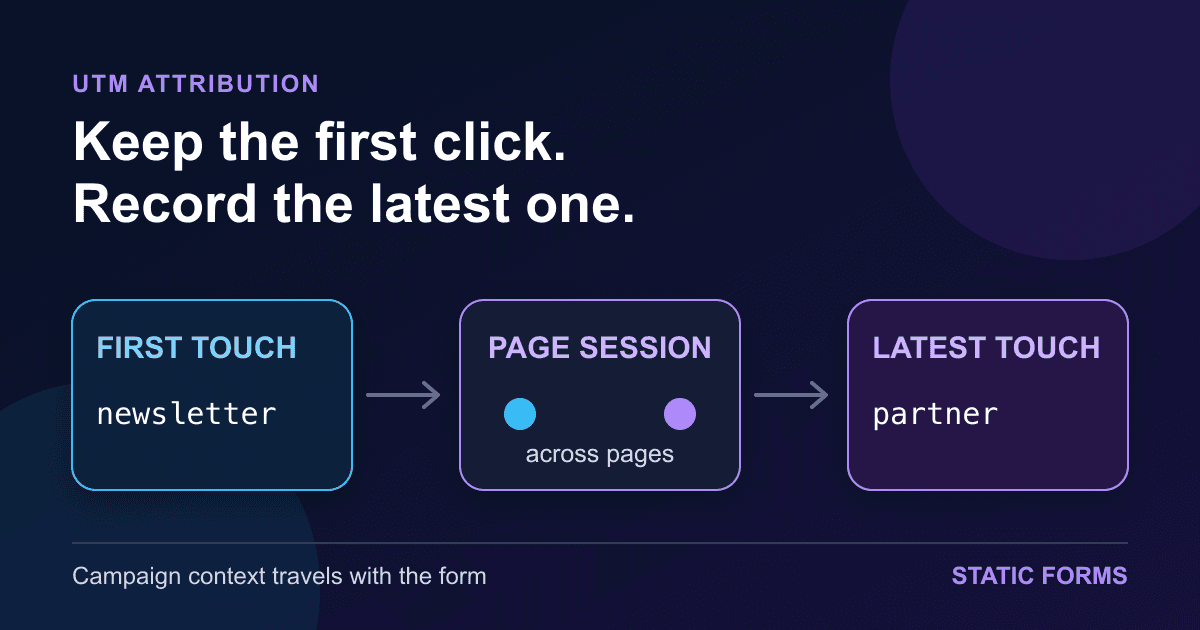
Capture First-Touch UTM Parameters in Contact Forms
A visitor clicks a tagged campaign link, reads two pages, and only then opens your contact form. By that point, the utm_* parameters are gone from the address bar. If you only read the form page URL, the lead arrives with no campaign context.
The fix is small, but the attribution rule needs to be explicit. Capture an allowlisted set of UTM parameters on arrival, preserve the first touch for the current tab, update the latest touch when another tagged link appears, and add both sets to the form as hidden fields. If storage is not allowed or available, submit only the parameters on the current page.
This tutorial builds that behavior in plain JavaScript. The form still works when JavaScript fails; only the campaign metadata disappears.
Decide what first touch and latest touch mean
"First touch" in this example means the first tagged page seen during the current tab's page session. "Latest touch" means the most recent tagged page in that same session. Those are local labels for your lead record, not replacements for an analytics platform's attribution model.
Imagine this path:
- A visitor lands on
/pricing?utm_source=newsletter&utm_medium=email&utm_campaign=spring. - They browse to an untagged case-study page.
- They return through a partner link with
utm_source=partner&utm_campaign=integration-launch. - They submit the contact form.
The form should send newsletter as first_utm_source and partner as latest_utm_source. A direct visit with no campaign parameters should send neither. Do not manufacture values such as direct in the browser; that is a reporting decision best made downstream.
Google documents the common manual campaign fields and recommends consistent, case-sensitive naming. It also recommends supplying the relevant fields together, especially source, medium, and campaign. See Google's campaign URL guide and manual tagging reference. The script below captures utm_id, utm_source, utm_medium, utm_campaign, utm_term, and utm_content. Add another key only when your destination has a planned column for it.
Add a normal HTML form first
Start with a form that can submit without JavaScript. This example posts standard form data to the Static Forms /submit endpoint. Replace YOUR_STATIC_FORMS_API_KEY with the key for the intended form.
<form
  action="https://api.staticforms.dev/submit"
  method="post"
  data-utm-attribution
>
  <input type="hidden" name="apiKey" value="YOUR_STATIC_FORMS_API_KEY" />

  <label for="name">Name</label>
  <input id="name" name="name" autocomplete="name" required />

  <label for="email">Email</label>
  <input id="email" name="email" type="email" autocomplete="email" required />

  <label for="message">Message</label>
  <textarea id="message" name="message" required></textarea>

  <button type="submit">Send message</button>
</form>

<script type="module">
  import { initUtmAttribution } from '/utm-attribution.js';

  initUtmAttribution({
    // Replace this with the decision returned by your consent setup.
    canStore: window.marketingStorageGranted === true,
  });
</script>
The data-utm-attribution attribute is only a hook for the script. It has no effect on native form submission. The module creates hidden inputs such as first_utm_campaign before the visitor submits.
Keep real labels on the visible controls. Hidden campaign fields do not need labels because they are not interactive, but they also must not contain facts you intend to trust. MDN's hidden-input reference is blunt about this: a visitor can inspect and edit hidden values in developer tools.
That makes UTM fields suitable for advisory routing, reporting, or CRM context. They are not proof of identity, authorization, pricing, referral payment, or entitlement. Validate any sensitive decision on a server using data the browser cannot rewrite.
Capture an allowlisted set of UTM parameters
Save this module as /utm-attribution.js and load it on every page that may receive a campaign visit. Loading it only on /contact cannot preserve a tag first seen on /pricing.
export const UTM_KEYS = [
  'utm_id',
  'utm_source',
  'utm_medium',
  'utm_campaign',
  'utm_term',
  'utm_content',
];

const STORAGE_KEY = 'contact_form_utm_attribution_v1';
const MAX_VALUE_LENGTH = 100;

function clean(value) {
  return value
    .replace(/[\u0000-\u001f\u007f]/g, '')
    .trim()
    .slice(0, MAX_VALUE_LENGTH);
}

export function readUtmParams(search) {
  const params = new URLSearchParams(search);
  const values = {};

  for (const key of UTM_KEYS) {
    const value = params.get(key);
    if (value !== null && clean(value) !== '') {
      values[key] = clean(value);
    }
  }

  return values;
}

function validTouch(value) {
  if (!value || typeof value !== 'object' || Array.isArray(value)) return {};

  return Object.fromEntries(
    UTM_KEYS.flatMap((key) =>
      typeof value[key] === 'string' && clean(value[key]) !== ''
        ? [[key, clean(value[key])]]
        : []
    )
  );
}

function readStored(storage) {
  if (!storage) return { first: {}, latest: {} };

  try {
    const parsed = JSON.parse(storage.getItem(STORAGE_KEY) || '{}');
    return {
      first: validTouch(parsed.first),
      latest: validTouch(parsed.latest),
    };
  } catch {
    return { first: {}, latest: {} };
  }
}

export function captureAttribution({ search, storage, canStore = false } = {}) {
  const currentSearch = search ?? window.location.search;
  let availableStorage = storage;

  if (availableStorage === undefined) {
    try {
      availableStorage = window.sessionStorage;
    } catch {
      availableStorage = null;
    }
  }

  const current = readUtmParams(currentSearch);
  const stored = readStored(availableStorage);
  const hasCurrent = Object.keys(current).length > 0;
  const first = Object.keys(stored.first).length > 0 ? stored.first : current;
  const latest = hasCurrent ? current : stored.latest;
  const attribution = { first, latest };

  if (canStore && hasCurrent && availableStorage) {
    try {
      availableStorage.setItem(STORAGE_KEY, JSON.stringify(attribution));
    } catch {
      // Storage may be blocked or unavailable. Current-page capture still works.
    }
  }

  return attribution;
}

export function addAttributionFields(form, attribution) {
  for (const touch of ['first', 'latest']) {
    for (const [key, value] of Object.entries(attribution[touch])) {
      const name = `${touch}_${key}`;
      let input = form.querySelector(`input[name="${name}"]`);

      if (!input) {
        input = form.ownerDocument.createElement('input');
        input.type = 'hidden';
        input.name = name;
        form.append(input);
      }

      input.value = value;
    }
  }
}

export function initUtmAttribution({
  canStore = false,
  search,
  storage,
  root = document,
} = {}) {
  const attribution = captureAttribution({ search, storage, canStore });

  for (const form of root.querySelectorAll('form[data-utm-attribution]')) {
    addAttributionFields(form, attribution);
  }

  return attribution;
}
There are a few deliberate choices in this code.
The allowlist prevents an arbitrary query parameter from becoming a form field. A URL can contain email addresses, reset tokens, search terms, or internal identifiers. Copying the entire query string into a lead record is an easy way to collect data you never meant to keep.
URLSearchParams.get() returns the first value when a URL repeats the same key, according to MDN's method reference. So ?utm_source=email&utm_source=partner becomes email. The tests lock that behavior down instead of leaving duplicate handling to accident.
Each value is trimmed, stripped of control characters, and capped at 100 characters. That limit belongs to this example, not to the UTM standard or the Static Forms API. It keeps a marketing metadata field from swallowing a huge query value. Adjust it only after checking the destination schema.
The script preserves case. Google treats Email and email as different campaign values, so silently lowercasing during capture would hide naming mistakes. Standardize campaign links when you create them, then report inconsistent values rather than rewriting history in the browser.
Store campaign data only when your policy allows it
sessionStorage fits a short, multi-page journey because its data belongs to an origin and a browser tab. It survives navigation and reloads in that tab, then ends when the page session ends. It does not create a cross-device or durable customer history. MDN documents those boundaries in its sessionStorage reference.
The example defaults canStore to false. Replace window.marketingStorageGranted with the boolean your consent or privacy setup actually returns. Do not rename a hard-coded true to "consent" and call the job done.
Google's consent implementation guide separates a default consent state from later updates after a visitor makes a choice. Your UTM module should follow the same state your site uses for campaign or analytics storage. The correct policy depends on what you collect, why you collect it, where your visitors are, and the commitments in your notices. This article is implementation guidance, not legal advice.
When storage is denied, blocked by browser policy, malformed, or otherwise unavailable, the module still reads current-page tags and fills the form. Cross-page first touch is lost. That is a better failure mode than blocking the form or pretending the metadata is complete.
Avoid storing names, email addresses, messages, or other form answers in this attribution object. It should contain campaign labels only. If a campaign value itself includes personal data, fix the campaign URL rather than preserving it more carefully.
Name fields for the destination you will query
A useful field name should answer two questions without a separate legend: which touch, and which parameter?
The example produces names such as:
| Form field | Meaning |
|---|---|
first_utm_source |
First tagged source in this tab's page session |
first_utm_campaign |
Campaign attached to that first tagged page |
latest_utm_source |
Source from the most recent tagged page |
latest_utm_campaign |
Campaign from the most recent tagged page |
Keep those names stable after launch. A dashboard, spreadsheet, webhook receiver, and CRM mapper are much easier to maintain when they share one vocabulary.
Static Forms includes submitted fields in the saved form data. Its webhook payload preview shows form fields under formData, so a receiver can map data.formData.first_utm_campaign into a CRM property. The Delivery settings guide covers webhooks and Google Sheets as separate destinations. Test the exact destination you enable; a form submission accepted by the form endpoint does not prove that a later CRM write succeeded.
If you only need to route a submission based on the UTM parameters still present in the form page URL, hidden fields may be unnecessary. Static Forms Rules can inspect utm_* query parameters from the page URL. That is cleaner for a single-page landing flow. The browser module earns its keep when the visitor crosses untagged pages or when you need both first and latest values in a downstream record.
Test the behavior before adding analytics reports
The archived module is exercised with Node's built-in test runner. Its tests cover:
- an allowlist that ignores unrelated query keys
- first-value behavior for duplicate parameters
- first touch staying fixed while latest touch changes
- no persistence when
canStoreis false - current-page capture when storage throws
- creation of first-touch and latest-touch hidden inputs
Run the same checks locally:
node --check utm-attribution.js
node --check utm-attribution.test.mjs
node --test utm-attribution.test.mjs
Then test the browser path with synthetic campaign values:
- Open
/pricing?utm_source=newsletter&utm_medium=email&utm_campaign=springin a new tab. - Navigate to an untagged page without opening another tab.
- Open the contact form and inspect its element tree. Confirm
first_utm_source=newsletterandlatest_utm_source=newsletter. - In the same tab, visit a page tagged with
utm_source=partner&utm_campaign=integration-launch. - Return to the form. The first source should remain
newsletter; the latest source should bepartner. - Submit a test lead and inspect the Static Forms inbox plus the configured destination.
- Repeat with storage denied. The form should still submit, and only current-page UTM values should appear.
Use invented campaign names and a test email address. There is no reason to put a real person's data into a deployment test.
Also test a direct visit, an empty value such as utm_source=, a 200-character value, percent-encoded text, and duplicate keys. Open a separate tab to confirm that you understand the scope. A new top-level browsing context gets its own session behavior, although a page opened with an opener may initially receive a copy of the opener's storage. Do not describe this as a durable visitor identity.
Diagnose missing or surprising attribution
If every UTM field is missing, confirm that the module loads on the landing page and that the form has data-utm-attribution. Check the browser console for a bad module path. Native submission may still work, which can hide a failed attribution script.
If current-page fields appear but earlier values do not, inspect canStore. A denied decision, blocked web storage, a different origin, or a new tab can all remove persistence. The code catches storage errors on purpose, so missing persistence will not necessarily create a console exception.
If the first touch changes unexpectedly, look for another script writing the same storage key or replacing the form fields. Use one owner for contact_form_utm_attribution_v1 and one naming scheme for hidden inputs.
If campaign rows split between Email, email, and EMAIL, repair the links at the campaign source. The capture script preserves the incoming value because changing it would make debugging harder.
If the CRM has no attribution while the Static Forms inbox does, the browser capture worked. Inspect the webhook or automation mapping next. Compare one submission ID and timestamp rather than resubmitting repeatedly. The webhook debugging runbook shows how to isolate that boundary, and the retry-safe receiver guide covers duplicate side effects before replaying a lead.
Ship with a short evidence checklist
Before publishing the form, verify these points with one synthetic journey:
- campaign links use a consistent naming convention
- only approved UTM keys are captured
- first and latest touch follow the written overwrite rule
- the no-storage path still submits the visible form
- hidden fields never drive security or billing decisions
- the Static Forms inbox contains the expected field names
- each enabled destination receives or maps those fields
- privacy copy and consent behavior match the site's actual implementation
- direct visits stay unlabelled rather than receiving invented campaign data
If all you need is current-page routing, use a native UTM Rule and remove the extra browser state. If a visitor can browse before converting, the small session-scoped module gives you useful campaign context without turning the contact form into a tracking system of its own. The Static Forms quick start covers the basic endpoint setup if the submission path is not live yet.
Related Articles
Contact Form Success Message Examples That Help Users
Write clearer contact form success messages with practical examples, accessible live-region markup, honest response states, and a tested HTML pattern.
Preserve textarea line breaks in HTML without innerHTML
Fix textarea line breaks that disappear in a preview. Use textContent and CSS pre-wrap, keep user input as plain text, and test a complete HTML example.
Confirm email field validation in HTML and JavaScript
Build a confirm email field that catches mismatches, clears stale errors, and works with Enter. Test the exact HTML example without confusing matching with verification.







































